52
6 Set up the sensor with the display and adjustment module
VEGAPULS 63 • Modbus and Levelmaster protocol
41364-EN-170711
Menu Menu item Default value
Display Language Like order
Displayed value Distance
Display unit m
Scalingsize Volume
l
Scaling
0.00 lin %, 0 l
100.00 lin %, 100 l
Backlight Switched on
Additional settings Distance unit m
Temperature unit °C
Probe length Length of standpipe ex factory
Linearisation curve Linear
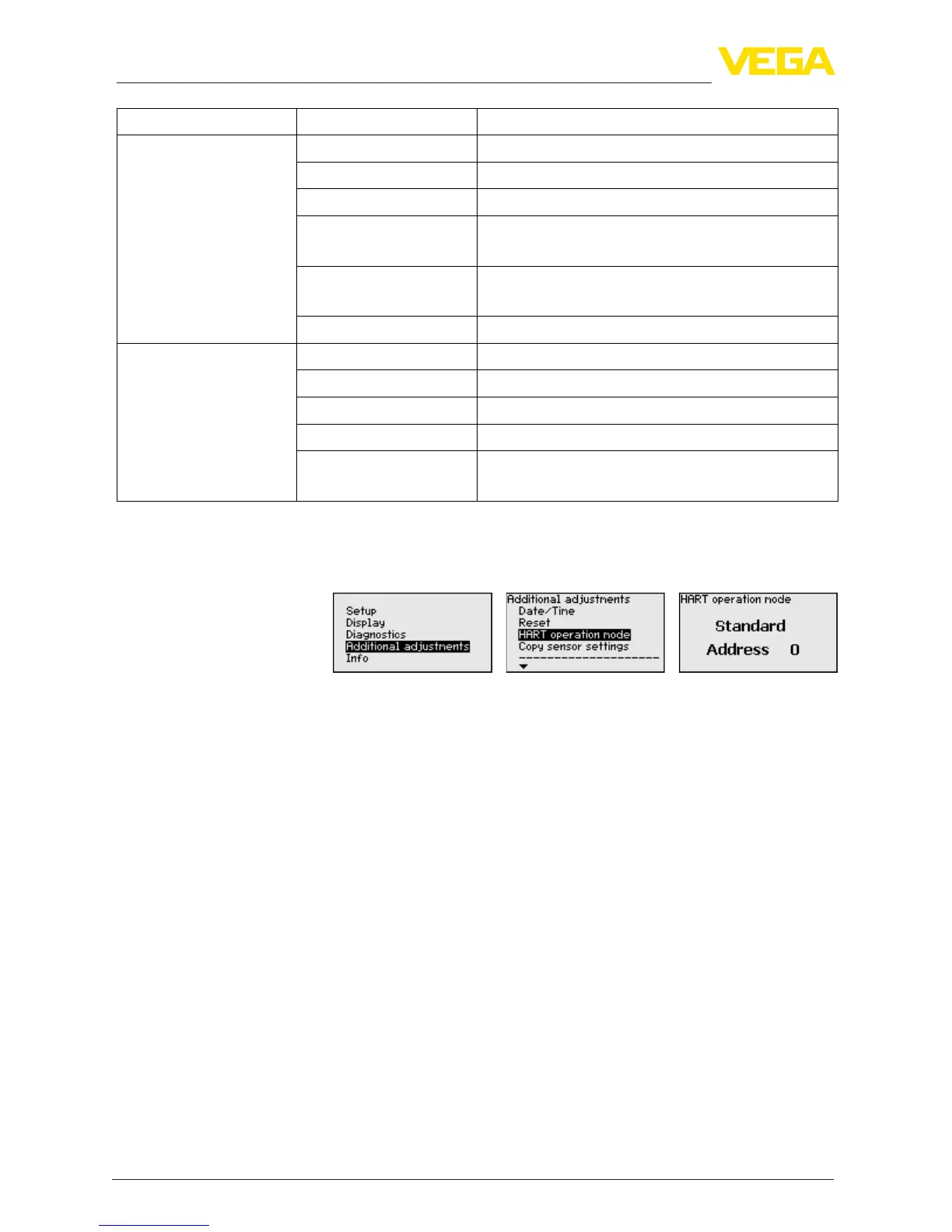
HART mode Standard
Address 0
ThesensoroerstheHARTmodesstandardandMultidrop.Inthis
menu item you specify the HART mode and enter the address for
Multidrop.
Themode"standard"withthexedaddress0meansoutputtingthe
measured value as a 4 … 20 mA signal.
In Multidrop mode, up to 63 sensors can be operated on one two-wire
cable. An address between 1 and 63 must be assigned to each sen-
sor.
2)
The default setting is standard with address 0.
The instrument settings are copied with this function. The following
functions are available:
•
Store data from sensor in the display and adjustment module.
•
Store data from display and adjustment module in the sensor
The following data or settings for adjustment of the display and ad-
justment module are saved:
•
All data of the menu "Setup" and "Display"
•
In the menu "Additional settings" the items "Distance unit, tem-
perature unit and linearization"
•
The values of the user-programmable linearisation curve
Additional settings -
HART mode
A
dditional settings - Copy
instrument settings
2)
The4…20mAsignalofthesensorisswitchedo.Thesensorusesa
constant current of 4 mA. The measuring signal is transmitted exclusively as
a digital HART signal.










 To Next Page