53
6 Set up the sensor with the display and adjustment module
VEGAPULS 63 • Modbus and Levelmaster protocol
41364-EN-170711
The copied data are permanently saved in an EEPROM memory in
the display and adjustment module and remain there even in case of
power failure. From there, they can be written into one or more sen-
sors or kept as backup for a possible sensor exchange.
The type and the volume of the copied data depend on the respective
sensor.
Note:
Before the data are stored in the sensor, a check is carried out to
determineifthedatatthesensor.Ifthedatadonott,afaultsignal
is triggered or the function is blocked. When data are being written
into the sensor, the display shows which instrument type the data
originate from and which TAG-no. this sensor had.
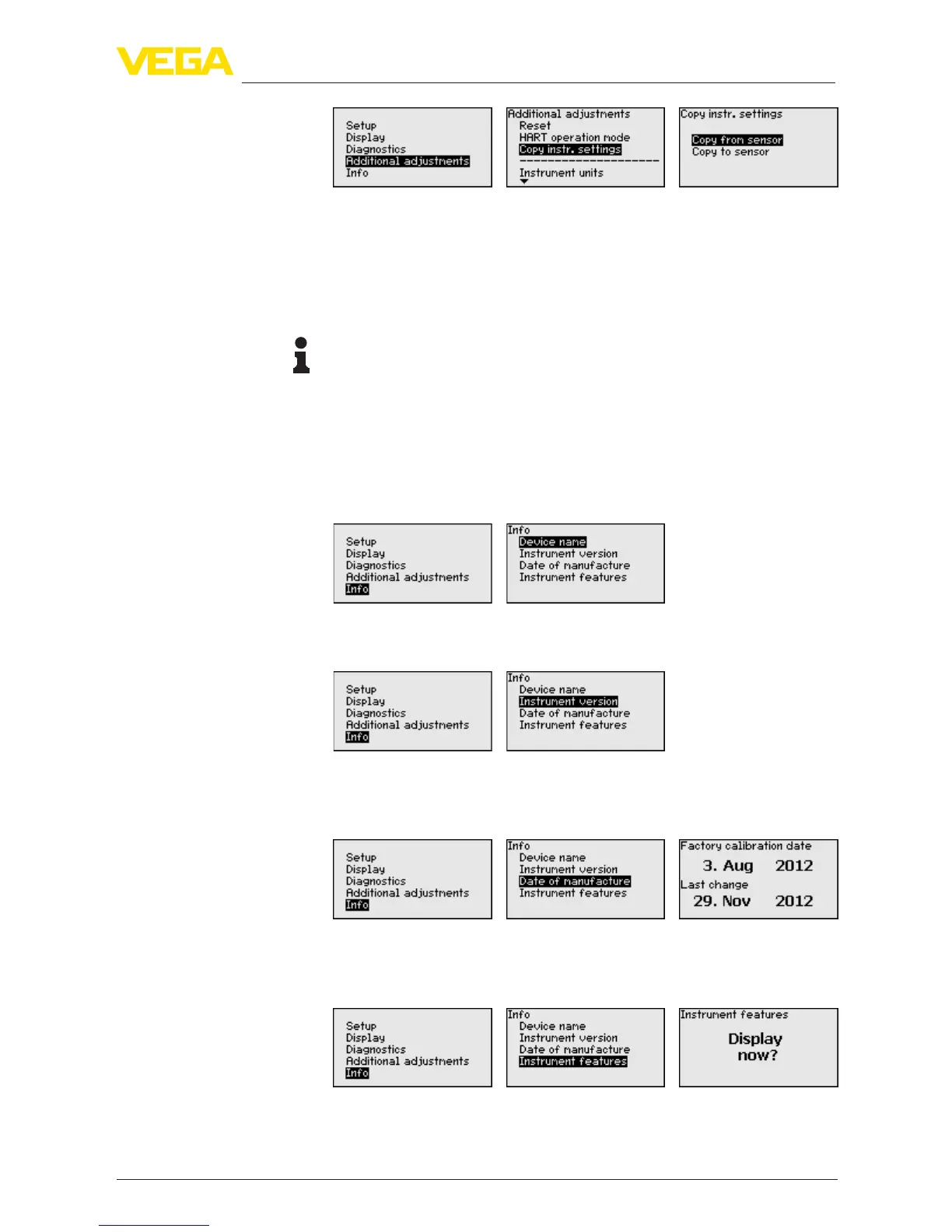
In this menu, you read out the instrument name and the instrument
serial number:
In this menu item, the hardware and software version of the sensor is
displayed.
In this menu item, the date of factory calibration of the sensor as well
as the date of the last change of sensor parameters are displayed via
the display and adjustment module or via the PC.
In this menu item, the features of the sensor such as approval, pro-
cesstting,seal,measuringrange,electronics,housingandothers
are displayed.
Info - Instrument name
Info - Instrument version
Info - Date of manufacture
Instrument features










 To Next Page