23
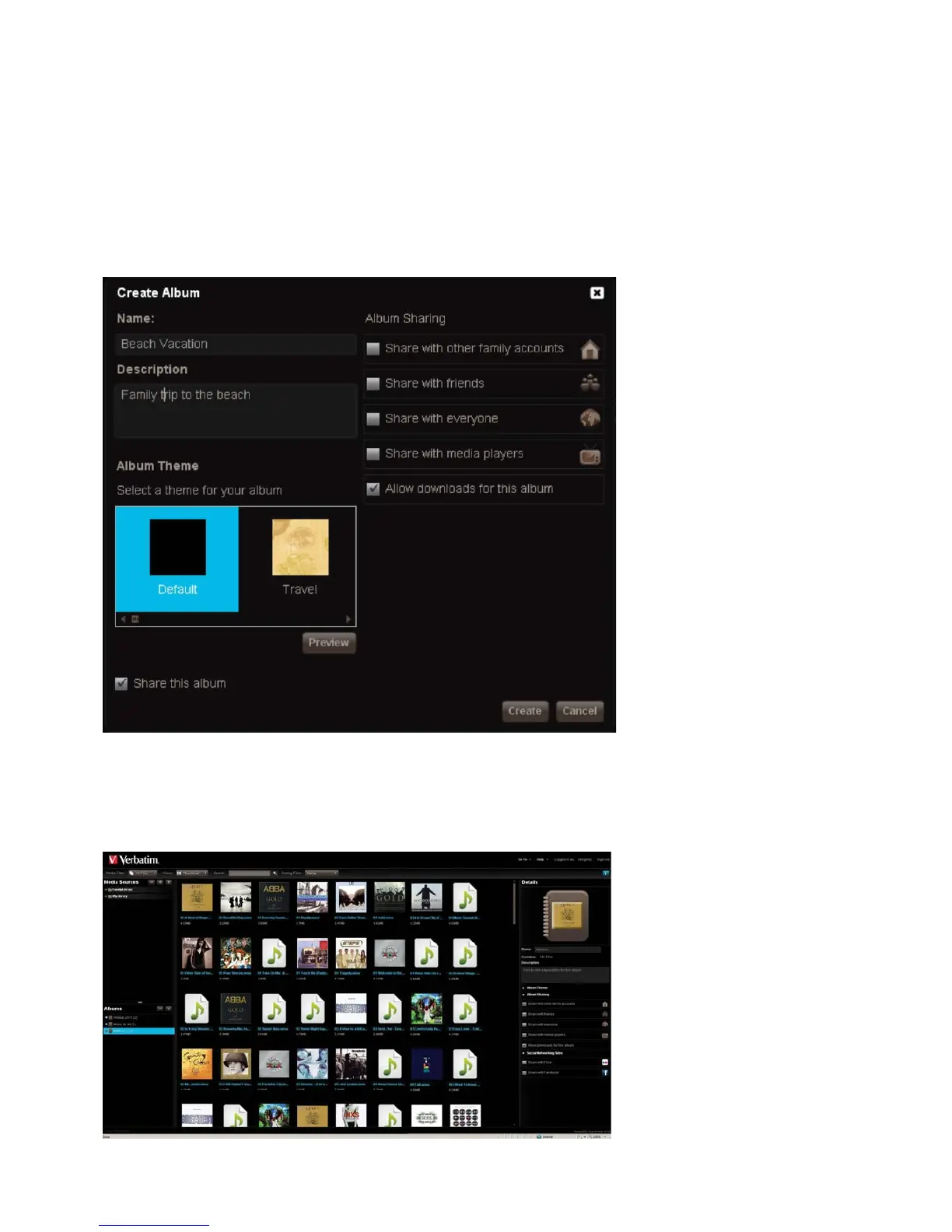
Creating a Shared Album
You can add the contents o
older to a new album. The album can be shared with
ers on the home network, and with
ublic on the Internet. Ima
es in an album can be shared throu
h RSS, Facebook or Flickr
a. Go to the Media Librar
section and click the New Album icon
. Enter the Name of the album and an optional description
c. Select the theme, if desire
d. Check the Share this album box
This will open a new set of options. See step 2 for details on these options
Figure 3-25 Create an Unshared Album
amily makes it available to the other MediaShare users, unless their account blocks access. See “Let user access
older”. The album will appear in their Albums page.












 To Next Page