SETUP
Installing or Replacing MSAM, Micro SD and SIM Cards
18 V200T INSTALLATION GUIDE
3 If you are finished replacing or inserting cards, replace the battery and lock the
rear cover back in place.
Changing or
Installing SIM Cards
(for V200t Plus
Only)
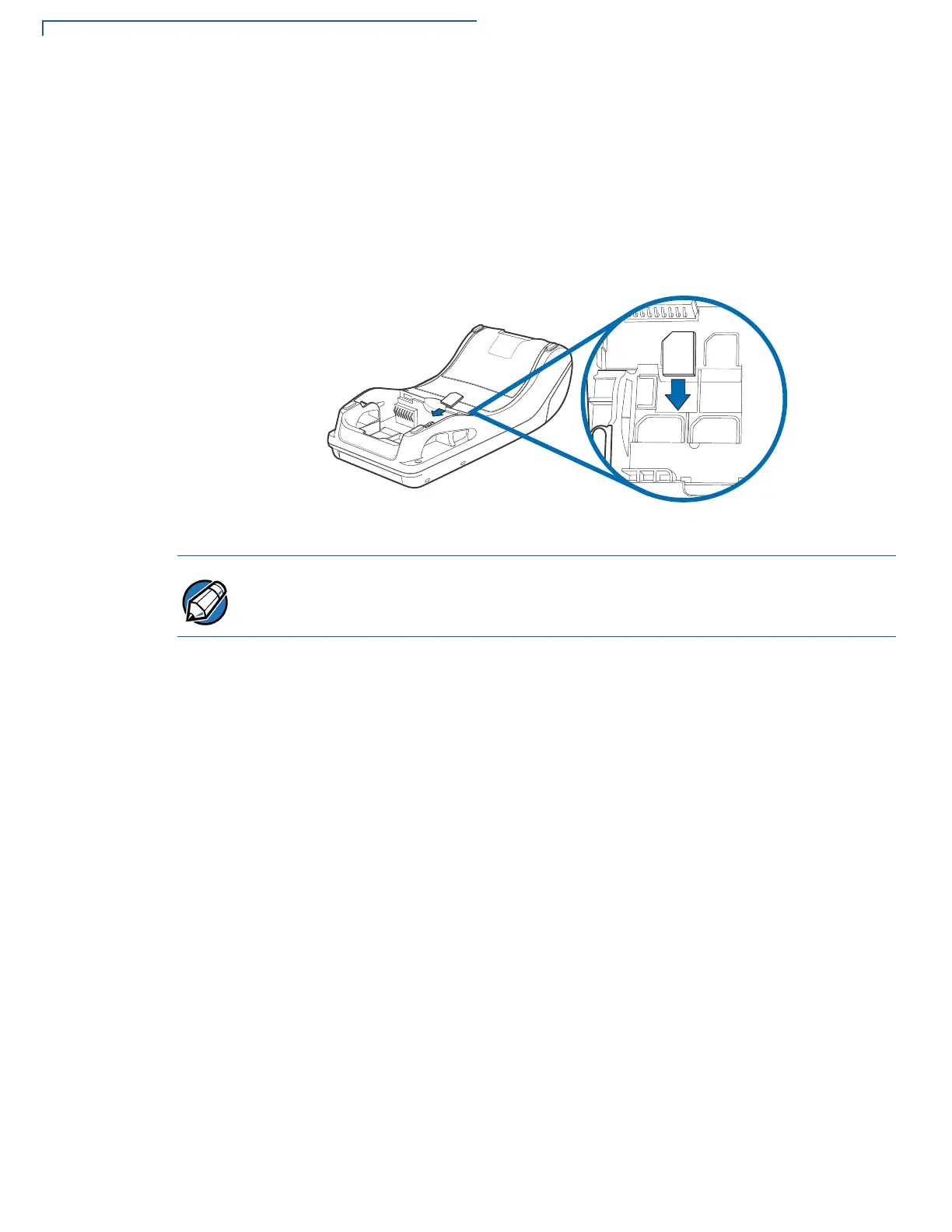
To change or install SIM cards in V200t Plus units:
1 Use steps 1 to 3 of Opening Card Compartment to get to the SIM cardholder.
2 Remove the old card, if any, and insert the SIM card carefully into the slot (with
the gold contacts facing downward) until fully inserted.
Figure 8 Inserting SIM Card
3 If you are finished replacing or inserting cards, replace the battery and lock the
rear cover back in place.
Insert the card with the card’s gold contacts facing away from you, toward the unit.
Take note of the notched edge on the SIM card for quick orientation.



 To Next Page
 Loading...









