TERMINAL SETUP
Establishing Telephone Line Connections
22 VX 520 REFERENCE GUIDE
Establishing
Telephone Line
Connections
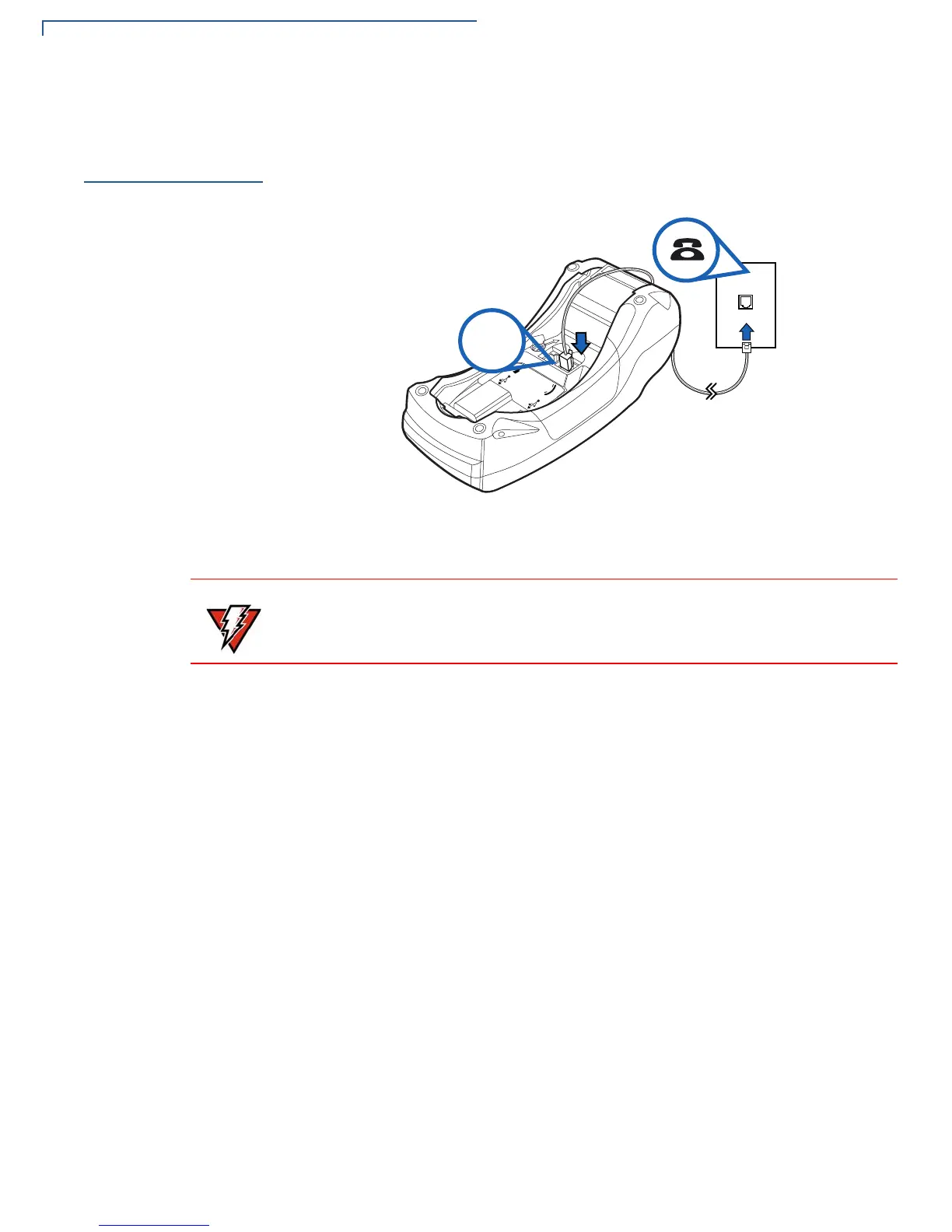
Connect the telephone cord to the communication port on the terminal, then route
it directly to a telephone wall jack (see Figure 8). This is a direct connection and
the line is dedicated to the terminal.
Figure 8 VX 520 Direct Telephone Connection
To reduce the risk of fire, use only No. 26AWG or larger UL Listed or CSA
Certified Telecommunication Line Cord.














 To Next Page