VERIX TERMINAL MANAGER
Verix Terminal Manager Menus
72 VX 520 REFERENCE GUIDE
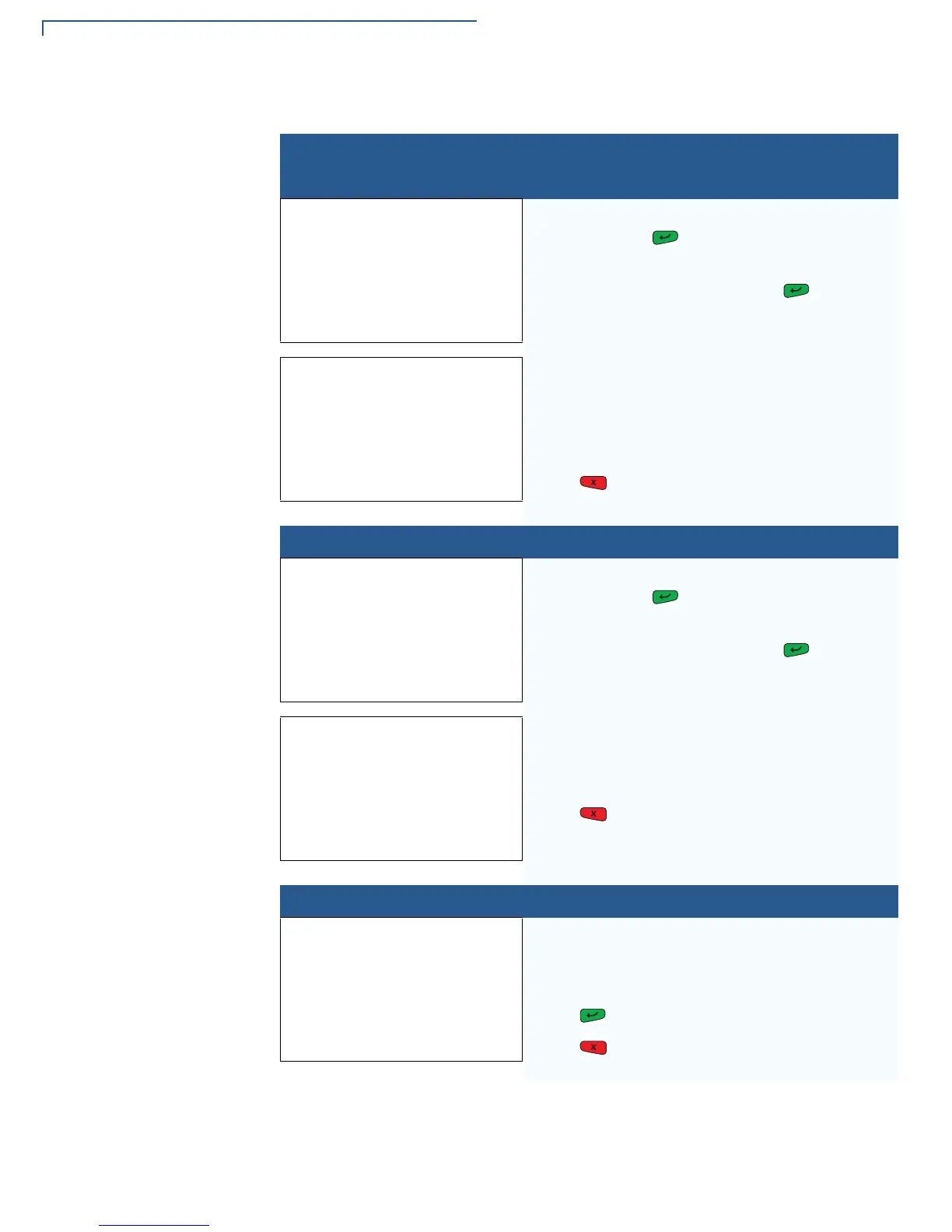
4> KEY MANAGEMENT 1> IPP KEY LOAD
VERIX TERMINAL MGR
Please enter
Password for GID nn
_________
Enter the current password for the selected file
group and press .
If you enter an incorrect password,
PLEASE TRY AGAIN appears. Press . Verify
your password and reenter it.
INTERNAL PIN PAD
KEY LOADING MODE
BYTES SENT 0
BYTES RCVD 0
1> END
Select this mode when you use the SecureKit or
programming from your PC to inject keys into your
terminal. In this mode, a pass-through connection is
established between COM1 and COM5 (IPP port) to
allow key loading.
Press to stop the key load session; select
1> END when finished with the key load.
4> KEY MANAGEMENT 2> RKL KEY LOAD
VERIX TERMINAL MGR
Please enter
Password for GID nn
_________
Enter the current password for the selected file
group and press .
If you enter an incorrect password,
PLEASE TRY AGAIN appears. Press . Verify
your password and reenter it.
RKL RSA KEY LOADING
BYTES SENT 0
BYTES RCVD 0
1> END
Press to stop the key load session; select
1> END when finished with the key load.
4> KEY MANAGEMENT 3> RKL KEY STATUS
RKL Key Status
Public key name
<EMPTY>
Press to view the Private Key Hash.
Press to return to the
KEY MANAGEMENTscreen.
Table 10 Verix Terminal Manager Menu 3
Display Action









 To Next Page