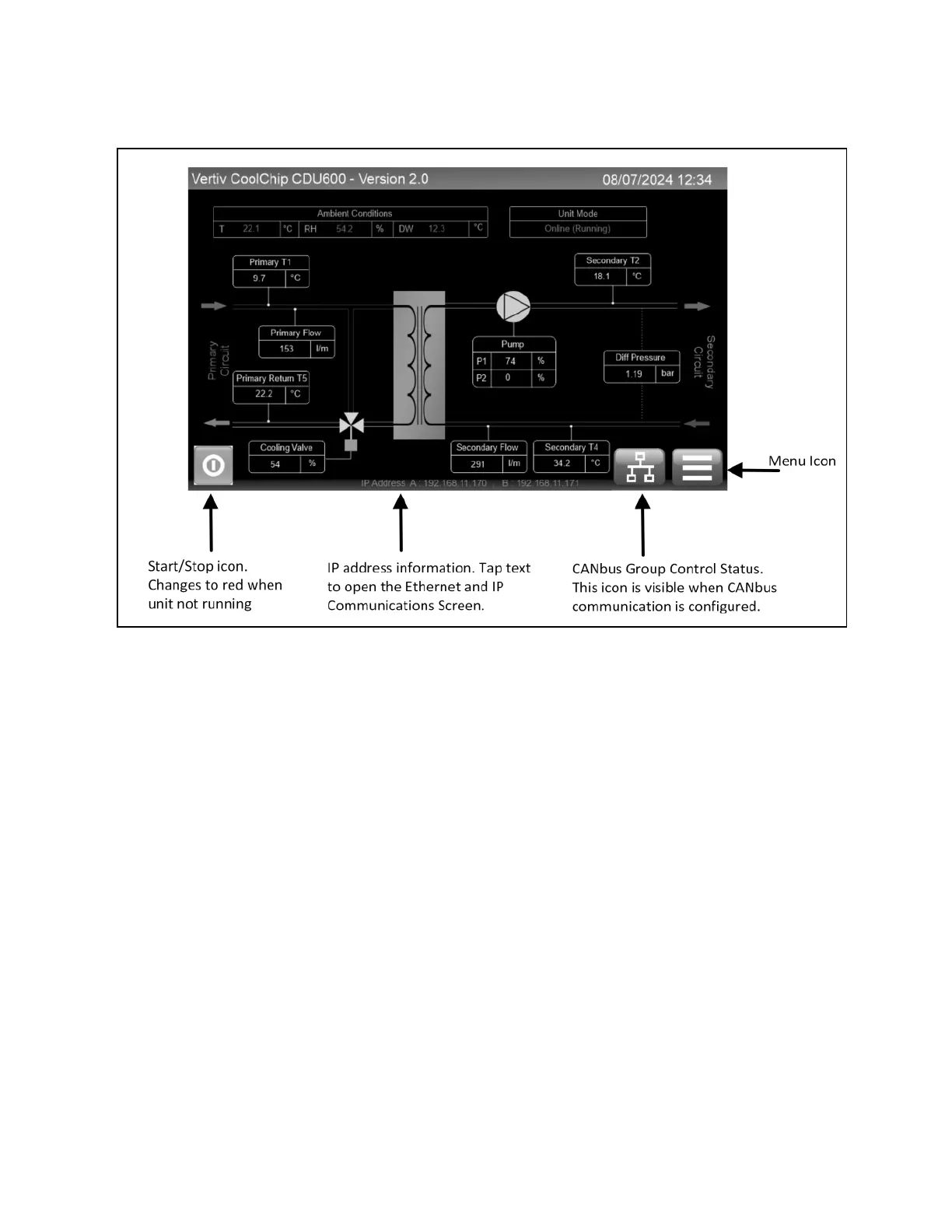
Figure 4.1 Control System Home Screen
4.2.2 Main Menu
The Main Menu screen displays submenus for an increased level of information and modification of some parameters.
NOTE: Some submenus may not be visible if the user has not logged in. Visibility will also depend on the login access
level used.
The touchscreen display is intuitive and easily navigable.
The touchscreen display has been designed to be intuitive and for easy navigation. Figure 4.2 on the facing page provides
an explanation of the elements in the Main Menu screen.
16 Proprietary and Confidential ©2025 Vertiv Group Corp. 4 Operation
Vertiv™ CoolChip CDU 600 Operation and Maintenance Guide








 To Next Page