ID Title Description Default Range Unit
S305 Fill Pump P3 Switch fill pump on Off Off—On —
S306 Alarm
Simulate fault on customer
alarm relay
Off Off—On —
S307 Fill Pump P4 Switch fill pump on Off Off—On —
Table 4.34 Service--Full Control Manual (continued)
Full Manual control provides manual control of all functions of the unit for a limited time period. Selection causes the unit to
switch OFF with the controller in dumb mode. See SL-7625 CoolChip CDU 600 Installation and Commissioning for more
information. Manual override requests are honored only if S301 is set to Enabled. Otherwise, commands are automatically
reset to default.
Option Description
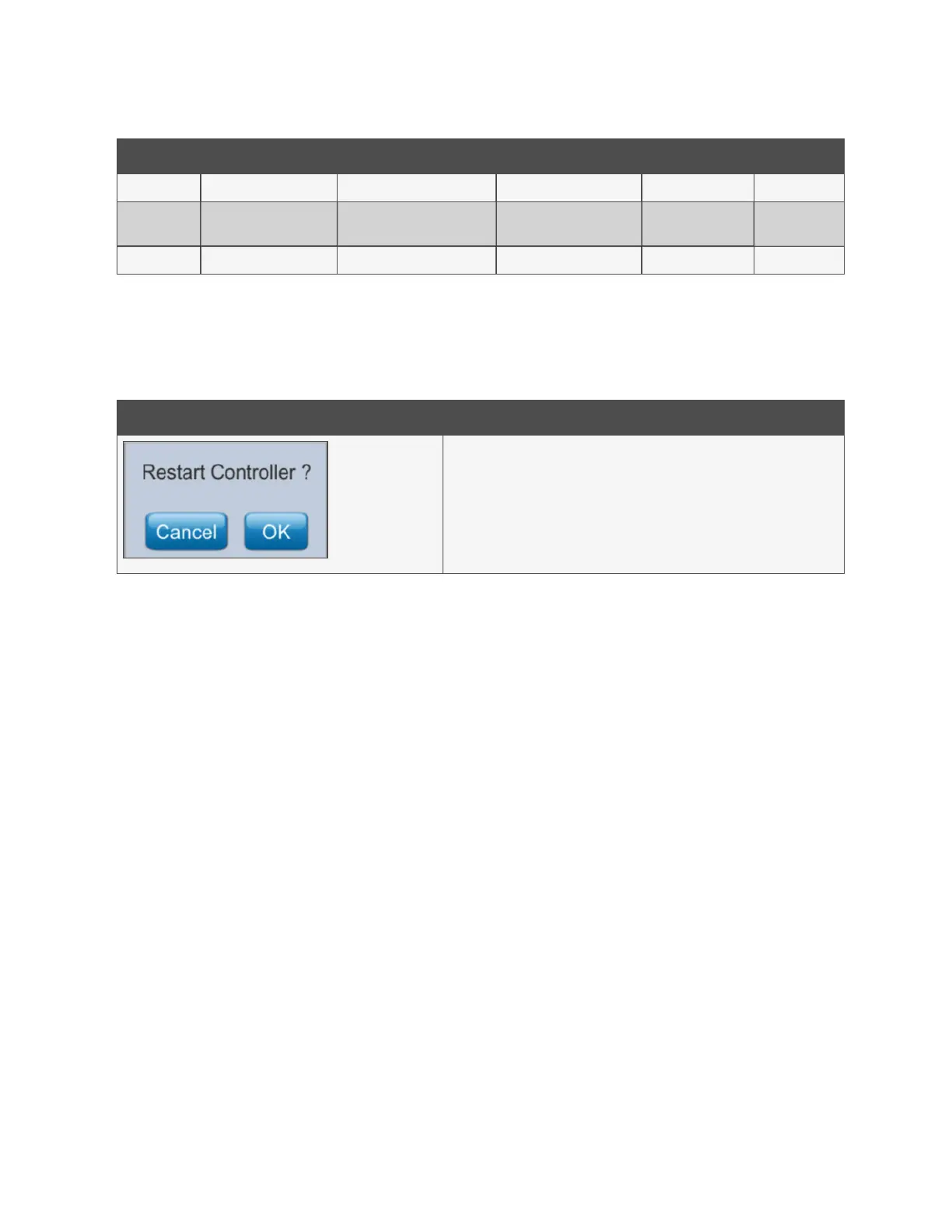
Use this dialog to force a restart of the controller and touchscreen display.
(Available on firmware release 3.5 and above.)
Table 4.35 Service—Restart Controller
4.2.10 Diagnostics Screen
The Diagnostics screen provides raw information and conversion factors for the status of all Universal Inputs, Resistive Inputs,
Digital Inputs, Digital Outputs, and Analogue Outputs.
4 Operation Proprietary and Confidential ©2025 Vertiv Group Corp. 37
Vertiv™ CoolChip CDU 600 Operation and Maintenance Guide








 To Next Page