4.4.2 PID Control
PID control is generally the preferred option for systems that see high or suddenly changing heat loads.
1. Set the Proportional Band to 1.67X the Proportional Band sitting at which the system became unstable.
2. Set the Integral Reset Time to 0.5X the oscillation time (t).
3. Set the Derivative Reset Time to 0.125X the oscillation time (t).
4.5 Alarm Management
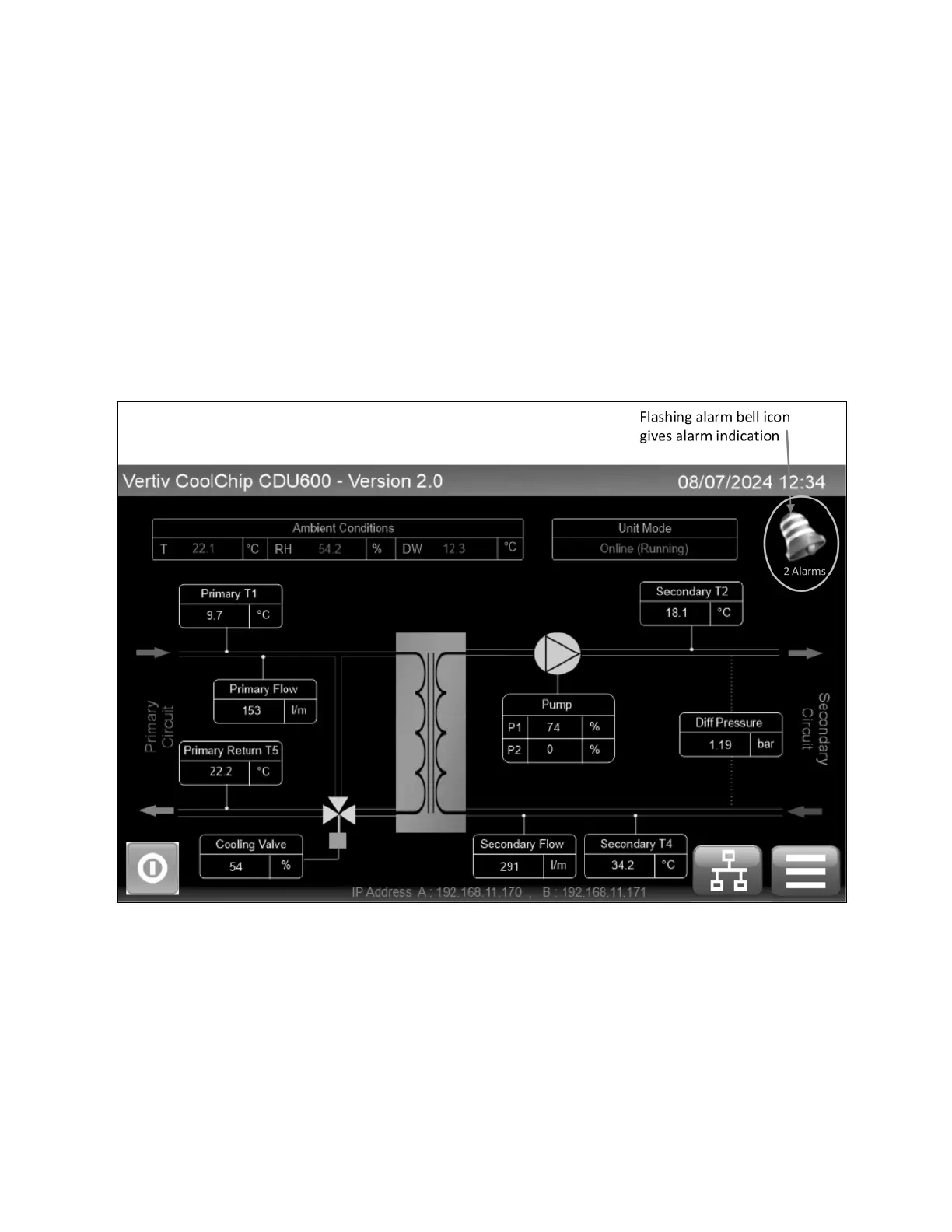
When an alarm occurs, a flashing alarm bell icon will immediately break through at the top right-hand corner of the Home
screen, with the number of active alarms stated below.
Figure 4.18 Control Screen Alarm Indication
Pressing the alarm bell icon brings up the Alarm page. This identifies which alarms are active. See Figure 4.19 on the next
page .
4 Operation Proprietary and Confidential ©2025 Vertiv Group Corp. 49
Vertiv™ CoolChip CDU 600 Operation and Maintenance Guide








 To Next Page