• All Mute: When “enable” is selected, all the faults and warnings will be mute. It will show icon on
the top right corner of the main screen.
• Mode Mute: UPS status mode alarm enable/disable. If “Mode Mute” is activated, it will show icon
on the top right corner of the main screen.
Advance Setting
CAUTION: The changes in electronic and battery windows may cause a load drop, therefore these advance
setting changes must be performed by qualified personnel.
CAUTION: The changes in the setting of CVCF mode, bypass forbid, and neutral line check directly affect the
load, therefore these advance setting changes must be performed by qualified personnel.
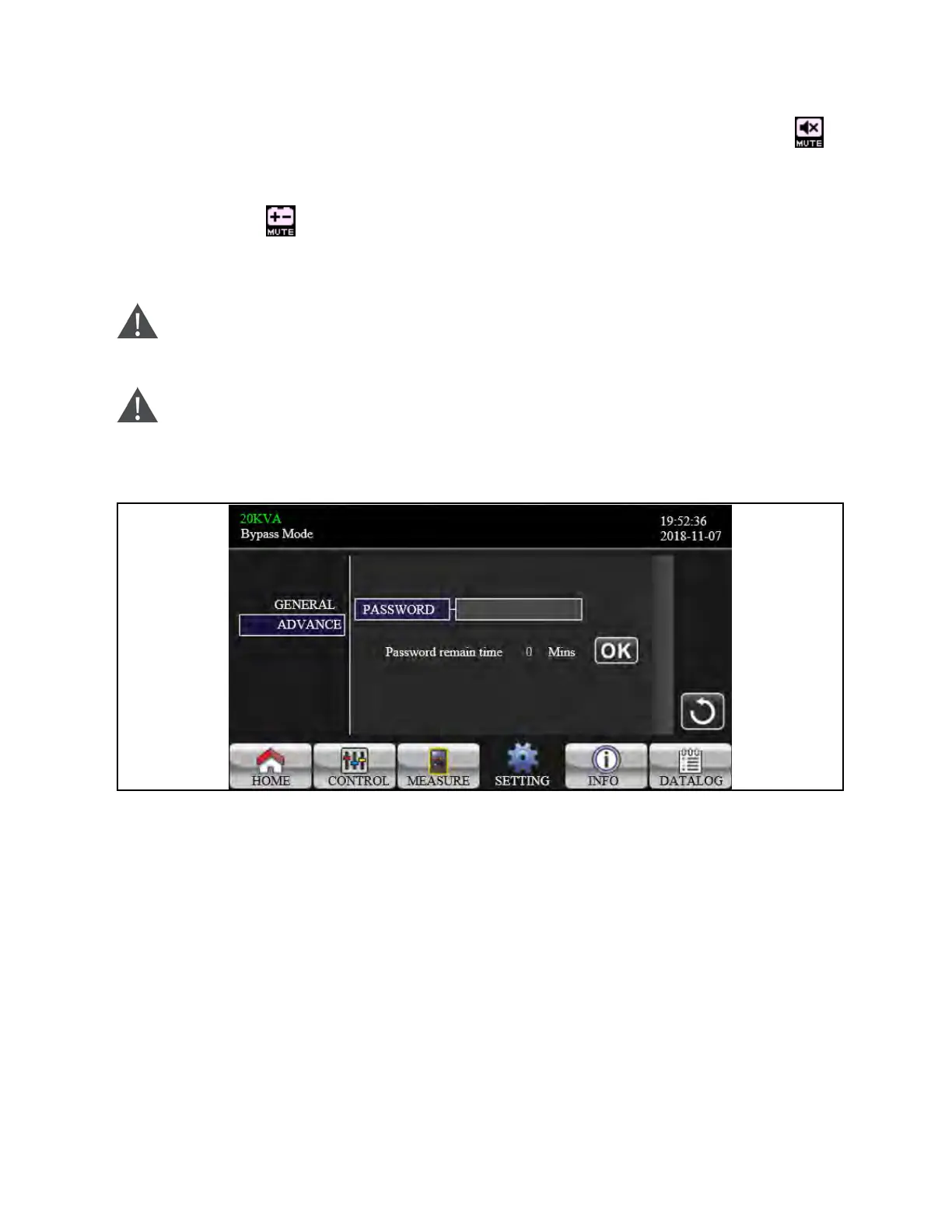
Figure 3.28 Advance Password Screen
It’s required to enter password (4 digits) to access to the “ADVANCE” page.
Advance Ú User
To access to the “Advance Ú User” Setting menu page, the default password is “0000”.
If entered password is right, the page will jump to setting screen. If the password is wrong, it will ask to enter again.
3 Operations Proprietary and Confidential ©2024 Vertiv Group Corp. 45
Vertiv™ Liebert® MTP Online UPS User Manual 20-40-80kVA






 To Next Page