Exit parallel
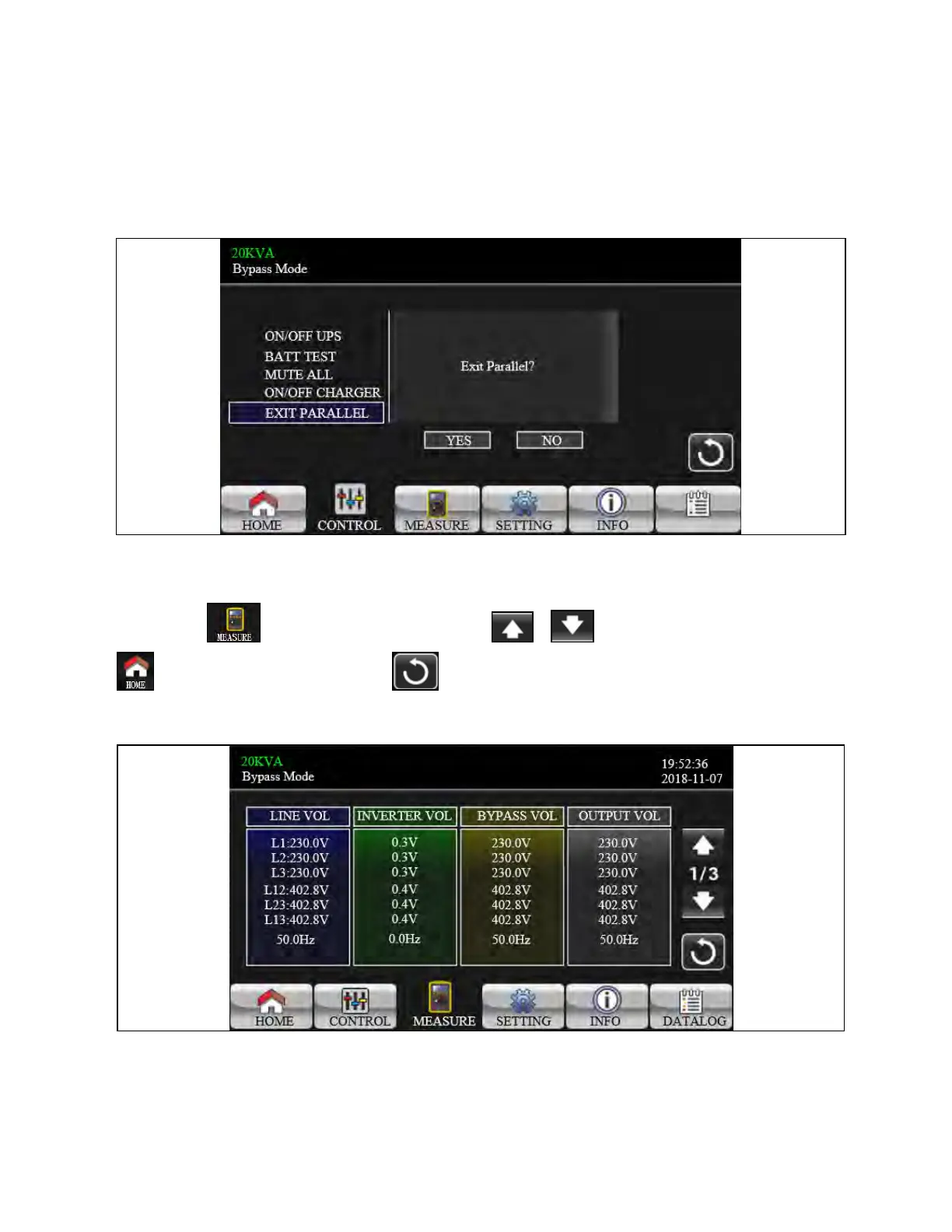
It will show “Exit Parallel?” when the units in parallel system. Touch “YES” to remove units from the parallel system. Or touch
“NO” to cancel this operation. Then, the screen will return to the main screen.
Figure 3.21 Exit Parallel Screen
3.3.3 Measure Screen
Touch the icon to enter measure page. Touch the icon or to browse information. Touch the icon
to return to main screen. Touch the icon to go back to previous menu.
Figure 3.22 Measure Screen
1. LINE VOL: The real time value of L1, L2 and L3 phase voltage, L1L2/L2L3/L3L1 voltage and input frequency.
2. INVERTER VOL: The real time value of L1, L2 and L3 inverter voltage, L1L2/L2L3/L3L1 voltage and frequency.
3. BYPASS VOL: The real time value of L1, L2 and L3 bypass voltage, L1L2/L2L3/L3L1 voltage and frequency.
3 Operations Proprietary and Confidential ©2024 Vertiv Group Corp. 41
Vertiv™ Liebert® MTP Online UPS User Manual 20-40-80kVA






 To Next Page