4. INPUT VA (%): L1, L2, and L3 input apparent power in percentage.
5. Input current: The real-time value of input current in L1, L2 and L3 phases.
6. Output current: The real-time value of output current in L1, L2 and L3 phases.
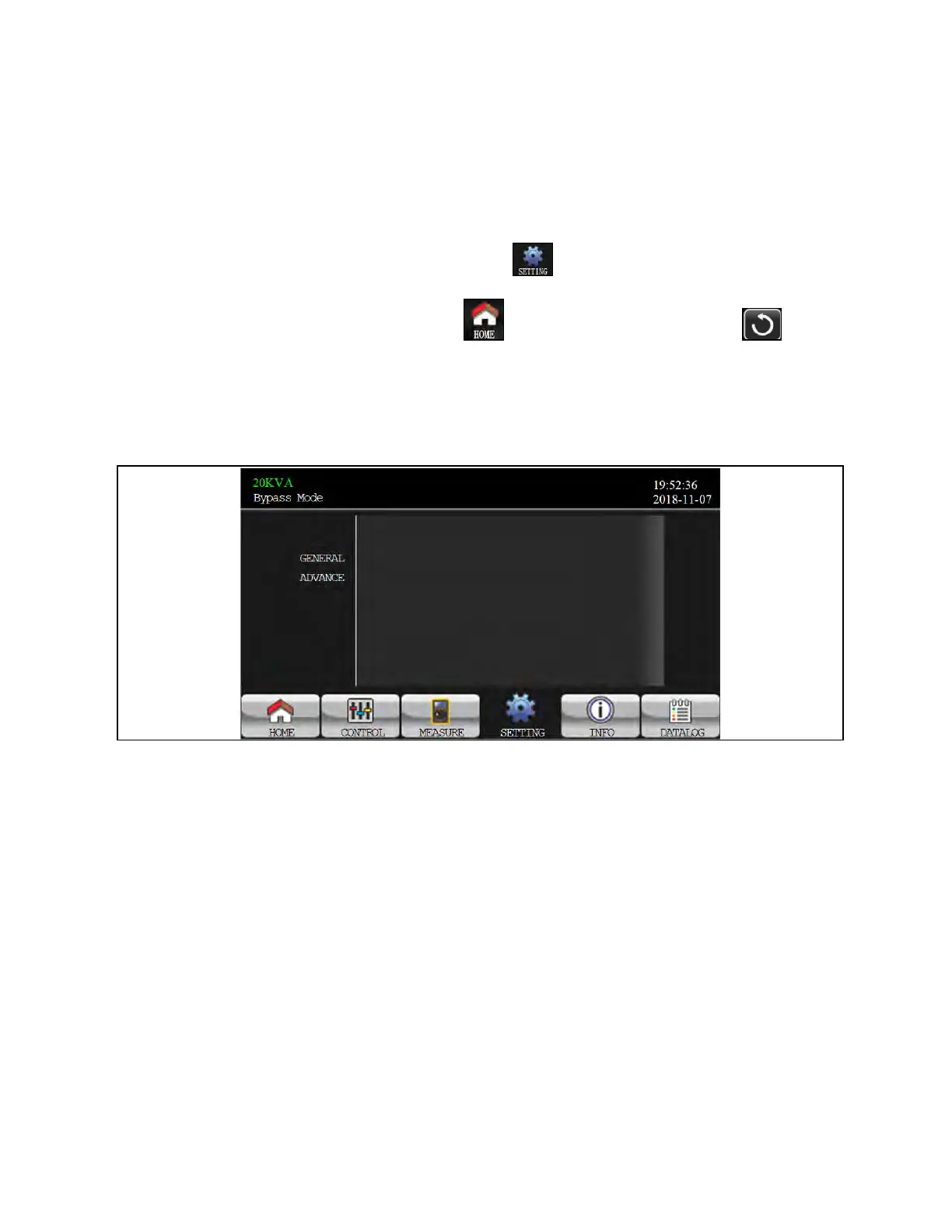
3.3.4 Setting Screen
This sub menu is used to set the parameters of UPS. Touch the icon to enter setting menu page.
There are two options: Basic and Advanced. Touch the icon to return to main screen. Touch the icon to go
back to previous menu.
NOTE: Not all settings are available in every operation mode. If the setting is not available in present mode, the LCD
will keep its original setting parameter showed instead of changing the parameters.
Figure 3.25 Setting Screen
1. GENERAL: It is to set up basic information of the UPS. It is not related to any function parameter.
2. ADVANCE: It is required to enter password to access to the “ADVANCED” setting. There are two types of
authority, User and Maintainer.
3 Operations Proprietary and Confidential ©2024 Vertiv Group Corp. 43
Vertiv™ Liebert® MTP Online UPS User Manual 20-40-80kVA






 To Next Page