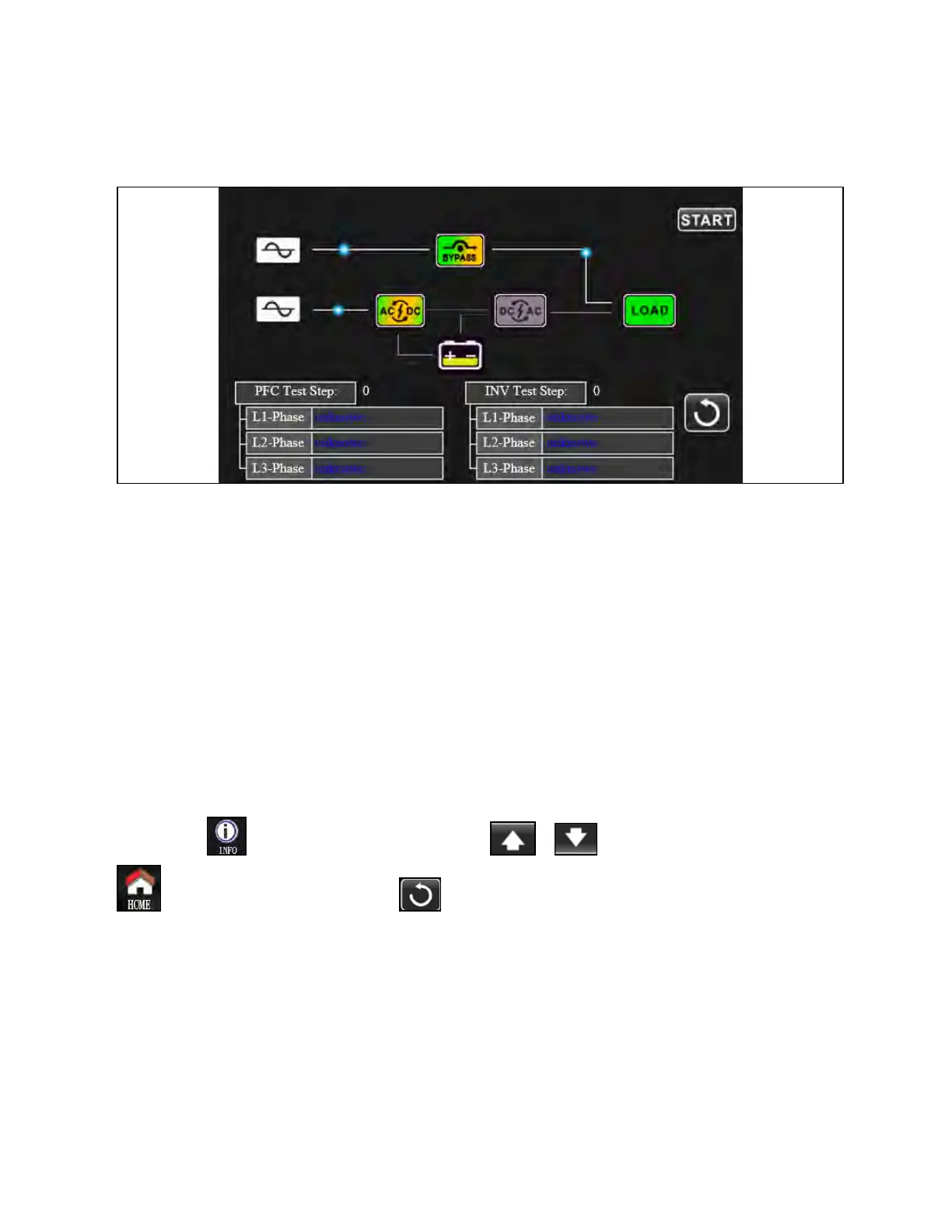
UPS Self Test
Figure 3.55 UPS Self Test Screen
NOTE: This operation should be performed only from Vertiv qualified personnel.
This function is only effective when UPS type setting is HV. Therefore, disconnect all loads and utility first before executing
this function. Then, please change UPS type to HV. For the detailed operation, please check System Parameter menu under
AdvanceÚMaintainer directory.
After changing UPS type to HV, you have to restart the UPS. After the UPS is restarted, enter Advance screen and enter
Maintainer password. It will show “UPS SELFTEST” selection in the screen. In the screen, all tested items are shown
“unknown”. Simply click “UPS SELFTEST” button, the UPS will start self-test. If the UPS is normal, it will show “Normal” in all
columns. Otherwise, “Unknown” will be displayed in the columns.
After the UPS self-test passes, the screen will be black automatically. If the UPS self-test is abnormal, it will stop on the
abnormal screen. At this time, the maintenance personnel should repair the UPS according to the self-test instructions. Check
local dealer for self-test instructions.
3.3.5 Information Screen
Touch the icon to enter information page. Touch the icon or to browse information. Touch the icon
to return to main screen. Touch the icon to go back to previous menu.
64 Proprietary and Confidential ©2024 Vertiv Group Corp. 3 Operations
Vertiv™ Liebert® MTP Online UPS User Manual 20-40-80kVA






 To Next Page