3. Shutdown VOL: If battery voltage is lower this point, UPS will automatically shut down.
4. Shutdown Delay: UPS will shut down in setting minutes. The countdown will start after confirming the pop-up
screen.
5. Restore Delay: UPS will automatically restart in setting minutes after the UPS shuts down.
6. BATT Number: It shows battery number.
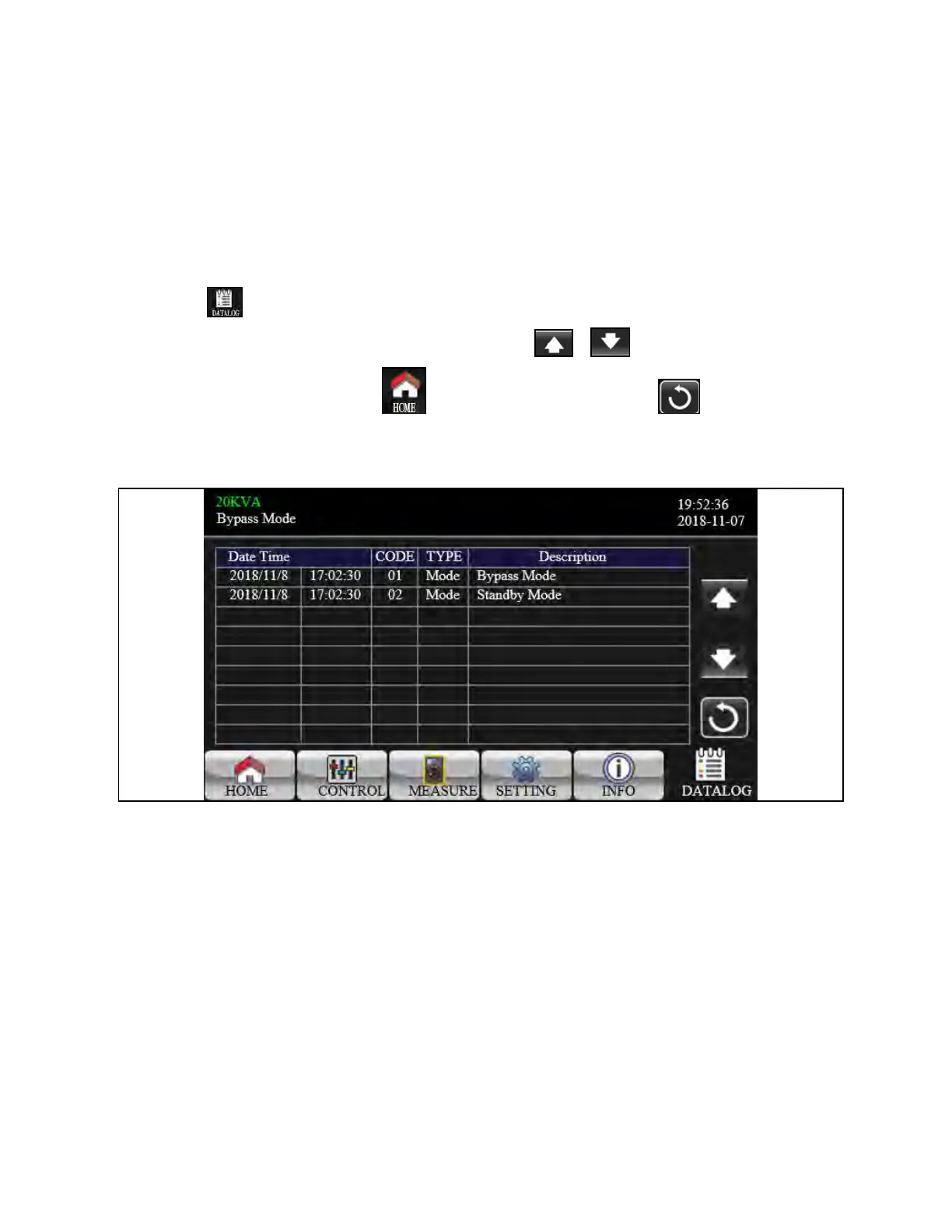
3.3.6 Data Log Screen
Touch the icon to enter date log page. Data log is used to record the warning and fault information of the UPS. The
record contains date & time, code, type, and description. Touch the icon or to page up or down if there are more
than one page in the date log. Touch the icon to return to main screen. Press the icon to go back to main
menu. Refer Warning Code on page75 and Fault Code on page75 for warning and fault code list.
Figure 3.61 Data Log Screen
3.4 Single UPS Operation
Turn on the UPS with utility power (in AC mode):
1. After power mains is connected correctly, set the breaker of the battery pack to ON position (in case of external
battery). Then set the output breaker, bypass input breaker, and line input breaker to ON position in this order. At
the same time the fan will start running and the UPS will start initialization. In just a few seconds, the UPS will
supply power to the loads via the bypass mode.
NOTE: When UPS is in Bypass mode, the output voltage will be directed from mains after you switch on the input
breaker. In Bypass mode, the load is not protected by the UPS. To protect your devices, you should turn on the UPS.
Refer to next step.
2. Touch CONTROL and select UPS on/off icon. It will show Turn on UPS? in screen and select Yes. See Figure 3.13
on page37 .
68 Proprietary and Confidential ©2024 Vertiv Group Corp. 3 Operations
Vertiv™ Liebert® MTP Online UPS User Manual 20-40-80kVA






 To Next Page