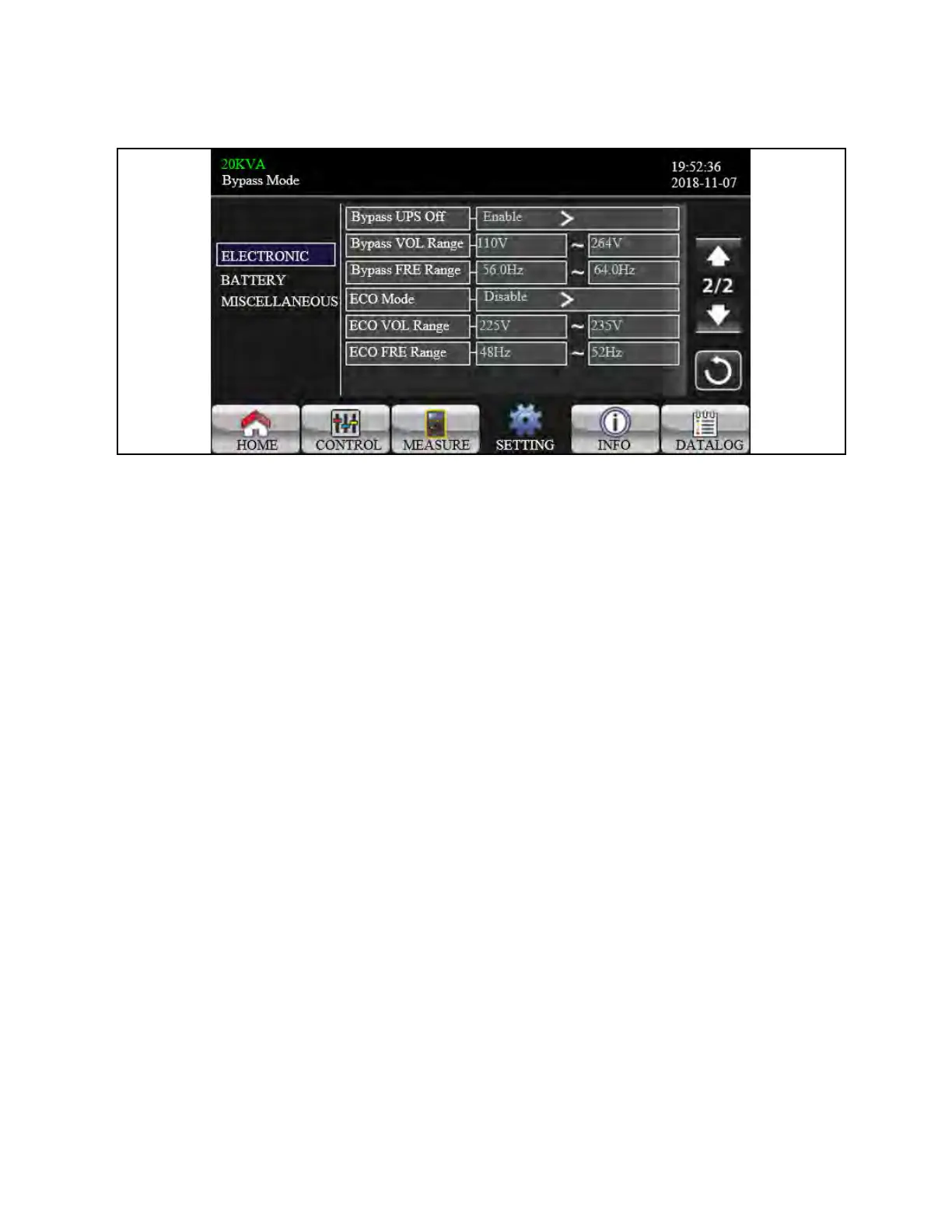
Figure 3.32 Electrical Setting Screen 2
1. Bypass UPS off: Select the bypass status when manually turning off the UPS. This setting is only available when
“Bypass forbid.” is set to “Disable”.
a. Enable: Bypass enabled. When selected, bypass mode is activated.
b. Disable: Bypass disabled. When selected, no output through bypass when manually turning off the UPS.
2. Bypass Voltage Range: Set the bypass voltage range.
a. L: Low voltage point for bypass. The setting range is 176V ~ 209V when UPS is HV system. The setting
range is 96V ~ 110V when UPS is LV system.
b. H: High voltage point for bypass. The setting range is 231V ~ 264V when UPS is HV system. The setting
range is 130V ~ 146V when UPS is LV system.
3. Bypass FRE Range: Set the bypass frequency range.
The acceptable bypass frequency ranges from 46Hz to 54Hz when UPS is 50Hz system and from 56Hz to 64Hz
when UPS is 60Hz system.
4. ECO mode: Enable/Disable ECO mode. Default setting is “Disable”.
5. ECO VOL Range: Set the ECO voltage range.
a. L: Low voltage point for ECO mode. The setting range is from (Rated output voltage – 5V) to (Rated
output voltage - 11V). “Rated output voltage – 5V” is default setting.
b. H: High voltage point for ECO mode. The setting range is from (Rated output voltage + 5V) to (Rated
output voltage + 11V). “Rated output voltage + 5V” is default setting.
6. ECO FRE Range: Set the ECO frequency range. The setting range is from 46Hz to 54Hz when the UPS is 50Hz
system and from 56Hz to 64Hz when the UPS is 60Hz system.
48 Proprietary and Confidential ©2024 Vertiv Group Corp. 3 Operations
Vertiv™ Liebert® MTP Online UPS User Manual 20-40-80kVA






 To Next Page