CAUTION: This setting menu is only for qualified technician. Otherwise, mis-operation will cause UPS
damage.
There are nine sub-menus under AdvanceÚMaintainer setting: SYS PARAMETER, INSTALL INFO, VOL CALI, CURR CALI,
INITIAL, ELECTRONIC, BATT, MISCELLANEOUS and UPS SELFTEST.
SYS Parameter
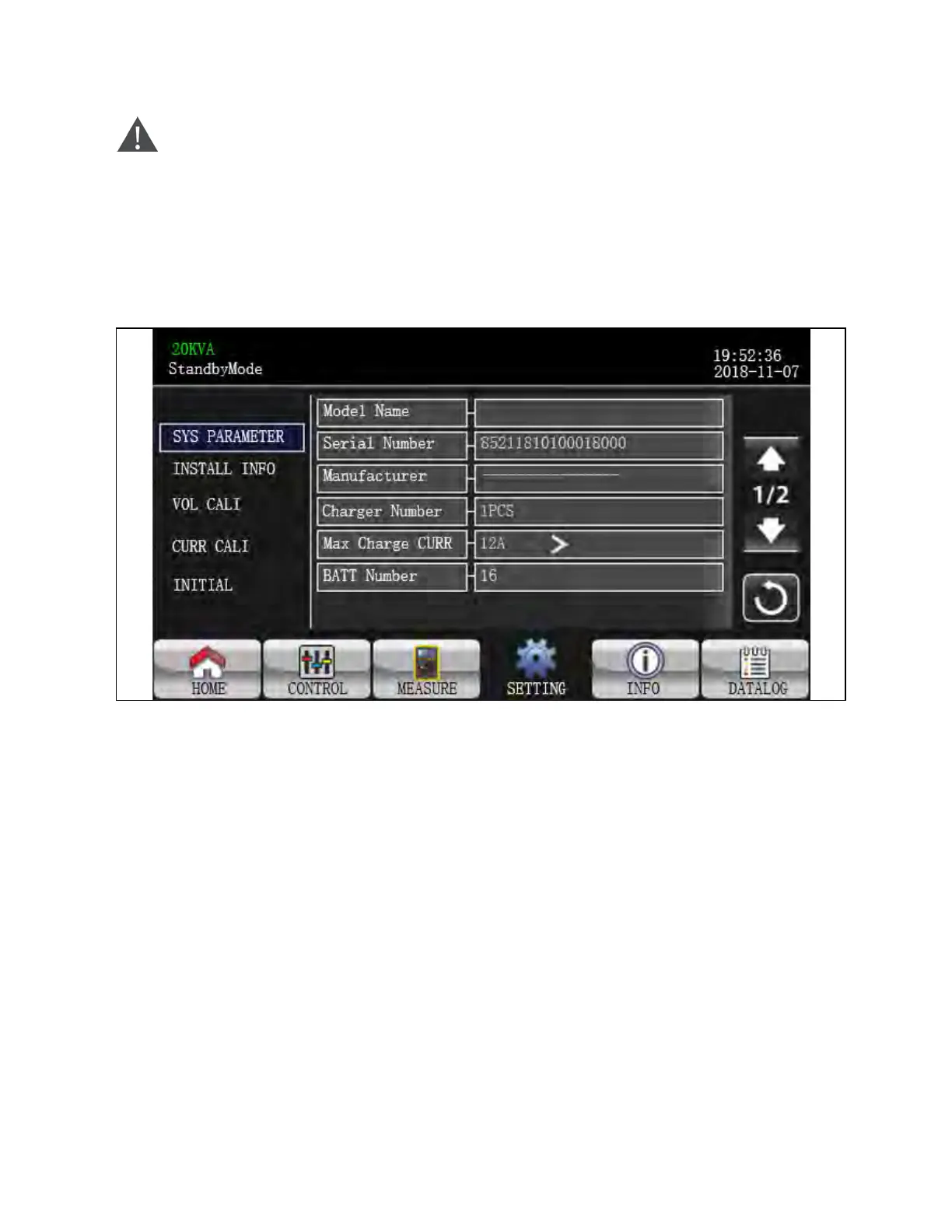
Figure 3.37 SYS Parameter Screen 1
1. Mode Name: Set the UPS model name.
2. Serial Number: Set the serial number.
3. Manufacturer: Set the UPS manufacturer.
4. Charger Number: The number of charging boards installed in the UPS.
NOTE: It is required to restart the UPS after setting.
5. Max Charge CURR:
a. One piece of charger: There are twelve options: 1A, 2A, 3A, 4A, 5A, 6A, 7A, 8A, 9A, 10A, 11A, 12A.
b. Two pieces of charger: There are twelve options: 2A, 4A, 6A, 8A, 10A, 12A, 14A, 16A, 18A, 20A, 22A, 24A.
6. BATT Number: The number of installed batteries in half string (the total number is double this value). It is
required to restart the UPS after setting. The setting range is 16 ~ 20. 16 is default setting.
3 Operations Proprietary and Confidential ©2024 Vertiv Group Corp. 51
Vertiv™ Liebert® MTP Online UPS User Manual 20-40-80kVA






 To Next Page