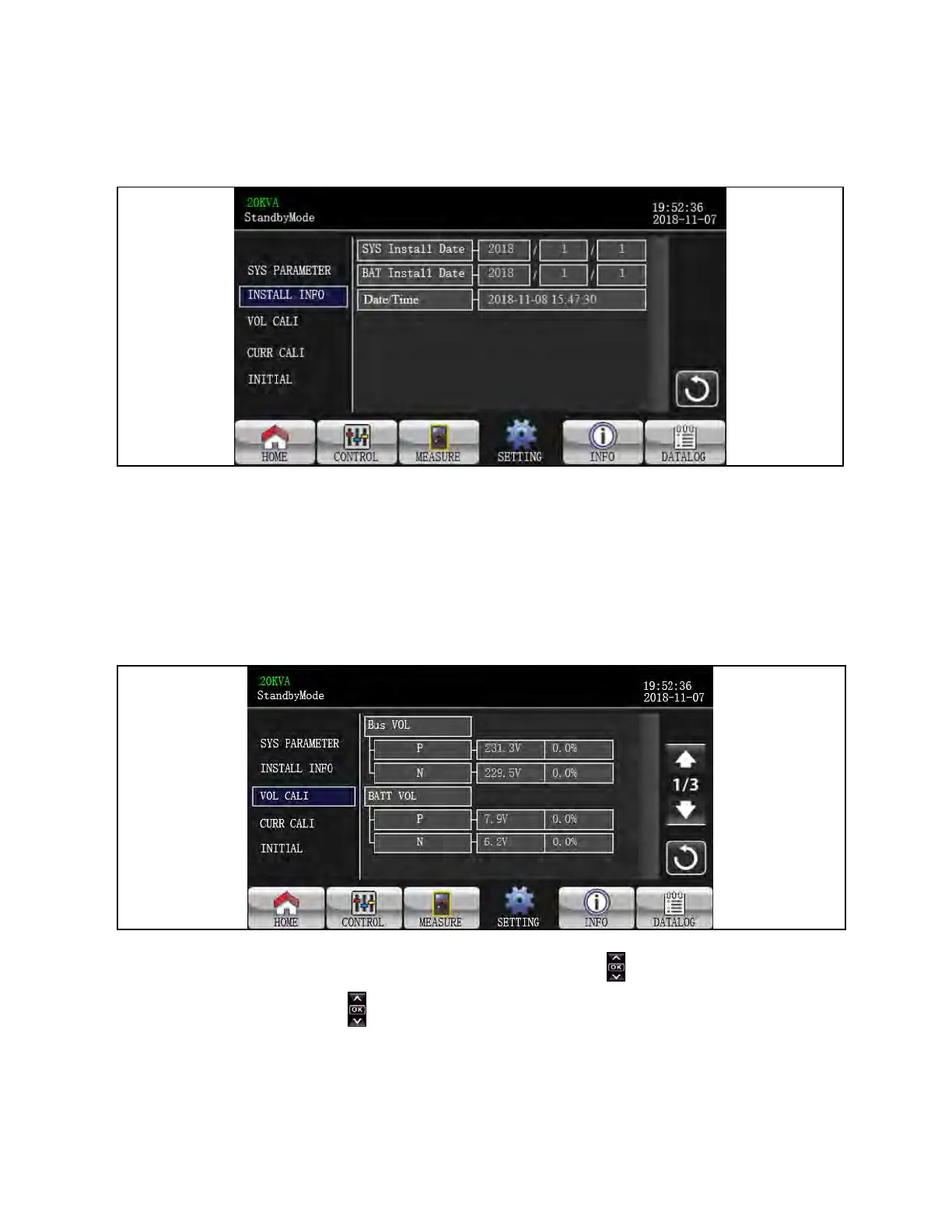
Install Info
Figure 3.39 Install Info Screen
1. SYS Install Date: Set the date of UPS installation.
2. BAT Install Date: Set the date of Battery installation.
3. Date/Time: Set the date and time. The format is YYYY-MM-DD HH:MM:SS. The calendar day will be automatically
changed when the year, month and date are set.
VOL CALI
Figure 3.40 VOL CALI Screen 1
1. Bus VOL: BUS voltage calibration. Click value columns and it will pop up . Then, each click is 0.1% no matter it
is pressing up or down key . Press “up” key to increase 0.1% and press “down” key to decrease 0.1%. Press “OK”
key to confirm the modification.
3 Operations Proprietary and Confidential ©2024 Vertiv Group Corp. 53
Vertiv™ Liebert® MTP Online UPS User Manual 20-40-80kVA






 To Next Page