USER MANUAL-S600E
84
S600E
DIP switch
DB25 connector
Procedures
The SIC card should be installed in the Intellislot port (see Figure 3-6) on the UPS.
Installation procedure:
1.
Remove the cover from the Intellislot port. Keep the screws for future use.
2.
Insert the SIC card (along two sides of the Intellislot port) into the port position, and then fasten the screws.
For more information about the SIC card, refer to the bSite Interface Web/SNMP Agent Card User Manual, which is available
as an accessory.
Refer to 3.2.8 for information about wiring and routing the signal cables.
Relay Card
The UPS is available with a relay card that enables users to use dry contact signals to monitor the UPS. It is hot
pluggable for easy installation.
The relay card can provide up to four digital relay output signals for connection to remote monitoring devices.
These signals are: UPS on Battery, Battery Low, UPS on Bypass or in Standby, UPS Faulty. Each dry contact signal
output channel provides both normally open and normally closed ports. The relay card can also handle up to three
digital signal inputs, two of which control the UPS switch-on and switch-off functions, while the third is reserved.
Appearance and description of hardware
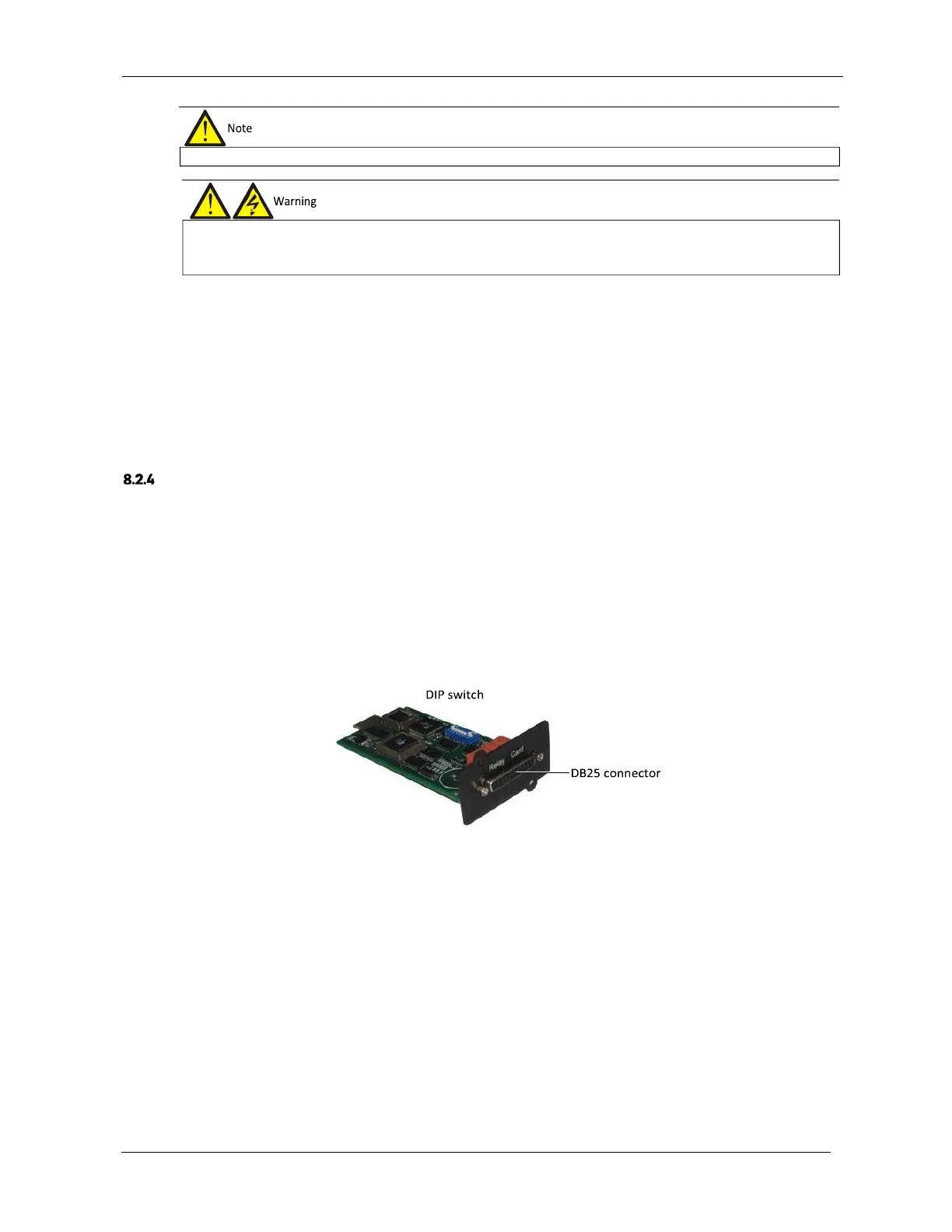
The appearance of the relay card is shown in Figure 8-9.
Figure 8-9 Relay card appearance
The DIP switch is used to configure the UPS switch-on and switch-off signal input functions on the relay card. The
DB25 connector provides dry contact signal inputs and outputs. For a description of the DB25 connector pins, see
Table 8-3.
The SIC card is hot pluggable, therefore there is
no need to shut the UPS down when installing it.
the SIC card with bare hands or other conductive materials, so as to protect the SIC card against static shock. When removing
or installing the SIC card, hold the card by its edges.











 To Next Page