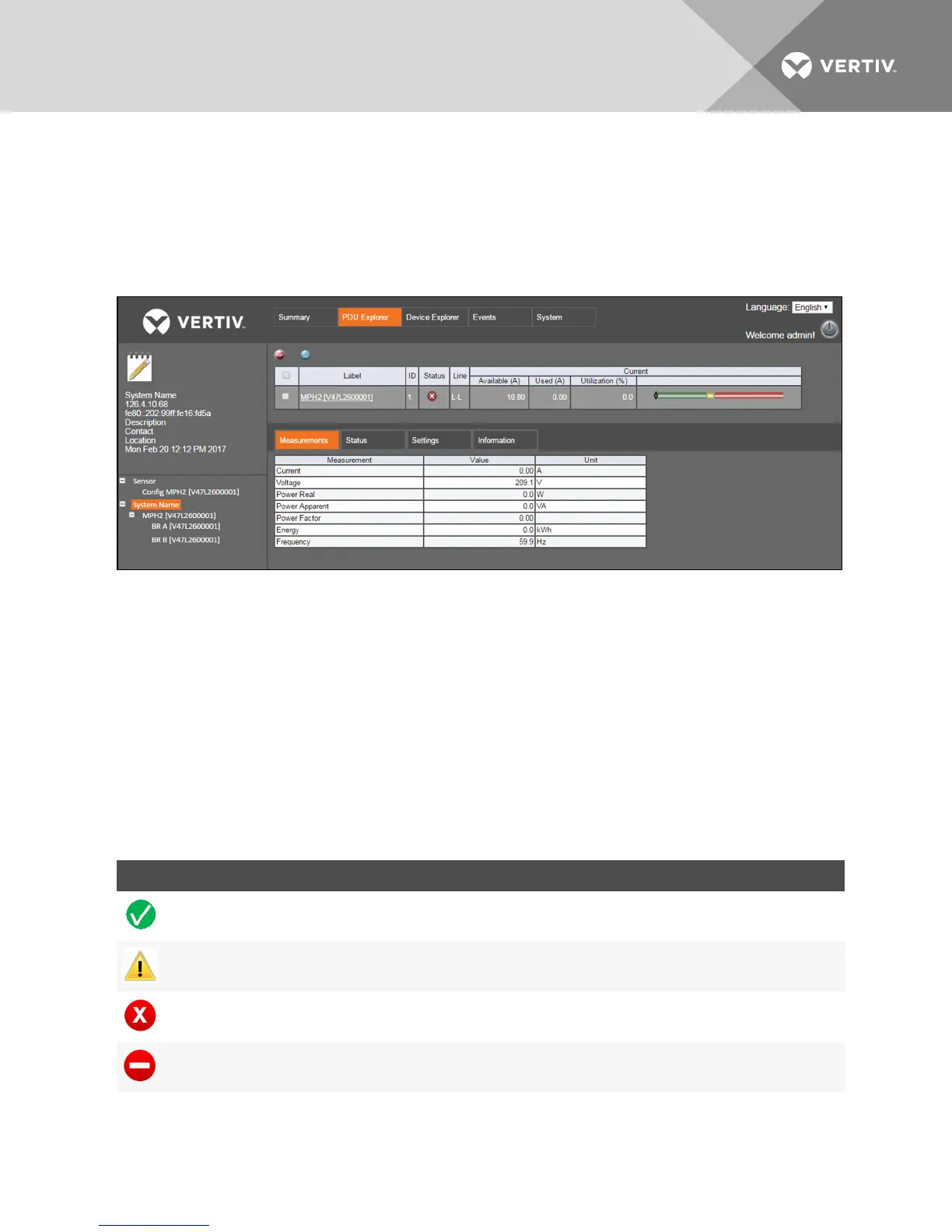
At the top of the PDU Explorer window, the displayed buttons are used to perform functions according to the current, active
level. At the PDU level, you can use the buttons to reset all energy or reset energy on a selected PDU. Use the buttons on the
branch level to reset energy or return to the PDU level. Buttons that are displayed at the receptacle level are used to reset
energy, enable or disable receptacle power, power cycle the receptacles, lock or unlock receptacles, blink a receptacle's
LED or return to the branch level. The main PDU Explorer window shows detailed information about the rack PDUon the
Measurement, Status, Settings and Information tab windows.
Figure 3.3 PDU Explorer Tab Example
NOTE: For single-phase models with a neutral connection, the Neutral OKstatus displays in the Status tab. A red
circle with a white X signifies the line and neutral connections are swapped at the rack PDU plug's receptacle or
upstream at the PDU.
3.4.1 Measurements
The PDU Explorer’s Measurements tab presents available data about the rack PDU, branch or receptacle. The
Measurements tab displays current, voltage, power real, power apparent, power factor and energy for all three levels. At the
branch and receptacle levels, the crest factor is also displayed.
3.4.2 Status
The PDU Explorer’s Status tab window provides the status of the rack PDU, branch or receptacle. The Over Current, Under
Current and Hardware OKstatuses are displayed for each of the three levels. At the Branch level, Under Voltage and
Breaker Closed statuses are also displayed while Under Voltage and Neutral OKstatuses display for the PDUlevel.
Figure 3.4 PDU Explorer Icon Descriptions
ICON CONDITION
Normal
Warning
Alarm
Abnormal
Vertiv | RPC2™ Communications Module Installer/User Guide | 12



 To Next Page