4 RPC BDM™ (OPTIONAL)
The RPC BDM is a small monitoring device that displays data from an Vertiv™ MPH2™, MPX™ or MPH™ unit through a
connection to an RPC2 communications module. The BDM device provides another way to browse PDU data using the PDU
Explorer and Device Explorer, as in the web interface. Views shown by the RPC BDM are essentially the same as those
shown by the MPH2's onboard LCD.
NOTE: The RPC BDM is a read-only display that can be used to view data but not to control or configure devices.
To perform control and configuration functions, use the web or SNMP interface. The display unit, which can be carried as a
handheld device or mounted on a wall or in the rack, permits users to:
• View monitoring data
• Identify the load of PDU input lines, branch circuit breakers and receptacles (varies by model)
• Identify the load of PDU devices using the user-assigned label
• View Liebert® SN™ sensor readings for areas monitored by connected sensors
• Identify the IP address and MAC address of the PDU
• Browse user-assigned receptacle labels to view parametric information
• View the active events list
• Balance PDU line loads
4.1 Orientation of the RPC BDM
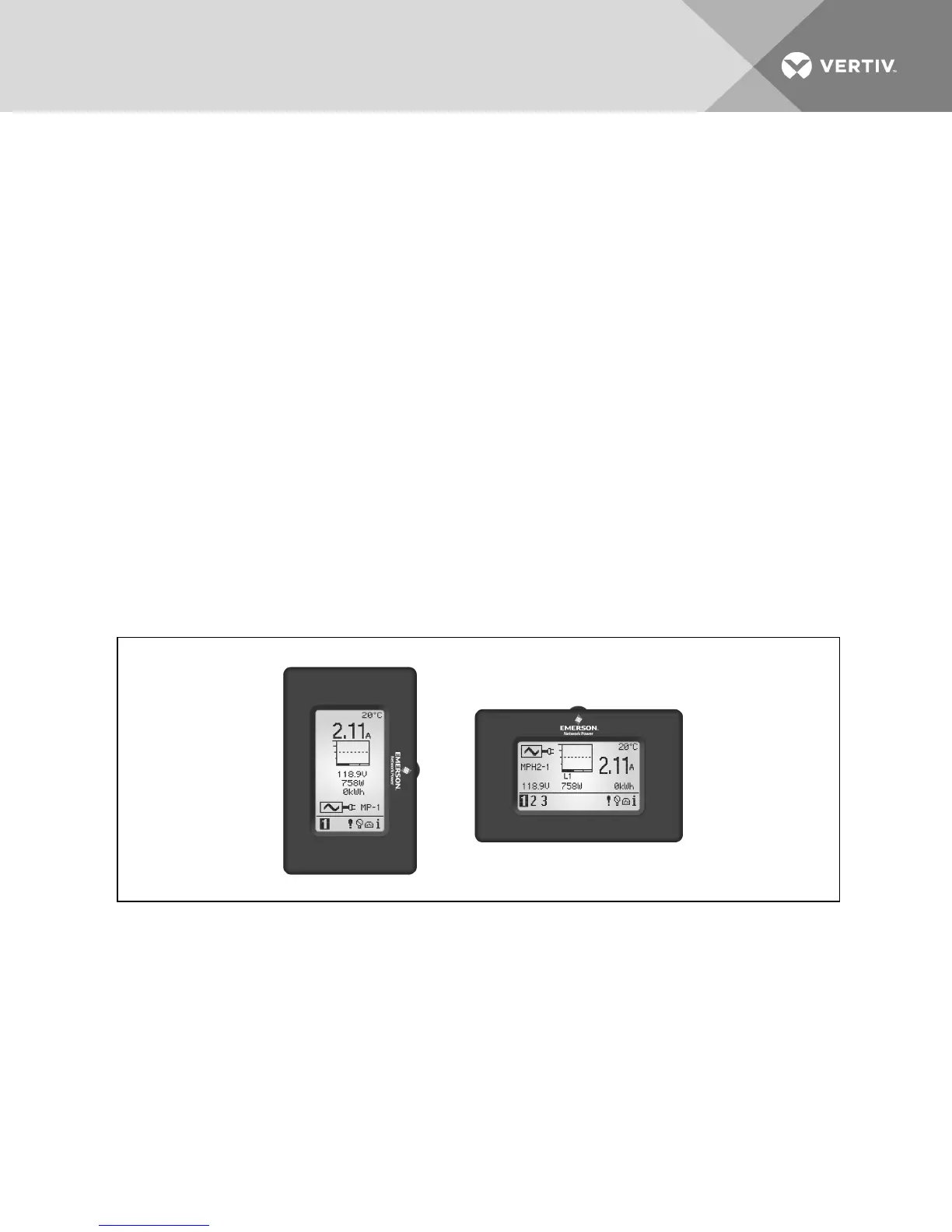
The RPC BDM can be rotated for vertical or horizontal display, as shown in the following figure. When in the vertical
orientation, the connection port is on the top while the scroll button is on the side. In the horizontal orientation, the
connection port is on the side with the scroll button on the top.
Figure 4.1 Vertical or Horizontal Orientation
To set the orientation:
Hold down the scroll button when first connecting the RPC BDM to the RPC2.
4.1.1 Navigation Tips
To navigate and select items:
1. Use the scroll button to move the cursor to highlight an item on the screen.
2. Press the scroll button to select the highlighted item.
Vertiv | RPC2™ Communications Module Installer/User Guide | 35



 To Next Page