19
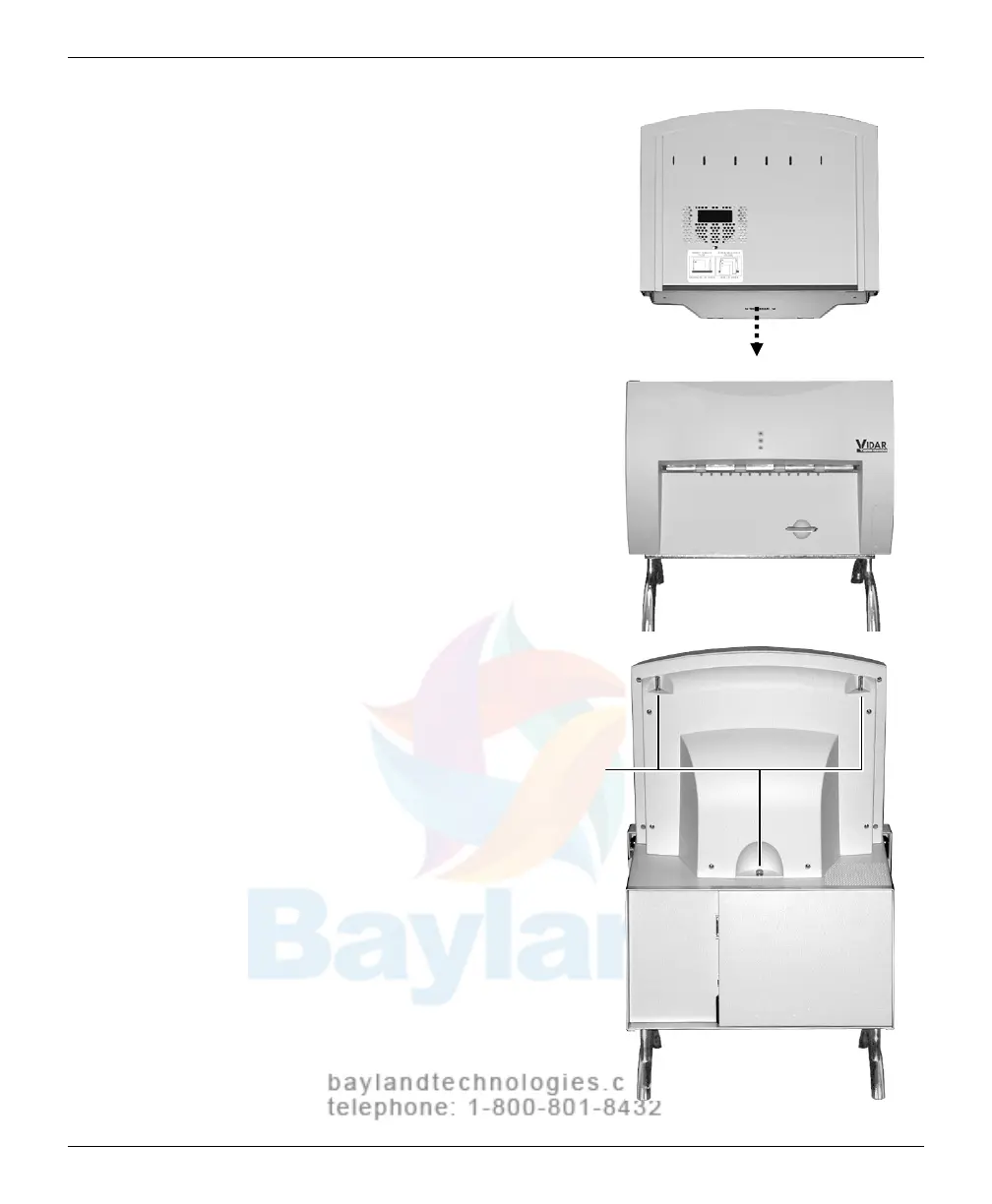
b. Place the feeder on top of the
digitizer
, and
slide the feeder
connector into the digitizer
connector.
c. On the rear of the feeder,
tighten the three screws to
secure the fe
ed
er to the
digitizer base.
You may need to move the
feeder slightly to get the
screw
s started in the holes.
Screws
Tighten each screw a few
turns, then repeat until all
are finger tight.
VIDAR CADPRO Advantage Installation Guide



 To Next Page