Page 111
MNVADCJ01_1729_EN
6.19 Star Dome
6.19.1 Reference material and documents
Dome Star SMD
MD200 Series Control Command Reference, rev.2.02, September 1, 1999
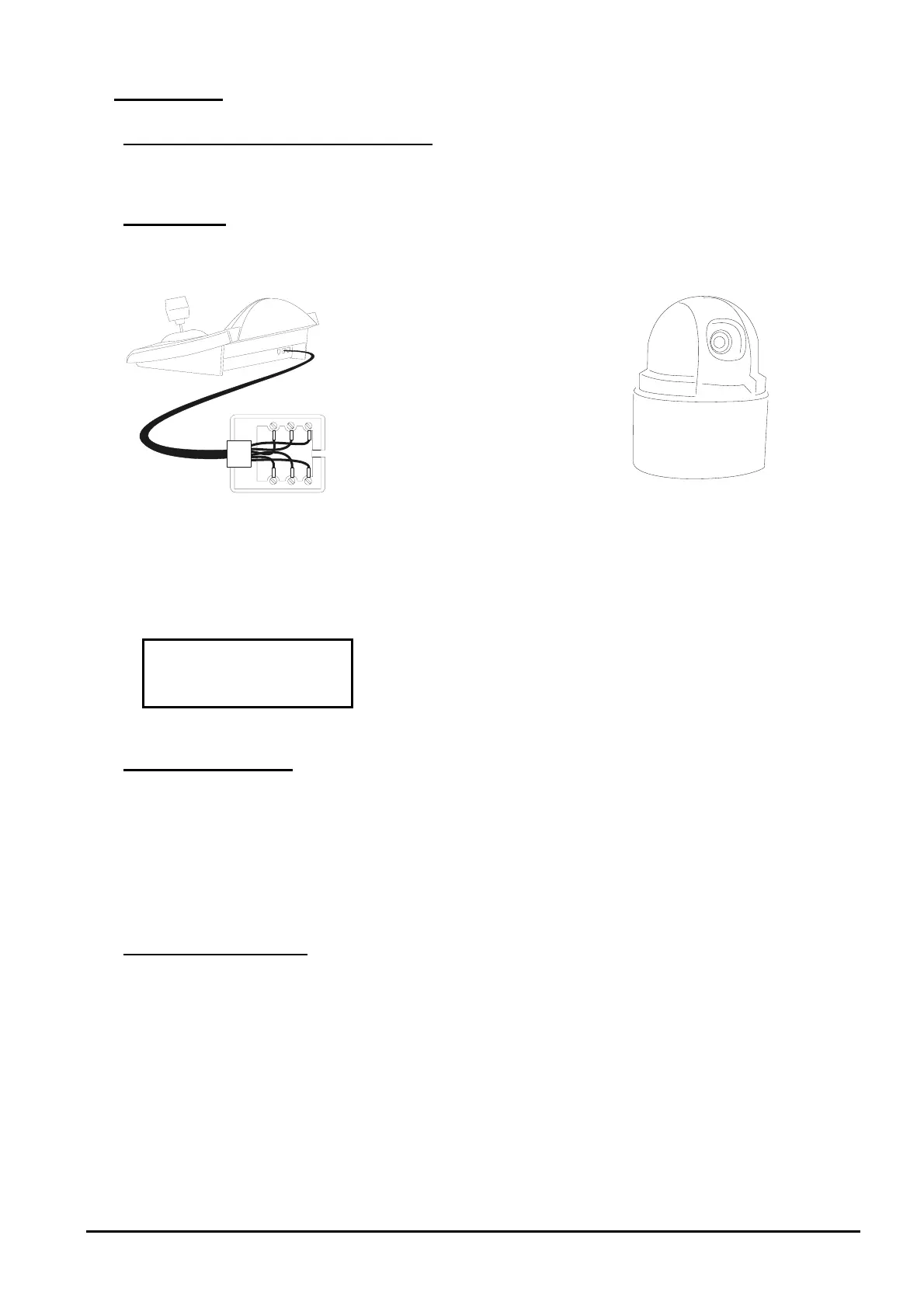
6.19.2 Connection
6.19.2.1 Cable
White
Yellow
RS485
A
RS485B
Data +
Data -
6.19.2.2 Dome settings
Dome ID-number must be set according to the respective installation manual.
6.19.2.3 Keyboard settings
During Keyboard setup, submenu must be suitably set:
Baudrate is fixed (960
0 ba
ud).
6.19.3 Preset, scan, home
(0÷63): store the present position as preset position number X
(0÷63): erase preset position number X
(0÷63): movement towards previously stored position X
: movement towards the Home position
6.19.4 Autopan, patrol, tour
For the Star dome, the autopan and patrol functions are called swing and group respectively. In addition,
autopan can be of the horizontal type (Pan Swing) or vertical (Tilt Swing).
Swing is a movement between the horizontal or vertical limits of two preset positions.
Group is a continuous movement between as series of preset positions.
Tour is used to join different groups into a single sequence of positions.



 To Next Page