Conguring Client Settings
Conguring Network Settings
81
81
NOTE
• If you choose to use a static IP address for your SC-T46 thin client, then you need
to specify DNS server addresses manually. In this case, the DNS type eld will not
appear for you to select Manual setting or Dynamic DNS (via DHCP).
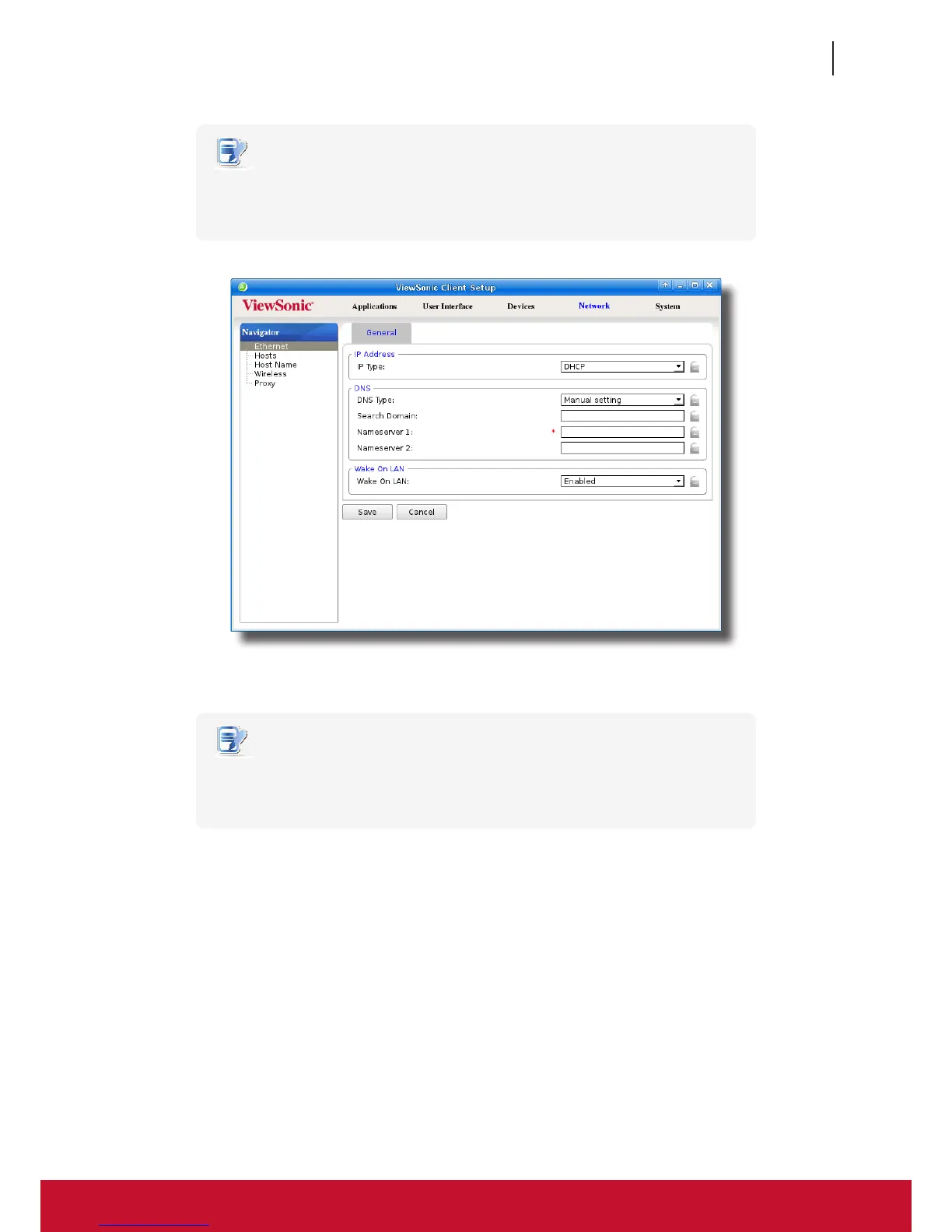
4. Type in the preferred DNS server address in the Nameserver 1 eld and the alternate DNS server address in
the Nameserver 2 eld if any.
NOTE
• Specifying a domain name in the Search Domain eld will enable your system to
discover a computer in that domain simply with its computer name rather than its
FQDN (Fully Qualied Domain Name).
5. Click Save to apply.



 To Next Page