Visionary, Network Audio Video
DUETE-2/DuetD-2 USER MANUAL
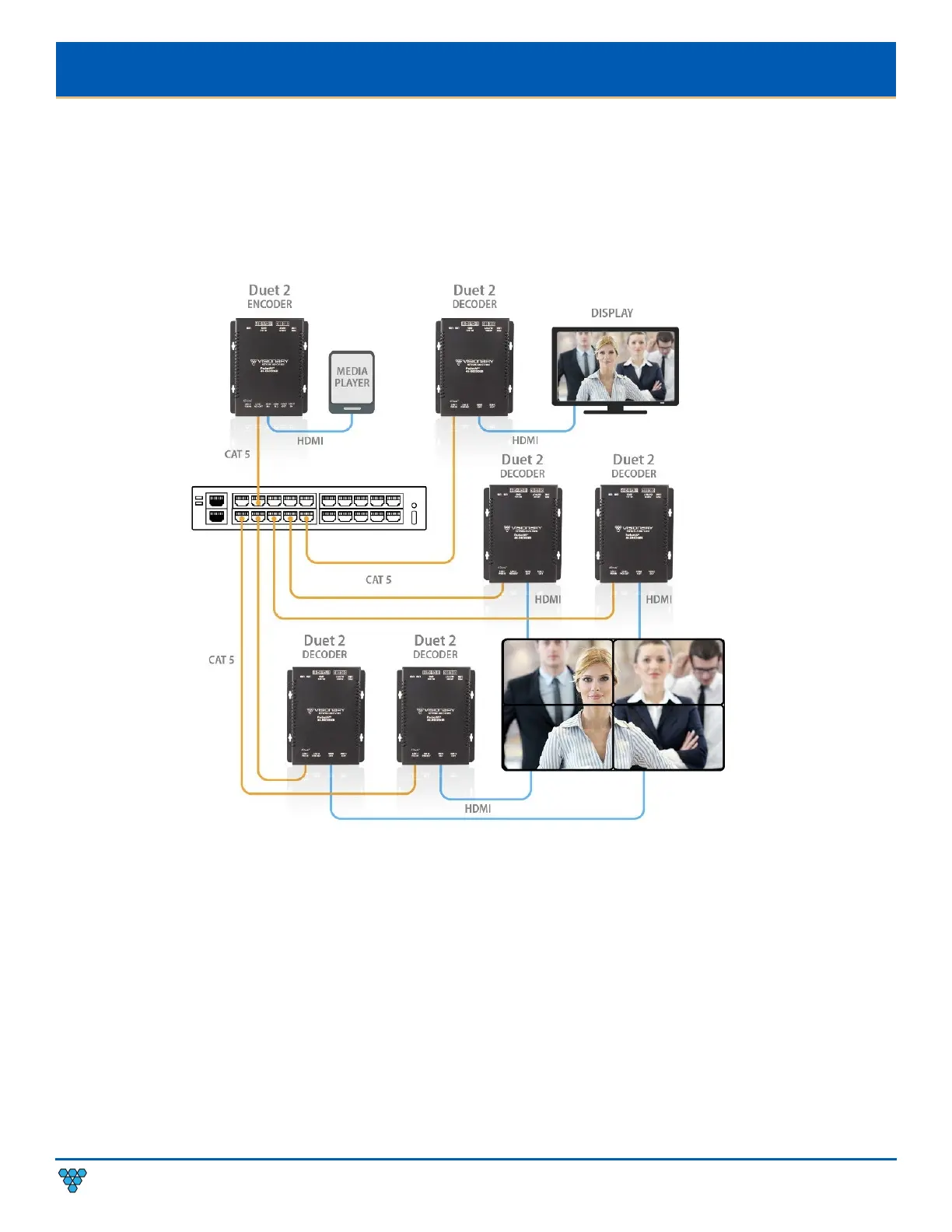
VIDEO WALL
The video wall configuration requires a network switch to display multiple video sources to many displays or a single display in any
combination of video streams. Multiple encoders can be linked to multiple decoders
(multipoint-to-multipoint)
over the network.
The video wall configuration allows almost any number of sources and displays. Multiple switches can be linked by fiber, providing
flexibility and scalability, and expanding the size and reach of the configuration to a practically limitless scale.
Each encoder and each decoder can be located no more than 100m (328ft) from the switch.
Figure 8. Video Wall Diagram
NETWORK DISCOVERY
Discover your Duet-2 endpoints on the network.
By default, the encoders and decoders are shipped from the factory in DHCP mode with Auto IP Failover. In DHCP mode, each
encoder and decoder unit are automatically assigned a unique IP address by the DHCP server. If there is no DHCP server on the
network, the encoders and decoders (after about one minute) will “failover” to Auto IP mode where each encoder and decoder unit
assigns itself a unique IP address within the range of
169.254.1.0–169.254.254.255,
with a 255.255.0.0 subnet mask and a gateway
address of 169.254.0.254.
To configure the units, you must access the web interface of each encoder and decoder using a computer.
In order to communicate with the Duet-2 endpoints, the devices must be on the same subnet as your computer. You may need to
change the computer’s network settings to accomplish this.



 To Next Page