Visionary, Network Audio Video
DUETE-2/DuetD-2 USER MANUAL
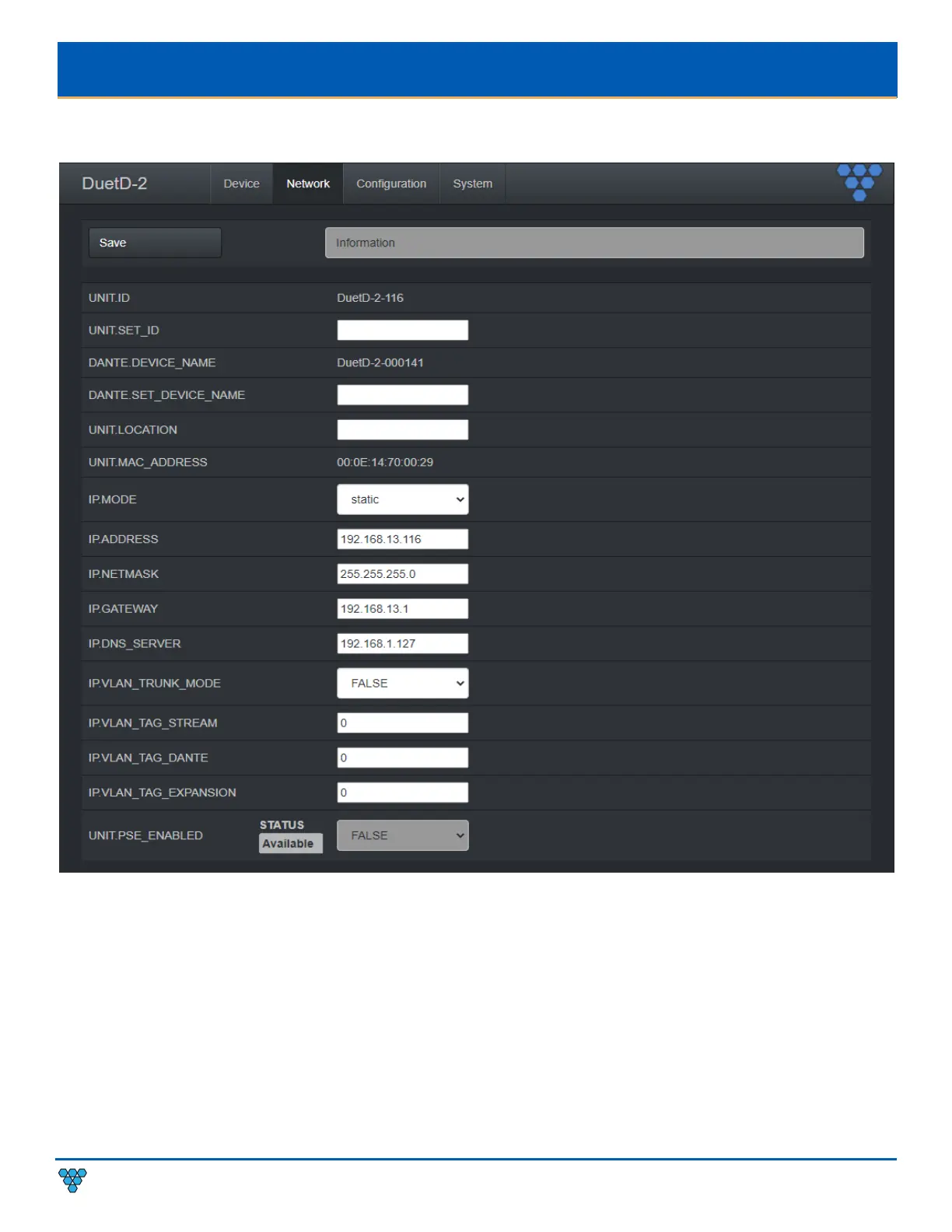
DUETD-2 DECODER NETWORK TAB
UNIT.ID – By default, the UNIT.ID of the encoder is the MAC Address. This can be changed by the user on the Network tab.
UNIT.SET_ID – User defined device name. For example: Display_1 or Source_3 (letters, numbers, dashes, and underscores only).
DANTE.DEVICE_NAME – The current Dante™ device name of the DuetD-2.
DANTE.SET_DEVICE_NAME– Use to set or change the Dante™ device name of the DuetD-2 Dante module. This can be set via the
device web page or Dante Controller™. Please note that Dante Controller™ or other Dante™ API devices can change this value
without notice.
UNIT.LOCATION – User defined device location. For example: Office_1 or Conference_Room_2 (letters, numbers, dashes, and
underscores only).
MAC.ADDRESS – The MAC address of the unit
IP.MODE – Modes are Static or DHCP. See section Configuring Encoder and Decoder IP Addresses.



 To Next Page