Visionary, Network Audio Video
DUETE-2/DuetD-2 USER MANUAL
IP.ADDRESS – Shows the current value based on the unit’s mode. In Static mode, shows the unit’s static settings. In DHCP mode,
shows if the values are valid. If DHCP is failed, the mode shows as Auto IP (even though you cannot select this mode directly), and
the Auto IP values display in the IP.xxxxxx fields. See section Configuring Encoder and Decoder IP Addresses.
IP.NETMASK – Shows the current value based on the unit’s mode. In Static mode, shows the unit’s static settings. In DHCP mode,
shows if the values are valid. If DHCP is failed, the mode shows as Auto IP (even though you cannot select this mode directly), and
the Auto IP values display in the IP.xxxxxx fields. See section
Configuring Encoder and Decoder IP Addresses.
IP.GATEWAY – Shows the current value based on the unit’s mode. In Static mode, shows the unit’s static settings. In DHCP mode,
shows if the values are valid. If DHCP is failed, the mode shows as Auto IP (even though you cannot select this mode directly), and
the Auto IP values display in the IP.xxxxxx fields. See section Configuring Encoder and Decoder IP Addresses..
IP.DNS_SERVER – (optional) Shows the current value based on the unit’s mode. In Static mode, shows the unit’s static settings. In
DHCP mode, shows if the values are valid. If DHCP is failed, the mode shows as Auto IP (even though you cannot select this mode
directly), and the Auto IP values display in the IP.xxxxxx fields. See section
Configuring Encoder and Decoder IP Addresses..
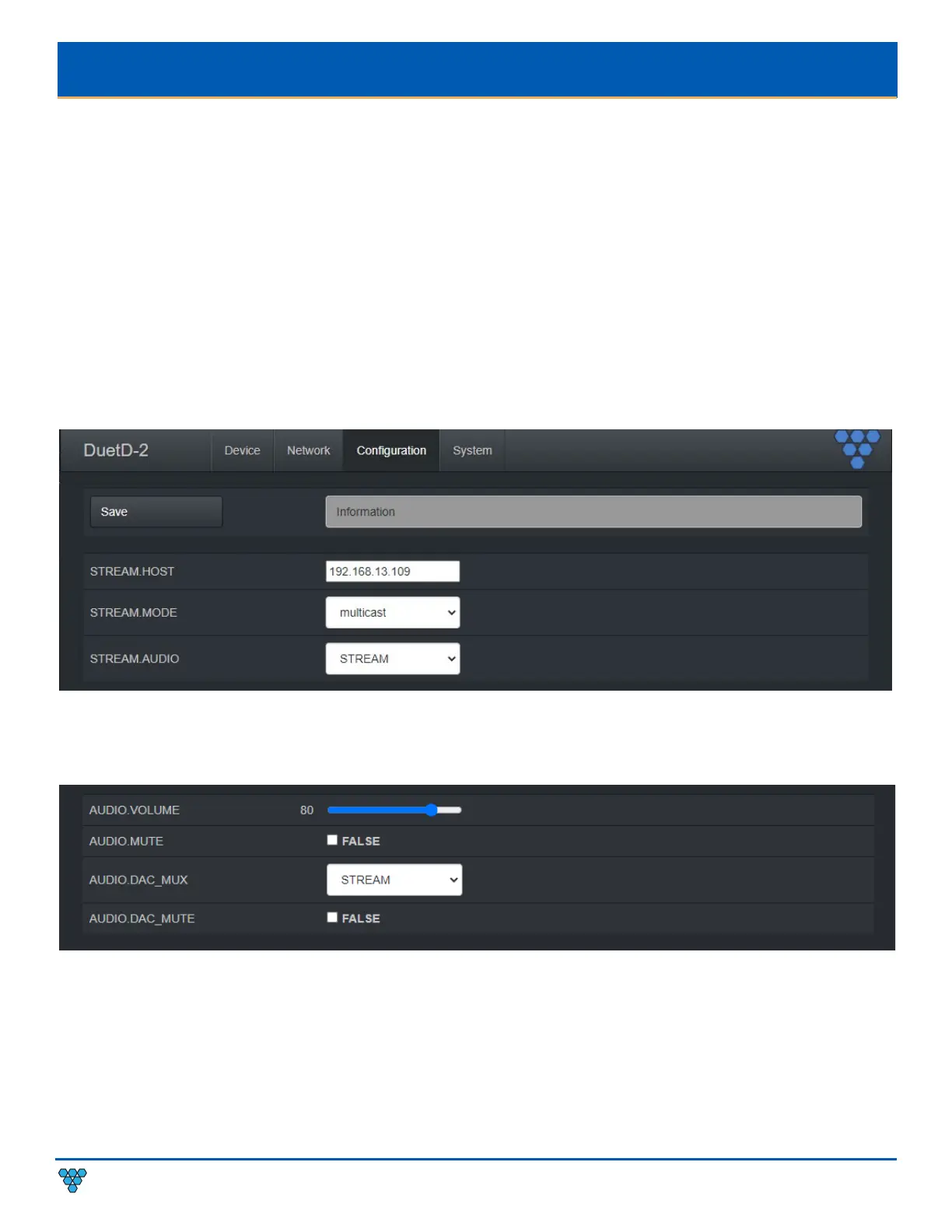
DUETD-2 DECODER CONFIGURATION TAB
STREAM.HOST – See section Configuring Stream Settings (Manually).
STREAM.MODE – Unicast or multicast. See section Configuring Encoder and Decoder IP Addresses.
STREAM.AUDIO – Select the source of audio for the AV over IP stream - HDMI, Dante. See section Audio Settings.
AUDIO.VOLUME – See section Configuring Stream Settings (Manually).
AUDIO.MUTE – Used to mute or unmute AV stream audio. Is a boot parameter, unit must be rebooted for change to be applied. See
section Configuring Stream Settings (Manually).
AUDIO.DAC_MUX – Select the source of audio for DuetD-2 analog output - STREAM, Dante. See section Audio Settings.
AUDIO.DAC_MUTE – Used to mute or unmute DuetD-2 analog output. Is a dynamic runtime parameter, may also be set by rebooting decoder.
See section Audio Settings.



 To Next Page