Visionary, Network Audio Video
DUETE-2/DuetD-2 USER MANUAL
Reboot – This button reboots the unit.
Factory Default – This button factory defaults the unit. See section Troubleshooting.
Change Password – This button changes the unit’s web interface login password to values entered below (default is admin).
• Password – enter new password
• Reenter Password – reenter new password
Important: Make sure you write the new password down. If it is lost or forgotten, you will need to call Visionary Solutions
support to assist in a console factory default of the unit.
Select update file – Browse to a new firmware file supplied by Visionary Solutions or downloaded from www.vsicam.com.
Update Unit – This button will initiate a firmware update per the specified file above.
Information – Real-time status messages displayed during a reboot, firmware update, or factory default action.
DECODER OPTIONS
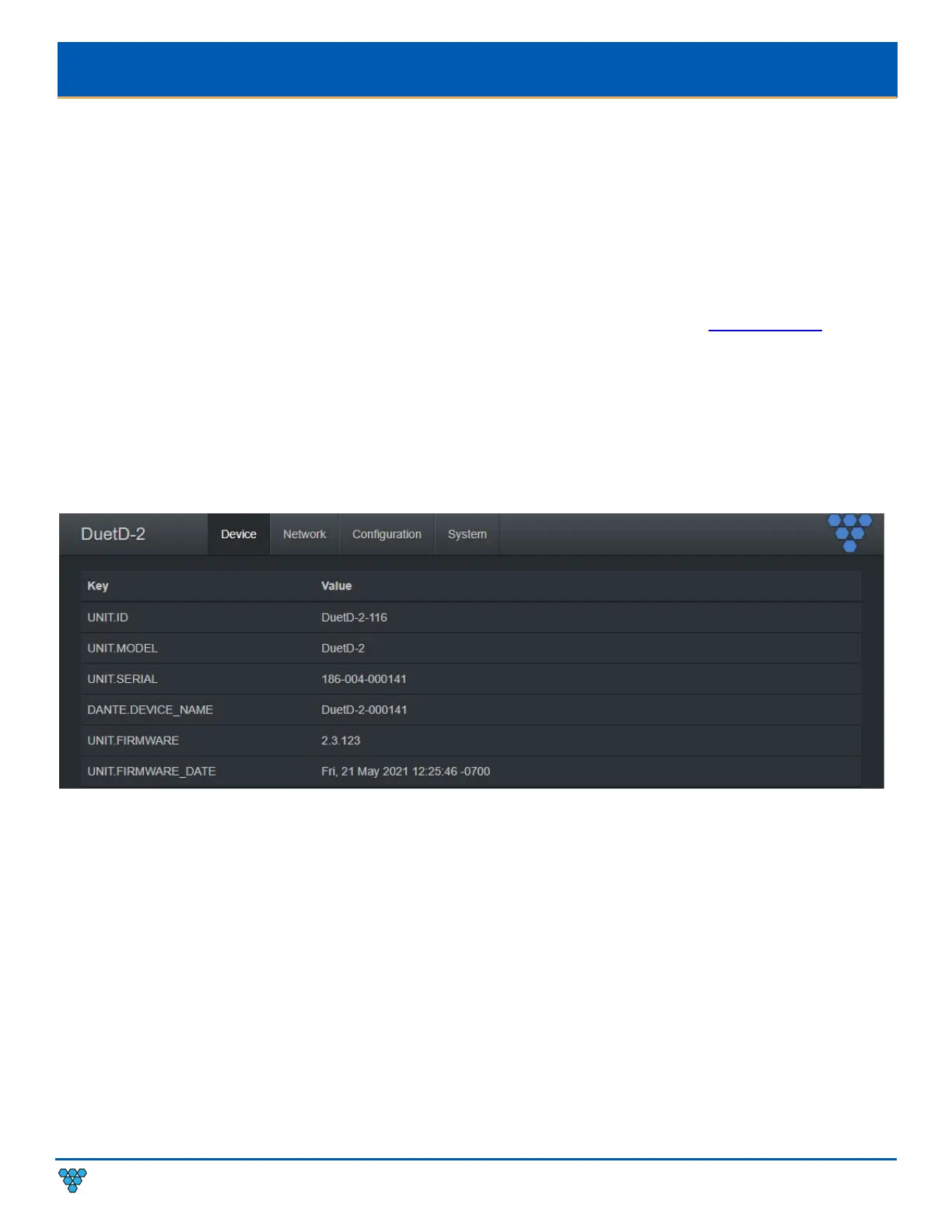
DUETD-2 DECODER DEVICE TAB
UNIT.ID – By default, the UNIT.ID of the decoder is the Model Number and the serial number (e.g., DuetD-2-000141, serial
number: 186-004-000141
). The UNIT.ID can be changed by the user on the Network tab.
UNIT.MODEL –DuetD-2 (decoder).
UNIT.SERIAL – The serial number of the unit. The serial number can also be found on the bottom label of each unit.
DANTE.DEVICE_NAME – The current Dante™ device name of the DuetD-2.
UNIT.FIRMWARE – The current firmware version of the unit.
UNIT.FIRMWARE_DATE – The date the firmware was released.



 To Next Page