Visionary, Network Audio Video
DUETE-2/DuetD-2 USER MANUAL
GENLOCK (DECODERS ONLY)
When set to FALSE allows the decoder output to free run and not be genlocked to the source encoder. Useful for some projectors
that cannot accommodate wide clock range. Should be set to TRUE for video wall setups.
VIDEO OUTPUT SETTING (DECODER ONLY)
Sets the HDMI output operation of a decoder to NORMAL, OFF, LOGO or STANDBY. NORMAL is normal operation transmitting video
out the HDMI output. OFF disables the HDMI output. LOGO displays the splash screen out the HDMI output. STANDBY displays a
black screen out the HDMI output. Each time a decoder gets tuned to an encoder the VIDEO.OUTPUT is automatically set to
NORMAL.
OSD TEXT DISPLAY (DECODER ONLY)
The OSD (On Screed Display) is used to put user text onto the screen as an overlay. Once text is entered, the text will appear in the
upper left corner of the display. The default text color is blue. To obtain a key to unlock advanced OSD features (font, font size,
position, and color) contact sales@vsicam.com
.
MASS CONFIGURATION (DECODERS ONLY)
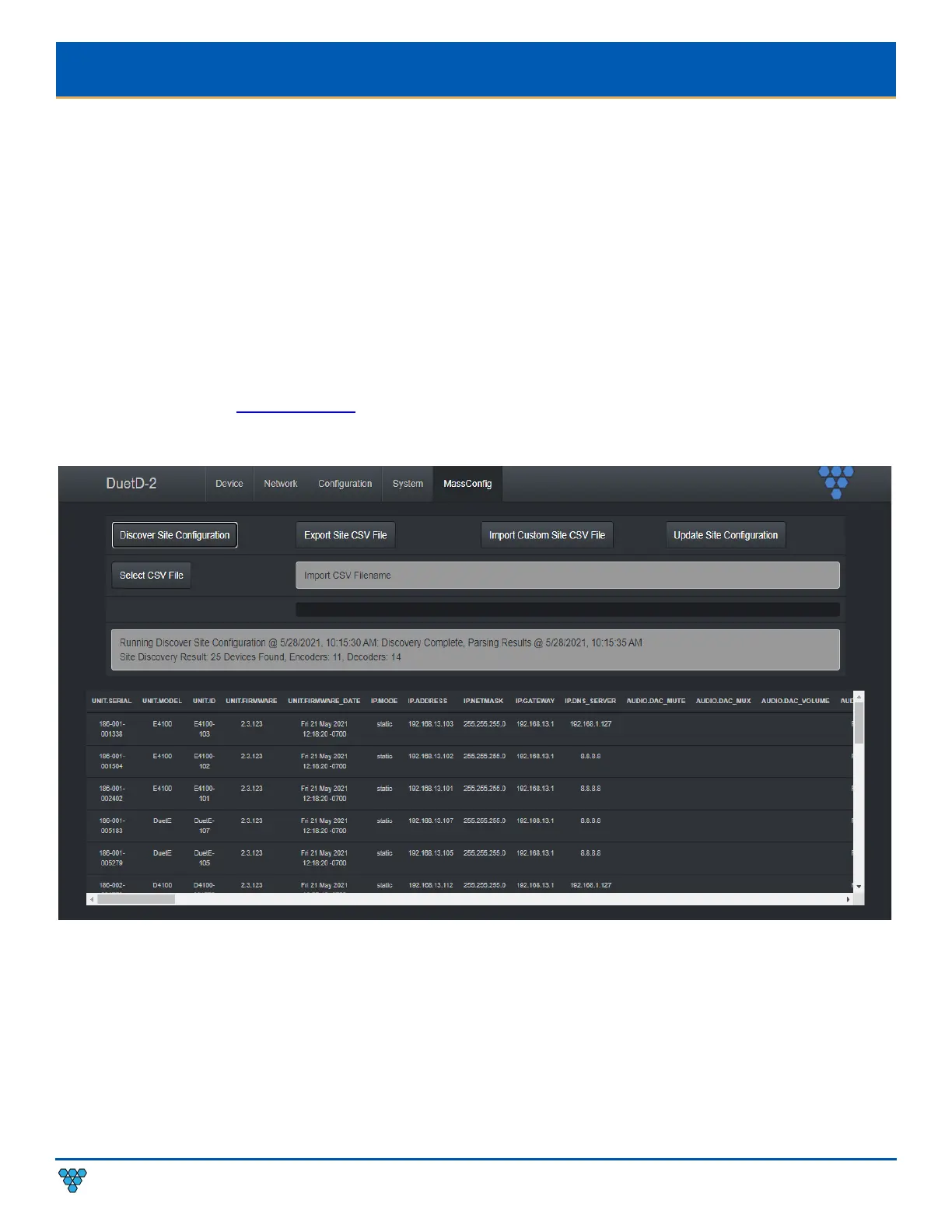
Decoders have the ability to auto discover all endpoints on the network, export to .CSV file (all configurable parameters included),
make changes offline, upload .CSV file through embedded web page of encoder/decoder and push configuration to the network. No
external software required – mass configuration capabilities are built into the decoder embedded webpage UI.
Use the following command to enable Mass Configuration on a decoder. Mass Configuration should be used with extreme caution
and should only be enabled on 1 decoder in the system.
Example: CMD=START&UNIT.ID=ALL&UNIT.MASS_CONFIG=TRUE&CMD=END



 To Next Page