Visionary, Network Audio Video
DUETE-2/DuetD-2 USER MANUAL
CONFIGURATION TAB (CONT.)
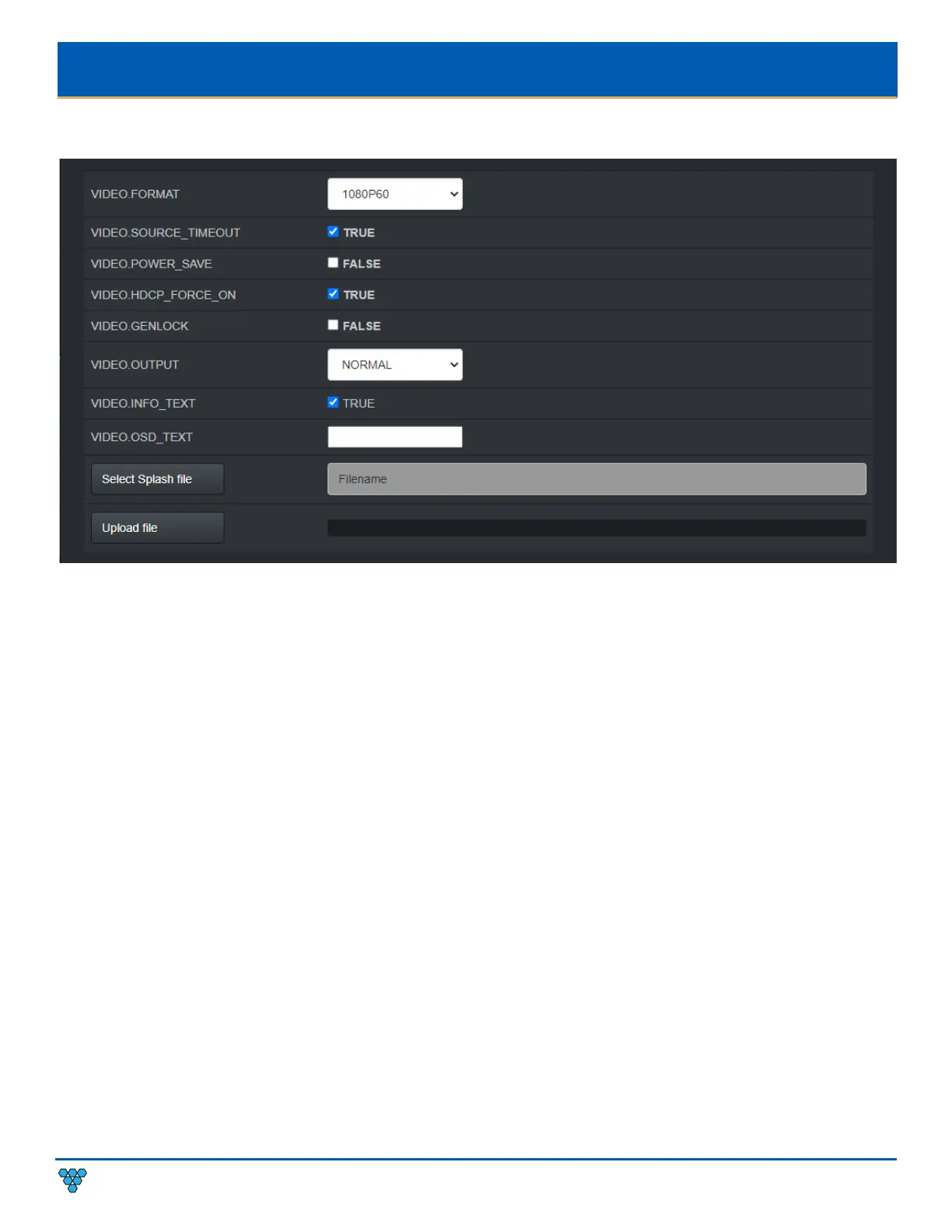
VIDEO.FORMAT – See section Video Format Setting (Decoder Only).
VIDEO.SOURCE_TIMEOUT – See section Video Source Timeout (Decoder Only).
VIDEO.POWER_SAVE – See section Video Power Save (Decoder Only).
VIDEO.HDCP_FORCE_ON
– Force the decoder to HDCP encrypt the output. See section HDCP Force On.
VIDEO.GENLOCK – Used to enable or disable Genlock. See section Genlock (Decoder Only).
VIDEO.OUTPUT – Used to set the HDMI output operation. See section Video Output Setting (Decoder Only).
VIDEO.INFO_TEXT - Enables (TRUE) or Disables (FALSE) the showing of IP addresses and connection on display.
VIDEO.OSD_TEXT - Used to put user text onto the screen as an overlay. See section OSD Text Display (Decoder Only).
Select Splash file – Browse to a file to use as a splash. See section Custom Splash Screen (Decoder Only).
Upload file – Upload the selected splash file. See section
Custom Splash Screen (Decoder Only).



 To Next Page