33
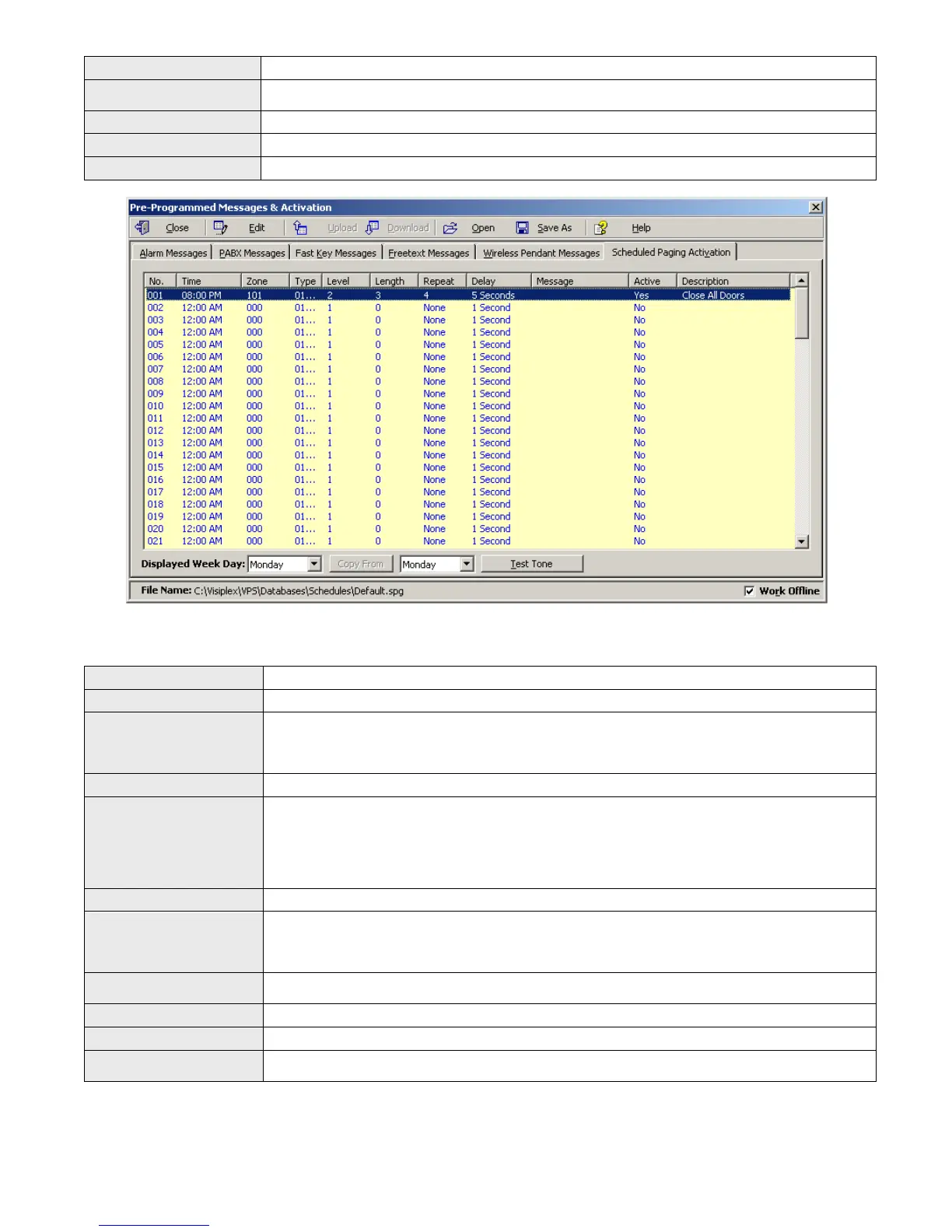
Close Close the Pre-Programmed Messages & Activation dialog box.
Edit
Display a dialog box that allows updating the highlighted event on the schedule list (see step
4).
Displayed Week Day Display the scheduled events for the selected day of the week.
Copy From Copy the daily events of the Displayed Week Day to the selected Week Day.
Test Tone Test the tone or function programmed in to the highlighted event on the list.
4. If the Edit command is selected, the Scheduled Paging Activation – Edit dialog box will be displayed. Below are the
fields and functions description:
Save Update schedule file and with changes.
Cancel Ignore all changes and exit.
Zone / Device ID
Determines the VS4500 device number that will be activated. Enter a three-digit number
representing the device number programmed in to the VS4500 with the receiver’s capcode.
For example, when generating a tone for zone 05, all wireless receivers programmed with the
capcode of device 005 will be activated.
Description General description for the updated event.
Alert Type
Type of tone or alert that will be activated by the VS4500.
Alert 11 and up will activate a customized user-programmed audio alert stored in the
supported receiver (such as VNS2200).
To send alphanumeric commands or messages, select 97 – User Defined Message and
enter text in the Message field.
Note: Alert Type with number higher than 90 are reserved for special operations.
Alert Level Volume of tone played.
Alert Length
Length of tone (in some cases, created by repeating a shorter tone). In some cases, can also
used to determine the length of dry-contact closure or opening.
Note: Alert length 9 (if supported) will send the selected Alert Type three times with a one
second pause between each repeat.
Alert Repeats
Number of times to repeat the selected tone sequence (as determined by Type, Level and
Length).
Alert Delay Delay between each repeat of the tone sequence.
Message Alphanumeric command or message that will be sent on to the device.
Active
Determine if an event is active. Non active events are stored but not executed.
Note: An active events must be assigned with Zone / Device ID larger than 0.



 To Next Page