36
Deactivate
Deactivate the selected COM port and disconnect from the device (encoder, tone
generator or receiver).
Update Now
Depending on the Synchronization Mode selected, TimeSync will read or write the time
from or to the selected device. The device or PC time will be updated accordingly.
Refresh Disconnect from all devices, reload all COM ports and reconnect to all active devices.
Close Terminate the TimeSync program.
Hide Hide the TimeSync window and place to the system tray.
Current Date & Time Displays the current date and time of the PC.
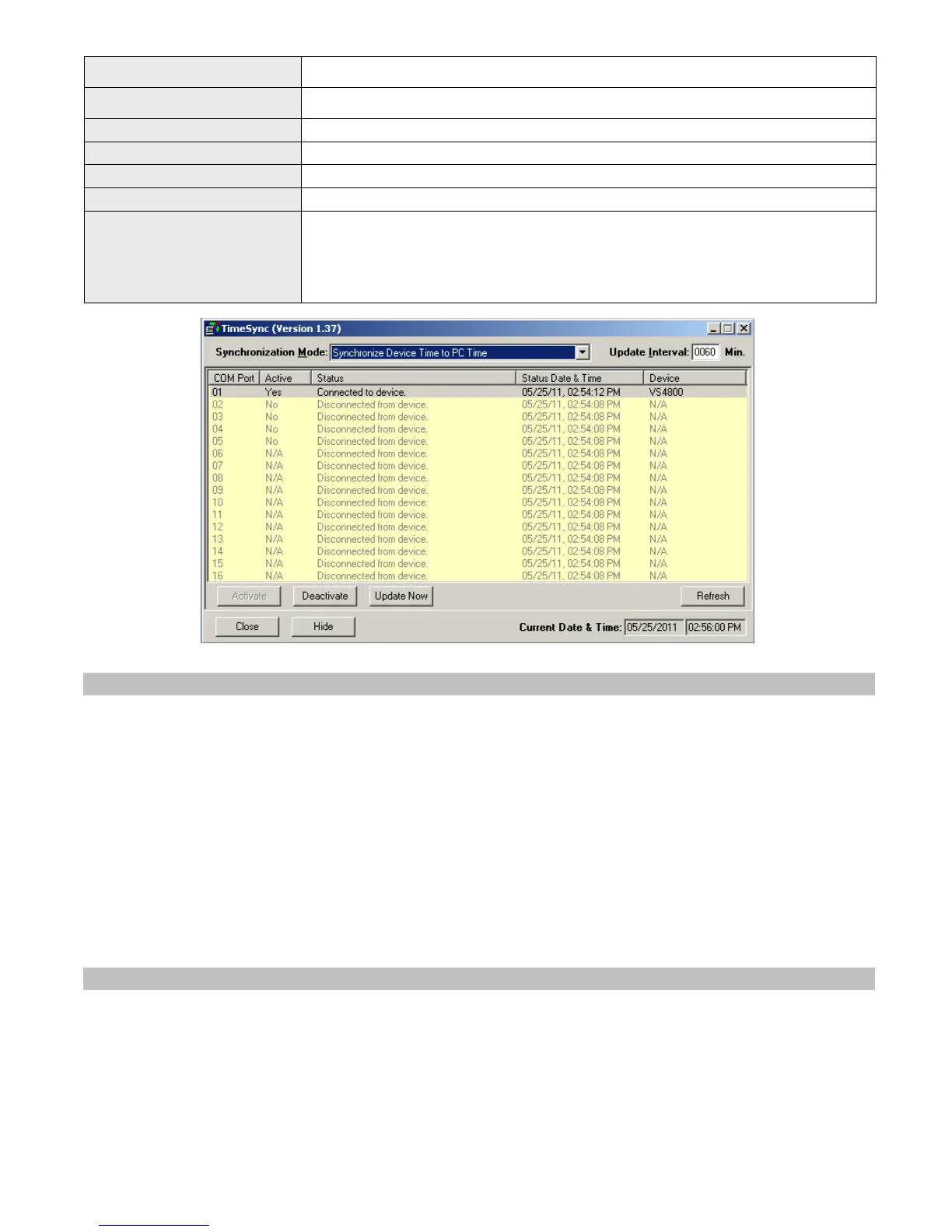
Device List
Information on the available devices and their status:
COM Port - COM (RS232) port number
Active - Indicates if the COM port is active (connected to a device)
Status - Last connection status with the device
Status Date & Time - Date and time of the last connection status
Device - The type of device detected.
4.2.4 Setting the PC Clock from Encoder
Setting the PC clock according to the VS4500 date and time allows you to keep the PC internal clock accurate and therefore
use it as a reference for network time (see Windows Net Time command). This action can be performed manually or
automatically as long as the encoder is connected to the PC and TimeSync is running.
Follow these steps to set the date and time according to the date and time of the VS4500:
1. Make sure the VS4500 is powered on and connected to the serial port on the PC.
2. Set the Synchronization Mode to Synchronize PC Time to Device Time (Single COM Port).
3. To set the PC date and time manually, press Update Now. This will synchronize the PC clock according to the date and
time of the connected device. Note that in some cases this operation may require more than one retry due to other
functions performed by the encoder.
4. The automatic update is performed periodically according to the Update Interval . The Status Date & Time field
displays the last date and time when the PC clock was updated.
4.2.5 Setting the Encoder Clock from PC Clock
Setting the VS4500 date and time from a PC allows you to keep its internal clock accurate. This action can be performed
manually or automatically as long as the encoder or tone generator is connected to the PC and TimeSync is running.
Follow these steps to set the date and time of the VS4500 according to the PC date and time:
1. Make sure the VS4500 is powered on and connected to the serial port on the PC.
2. Set the Synchronization Mode to Synchronize Device Time to PC Time.



 To Next Page