10
Quantum Plus installation and user manual
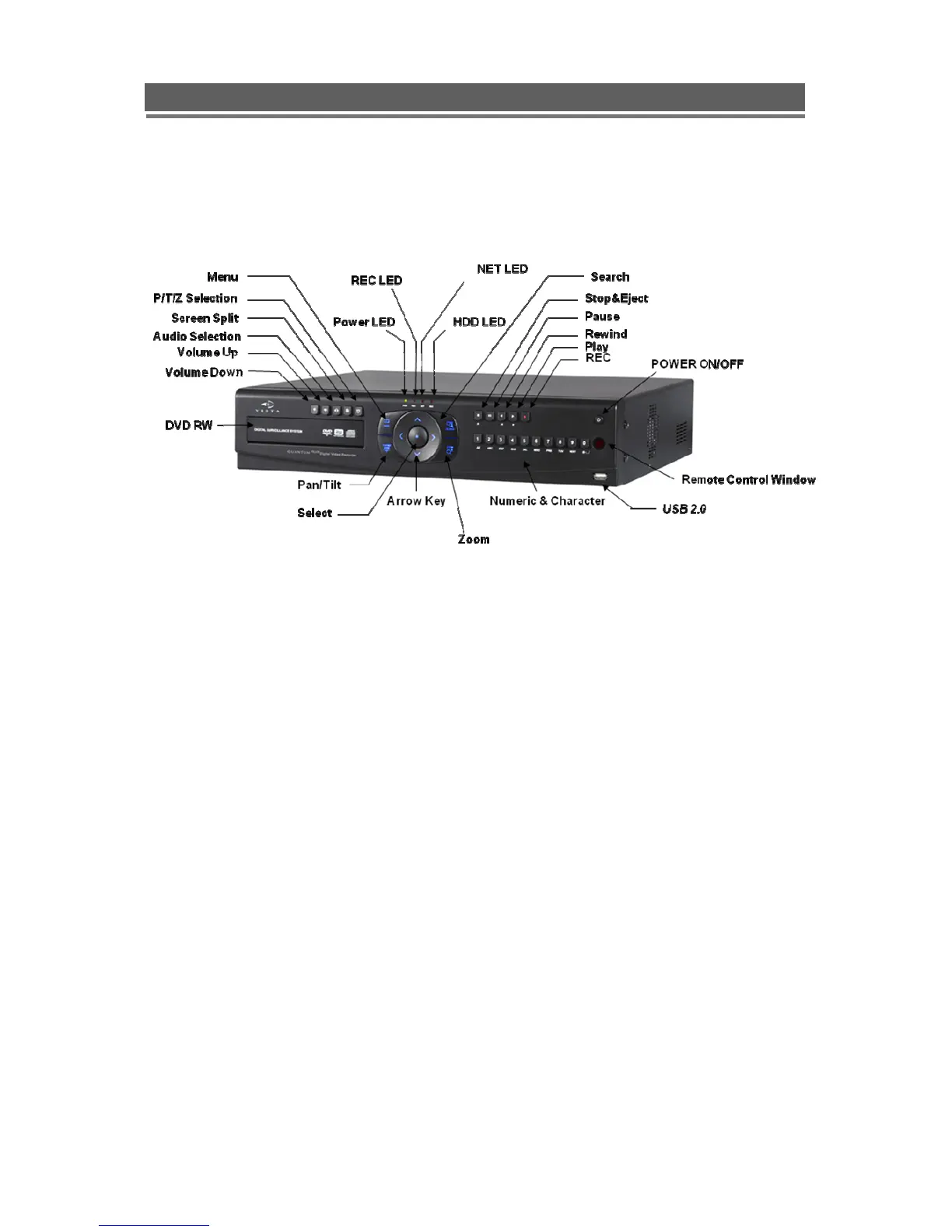
FRONT PANEL
LEDs
- REC: Recording status (When recording is on, the red light will flash)
- POWER: System Power On/Off (When power is on, the green light will be illuminated)
- NET: Network status (When network is connected, the light will lash)
- HDD: HDD status (When the system is reading or writing to the HDD, the light will flash)
USB 2.0 Port
- USB2.0 connector, for downloading to USB pens / drives (plus upgrading firmware)
POWER Button
- System Power On/Off
Numeric & Character
- Used for individual camera selection and selection of numbers & letters within the setup
menus and searches
MENU
- Displays the menu on the screen
SEARCH
- Entering search mode



 To Next Page