29
Quantum Plus installation and user manual
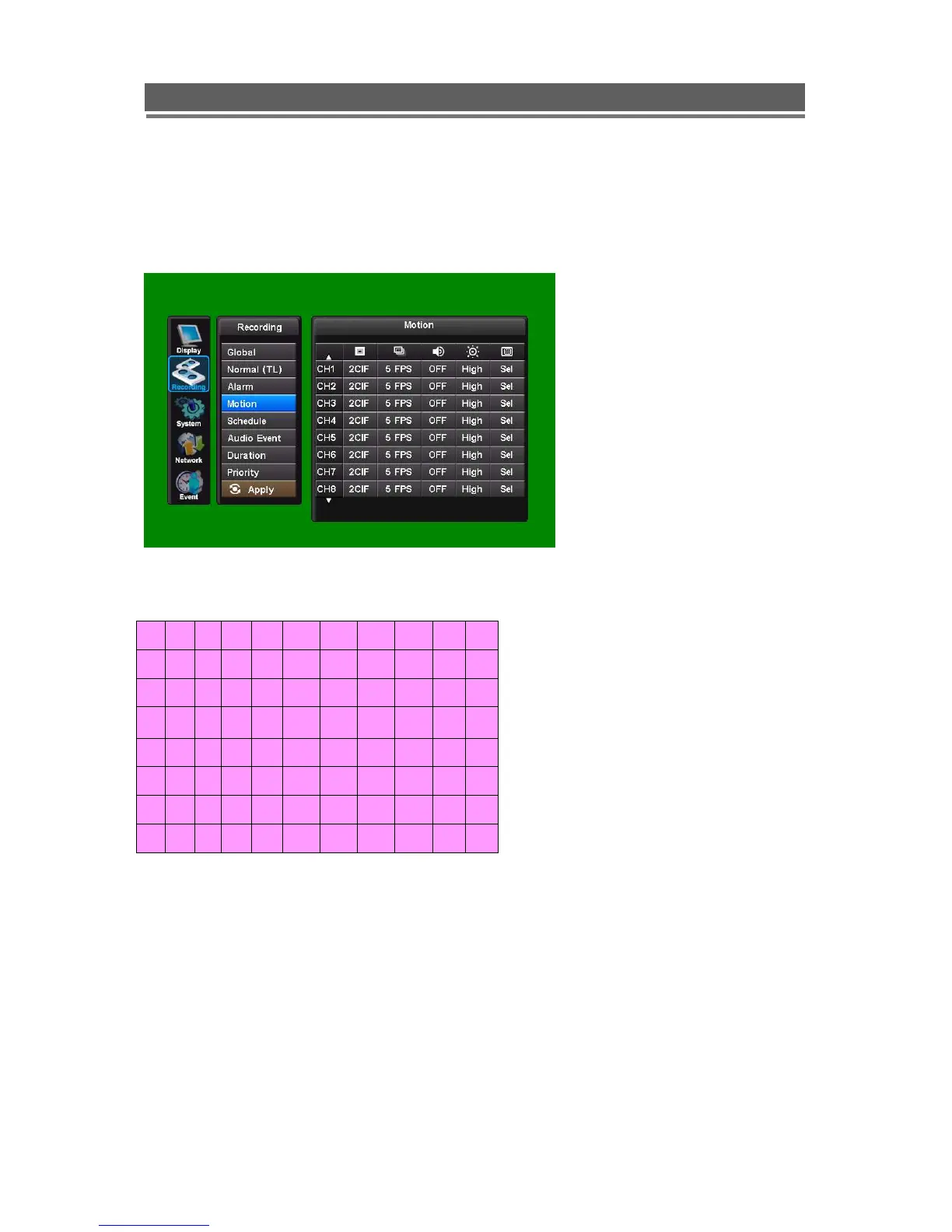
2-4. Motion
Motion on any channel can trigger recording of that camera.
Resolution, Images Per second, Audio, and Quality can all be configured individually per
channel. As per Normal and Alarm Recording Modes.
To setup the motion detection grid per channel select the “Sel” button.
The detection area is divided into a grid of 11x8 cells. Default is all cells in active mode.
Use the Left right up down to move cursor and the Select key to toggle between active and
inactive.
The mouse can also be used to select cells and toggle them on and off.
Care must be taken in setting of the motion sensitivity. It is recommended that each level is
tested to find out which one suits that particular camera site.
The motion detection is not recommended for external cameras.



 To Next Page