100
Quantum Plus installation and user manual
Local Setup
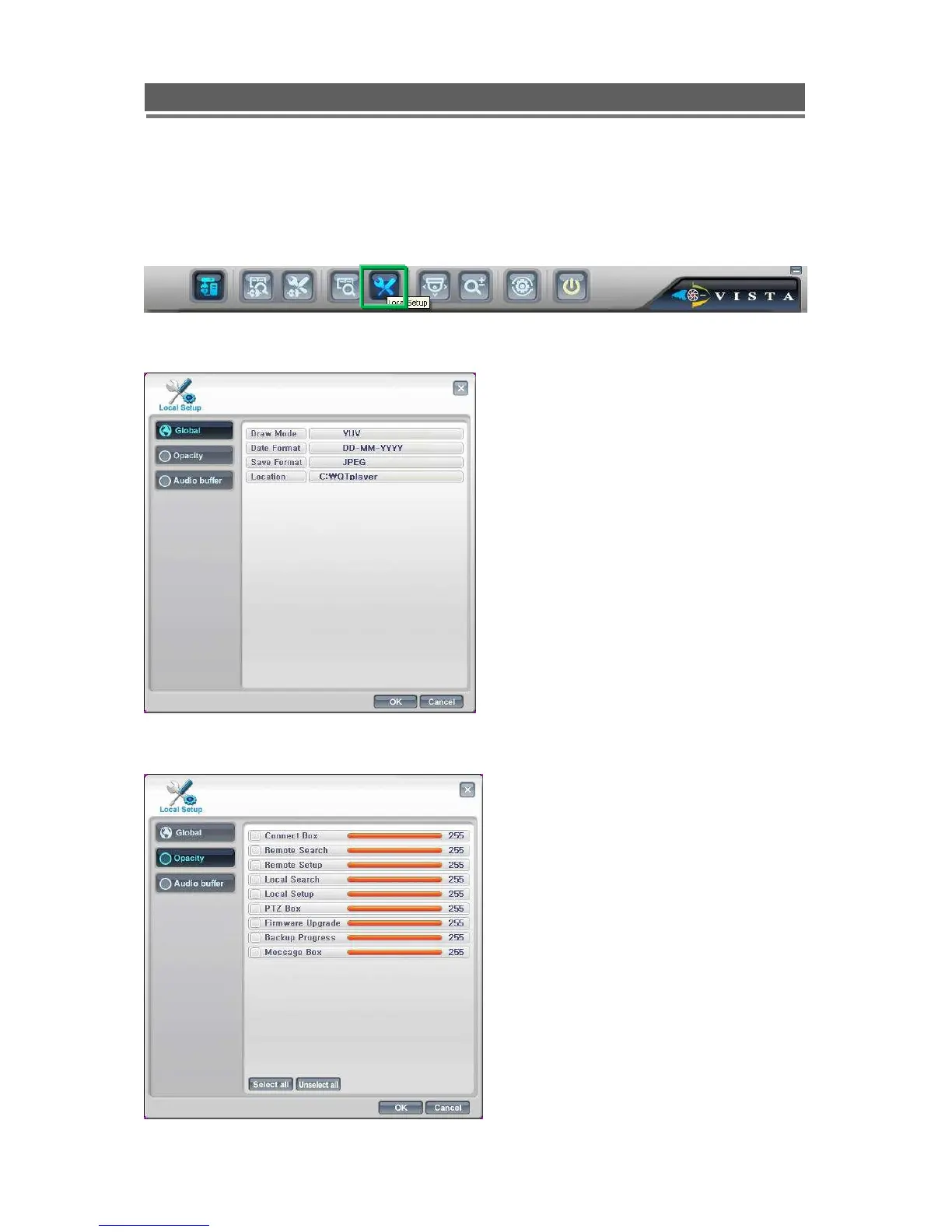
This allows the setup of the viewing of the software on the PC.
Global
Opacity
This screen allows the following:
Draw mode to be set to YUV or RGB
Date Format to be set to: DD/MM/YYY,
MM/DD/YYYY or YYYY/MM/DD.
Save Format, for the saving of stills as
either JPEG, Bit Map or TIF.
Location for where stills are saved
.
The opacity or “boldness” of the OSD
can be individually set per function.
The lower the number the more see
through the box.



 To Next Page