EasyManua.ls Logo

Vitec Multimedia MGW Diamond - Page 48

Vitec Multimedia MGW Diamond
83 pages
Print Icon
To Next Page IconTo Next Page
To Previous Page IconTo Previous Page
Loading...
MGW Diamond Multi-Channel HEVC and H.264 Portable Encoder
User Manual, Version 1.6 48
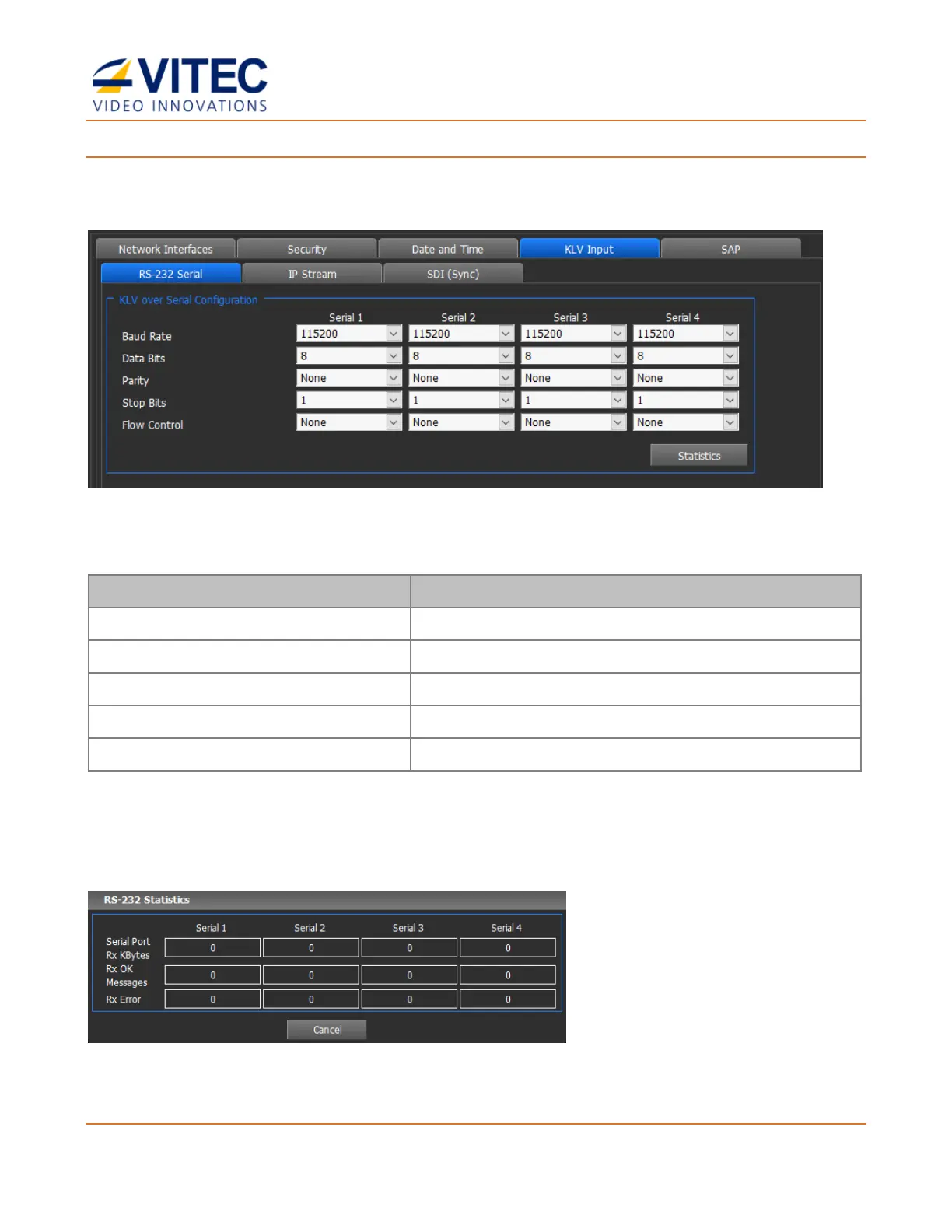
To set KLV Capture over Serial / RS232 Port:
In the KLV Input / RS-232 Serial tab screen set the following parameters for each KLV serial
input. MGW Diamond can capture up to 4x Serial inputs.
Figure 4-10: The KLV Input screen
Serial Configuration

Parameter
Description
Baud Rate
Select the baud rate.
Data Bits
Select the data bits.
Parity
Select the parity.
Stop Bits
Select the stop bits.
Flow Control
Select the flow control.
Statistics
Provide information regarding each Serial port received data (Kbytes received, Errors).