MGW Diamond Multi-Channel HEVC and H.264 Portable Encoder
User Manual, Version 1.6 49
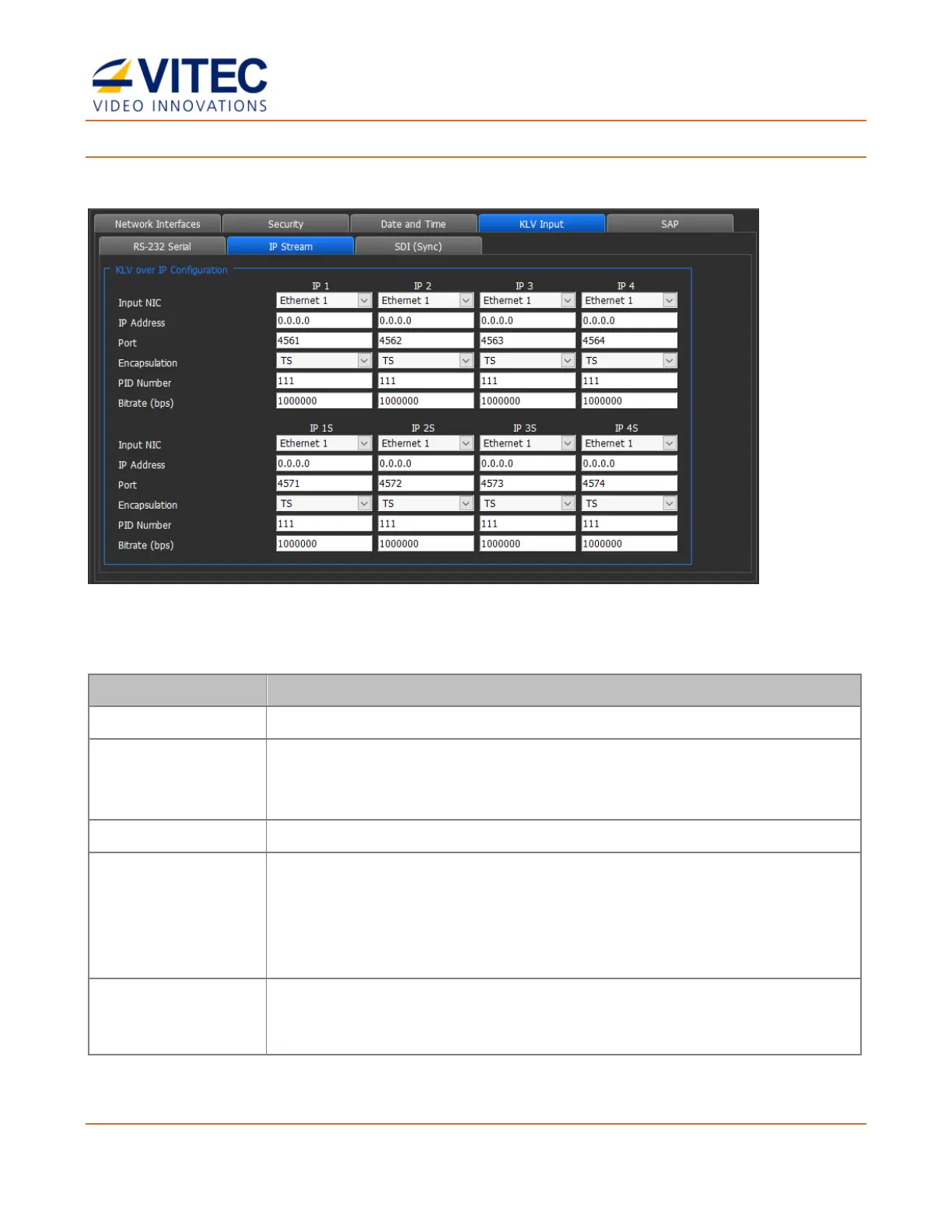
To set IP Stream as KLV input source:
MGW Diamond can capture KLV from up to 8x IP inputs.
Figure 4-11: The IP Stream tab window
1. Click the IP Stream tab and set the following parameters:
Select the input network interface.
For a unicast KLV stream - enter the IP address of the encoder.
For a multicast KLV stream - enter the IP address of the multicast group
KLV is sent to.
Enter the port number of the source KLV multicast or unicast stream.
Select one of the following options:
• TS (MPEG-2 Transport Stream encapsulation) sent via multicast or
unicast stream.
• RAW KLV data as per MISB 0601.x sent via multicast or unicast
stream.
Enter the PID number of the program containing the KLV data in the
source multicast stream (available only when TS encapsulation is
selected).



 To Next Page