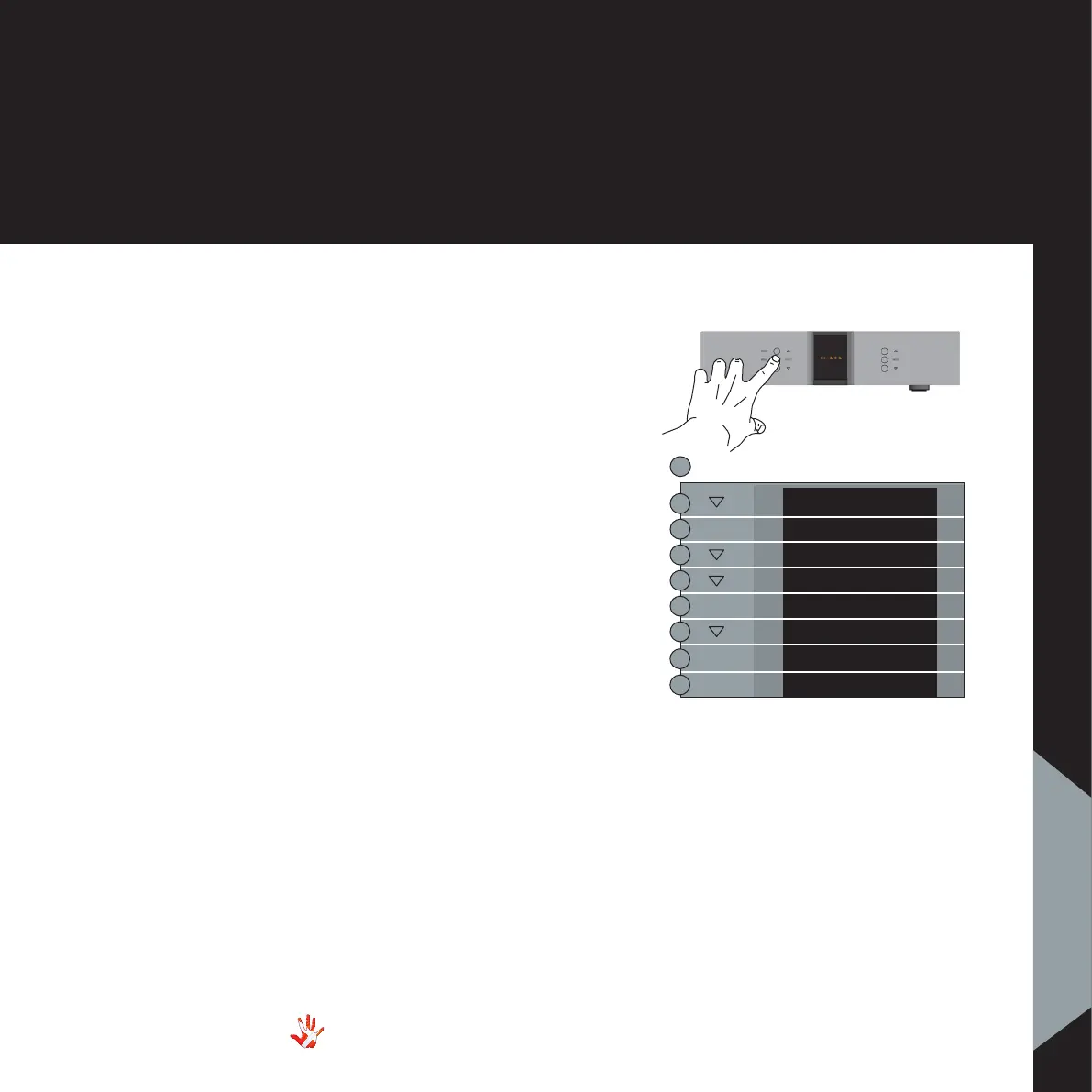
MENU
LEAVE
SETUP
BACK
EXIT
BP VOL
BP OFF
BP ON
BP VOL
SELECT
SELECT
Example 2
Volume bypass on.
(turning the volume
control off)
When the RD-101 is connected
to an amplifier with volume
control, then we recommend
that you leave the volume
control of the RD-101 turned
off (bypassing the volume
control).
When you turn the volume
bypass on, the submenus
VOLUME and V.INIT will
become unavailable .
Press the“MENU”button to
enter Menu Mode.
Navigate to the BP OFF/
BP ON submenu, using the
function buttons on the left
front
1. Scroll forward in the
menu.
2. MENU/ Enter & Exit
SELECT submenus and
selectsettings.
3. Scroll backward in
the menu.
RD-101 Left front panel
SELECT
35
RD-101 | Version 1
7. examples operating
7. examples



 To Next Page