EasyManua.ls Logo

Vitus Audio RD-101 - Example 6

Default Icon
54 pages
Print Icon
To Next Page IconTo Next Page
To Previous Page IconTo Previous Page
Loading...
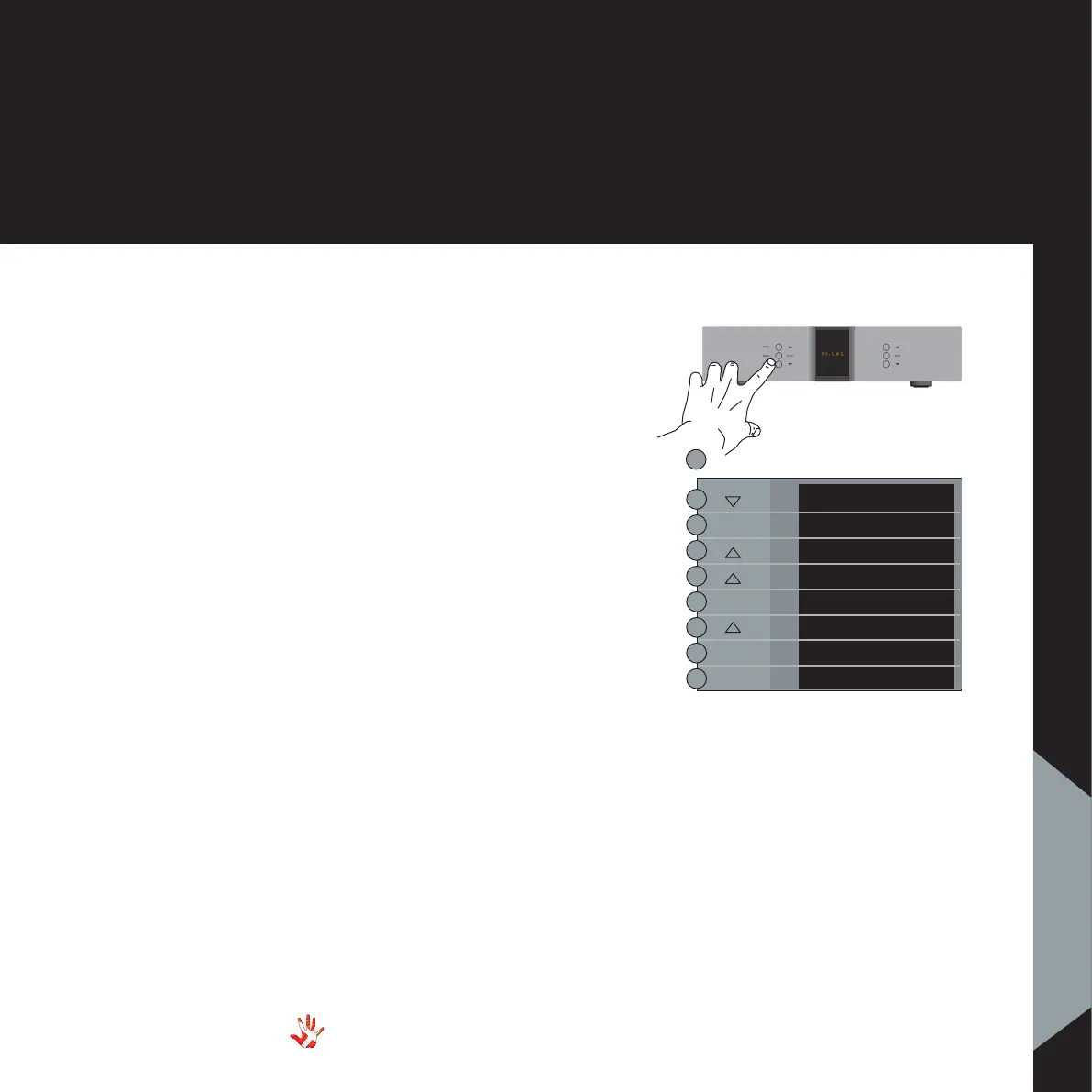
Example 6
Changing brightness
from 1 to 2
By default the
brightness is set to 1.
Press the“MENU”button to
enter Menu Mode.
Navigate to the
“BRIGHTNESS” submenu,
using the function buttons on
the left front
1.  Scroll forward in
the menu.
2. MENU/ Enter & Exit
SELECT submenus and
select settings.
3. Scroll backward
in the menu.
Enter the “BRIGHTNESS”
submenu The display now
shows “1”. Press the “
button. The brightness is now
set to 2. Press “SELECT” to
leave the. “BRIGHTNESS”
submenu.The new brightness
level is now saved.
41
RD-101 | Version 1
7. examples operating
7. examples
RD-101 Left front panel
MENU
EXIT
SETUP
BACK
INPUTS
BRIGHT
1
2
BRIGHT
SELECT
SELECT
SELECT

Related product manuals