9
RD-101 | Version 1
1. getting started
1. getting started
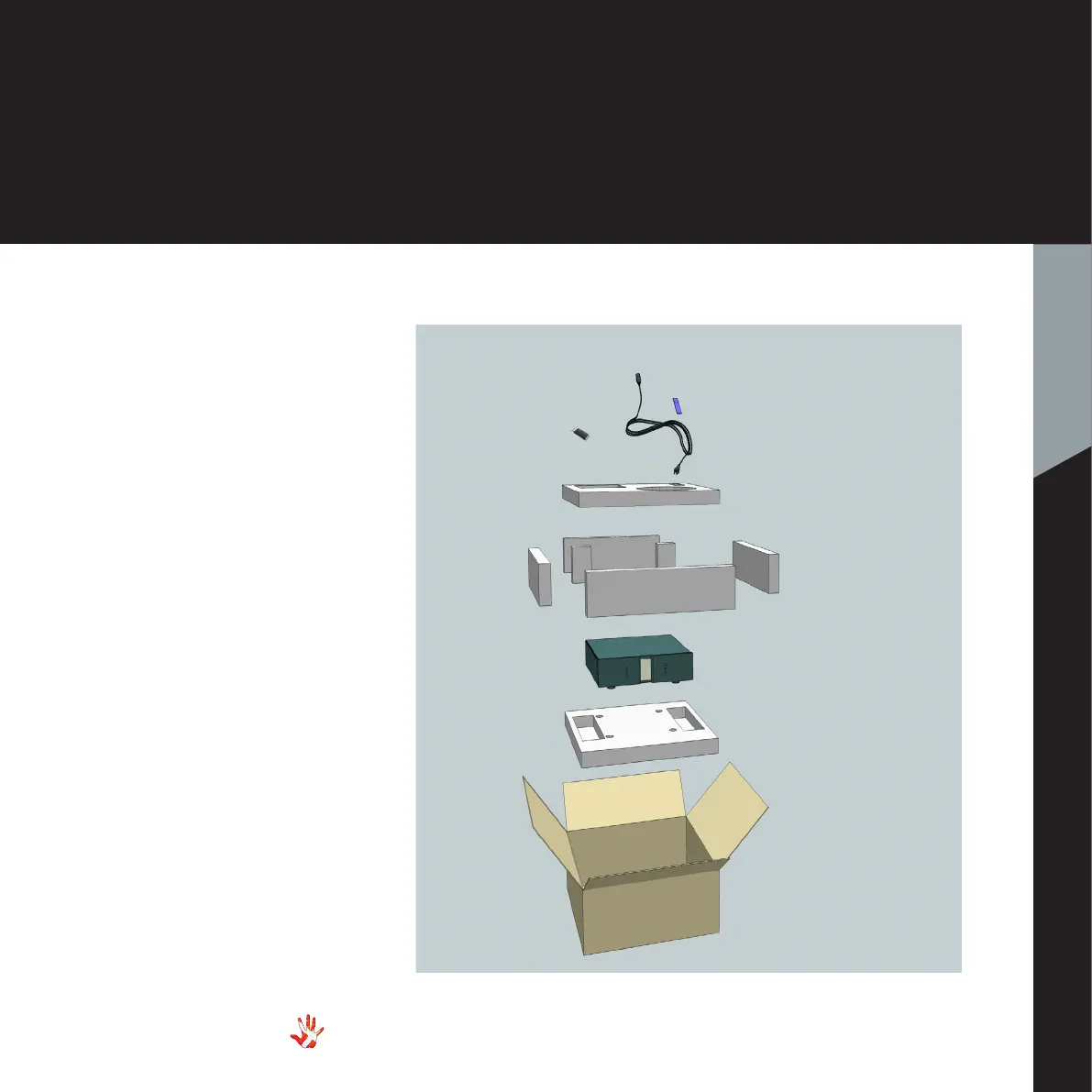
Box exploded view
Foam bottom
Box
Foam top
Foam Sides
6 pieces
RD-101
USB with
Manual &
Brochure
Power Cable
Mac Remote
Unpacking the box
After you have opened the
top, it is possible to remove
the top protective foam which
gives you direct access to the
unit. In the top you will find
the remote, the power cord
and brochures. Now remove
the side protective foam, this
will make it easier to grab hold
of the RD-101. Two people
carefully lift the unit out of the
box, and put it directly onto
the floor.
Store the empty box and the
protective foam for later use.
What’s in the box
RD-101
Mac Remote
Power Cable
USB with:
Vitus Audio Brochure
RD-101 Manual
Foam top
Foam Sides 6 pieces
Foam bottom
Box



 To Next Page