44
RD-101 | Version 1
7. examples operating
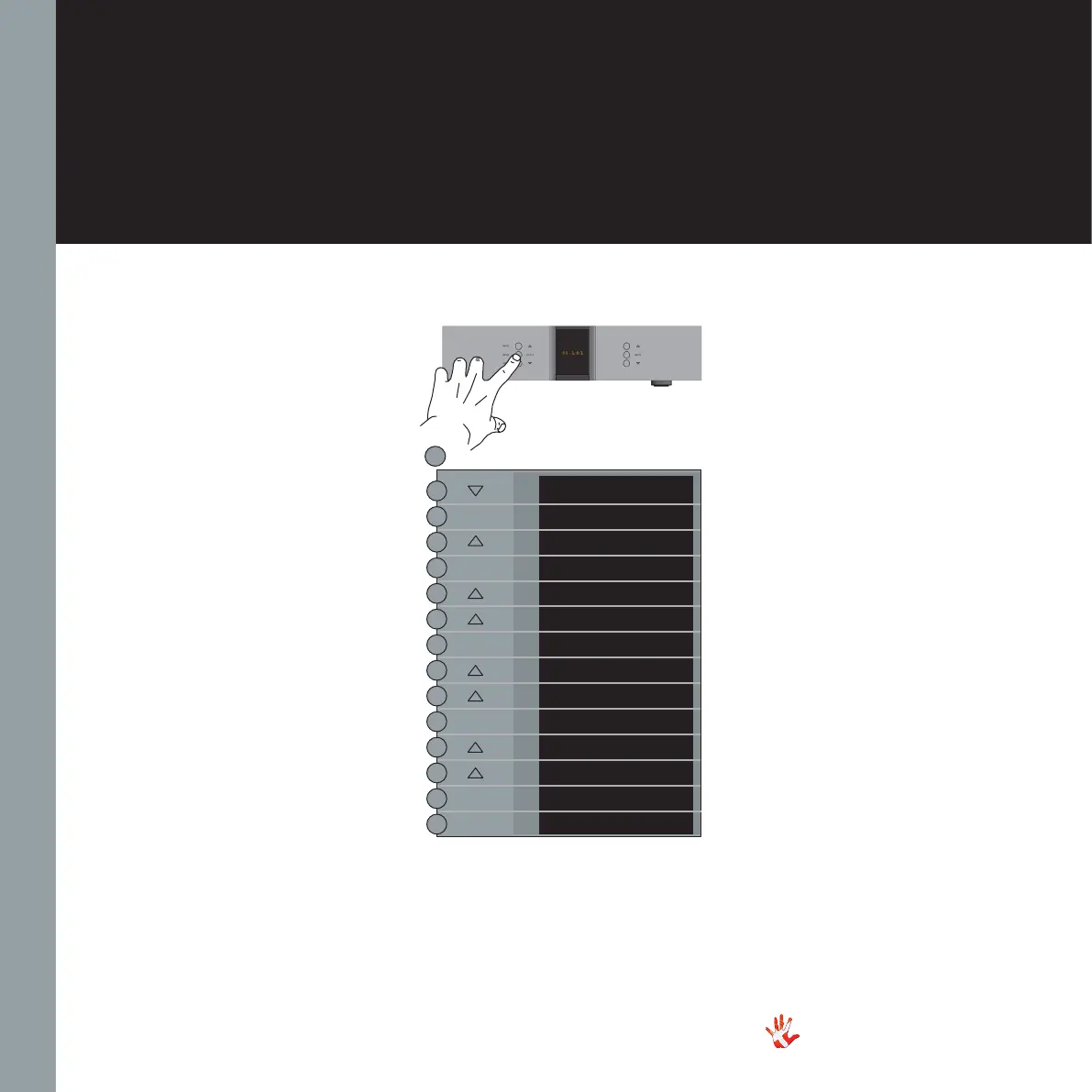
Example 7.2
Changing the name of
input DIG 2 to CD
Press the“MENU”button to
enter Menu Mode.
Navigate to the TEXT
submenu, using the function
buttons on the left front
1. Scroll forward in the
menu.
2. MENU/ Enter & Exit
SELECT submenus and
selectsettings.
3. Scroll backward in
the menu.
In the TEXT submenu you will
find a list of predefined names,
that you can choose from.
Select the name CD.
The name of input DIG 2 has
now been changed from DIG
2 to CD. Leave the TEXT
submenu.
RD-101 Left front panel
EXIT
SETUP
BACK
INPUTS
BACK
USB
DIG 2
BACK
USED
TEXT
DIG 2
SCD-O2
5
CD
TEXT
SELECT
SELECT
SELECT
MENU
SELECT
SELECT



 To Next Page