46
RD-101 | Version 1
7. examples operating
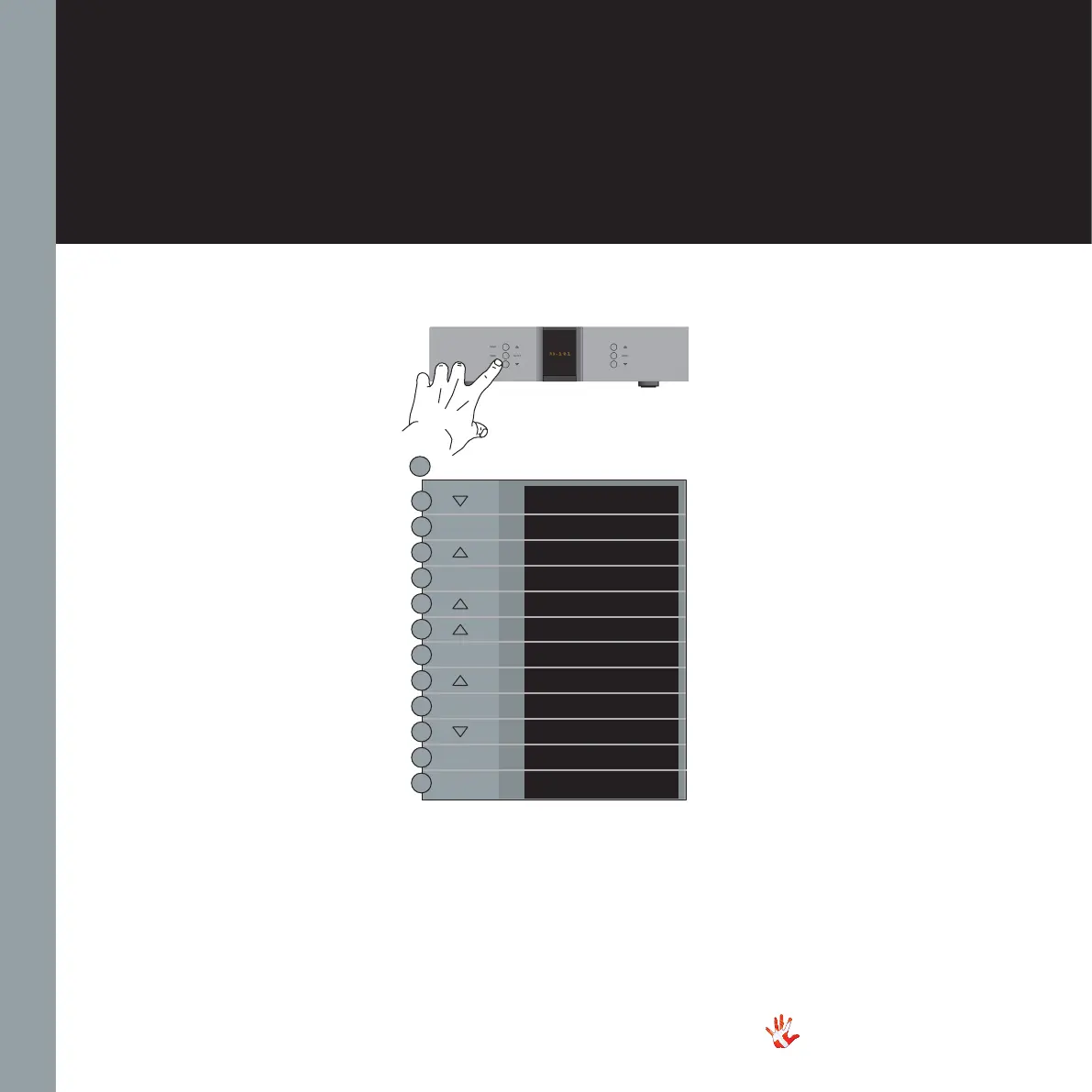
Example 7.4
Disabling inputs
If you only use some of the
inputs, then it is possible to
disable the inputs that you are
not using. The system will skip
the disabled inputs,
and jump to the next input.
The following example
illustrates how to disable
input DIG 2.
Press the“MENU”button to
enter Menu Mode.
Navigate to the INPUT sub-
menu, using the function
buttons on the left front
1. Scroll forward in the
menu.
2. MENU/ Enter & Exit
SELECT submenus and
selectsettings.
3. Scroll backward in
the menu.
Navigate to the USED sub-
menu under input DIG 2.
Disable input DIG 2 and
leave the menu. DIG 2 is now
disabled.
RD-101 Left front panel
EXIT
SETUP
BACK
INPUTS
BACK
USB
DIG 2
BACK
USED
USED
NOT USED
USED
SELECT
MENU
SELECT
SELECT
SELECT
SELECT



 To Next Page