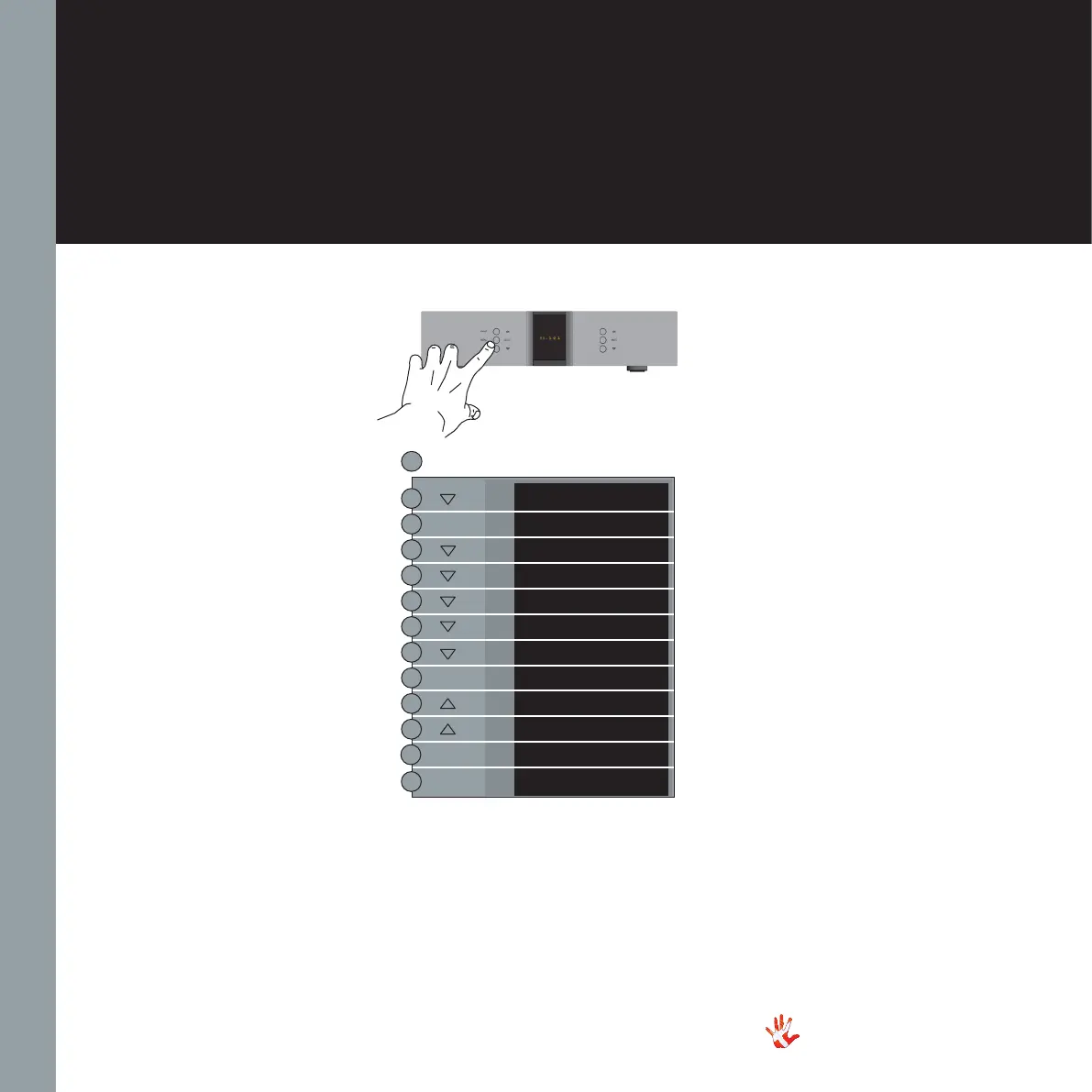
Example 4.3
Un-pairing of the
remote and the
RD-101
Press the“MENU”button to
enter Menu Mode.
Navigate to the “REMOTE”
submenu, using the function
buttons on the left front
1. Scroll forward in
the menu.
2. MENU/ Enter & Exit
SELECT submenus and
select settings.
3. Scroll backward
in the menu.
Enter the REMOTE submenu
and scroll down using the
button. The display now shows
“UNPAIR”. Press the “SELECT”
button. The display now shows
NO PAIR. This means that the
remote and the RD-101 are
now unpaired. leave the menu.
EXIT
SETUP
BACK
EXIT
BP VOL
DATA
RESET
REMOTE
BACK
REMOTE ID
UNPAIR
UNPAIRED
SELECT
SELECT
SELECT
MENU
38
RD-101 | Version 1
7. examples operating
RD-101 Left front panel



 To Next Page