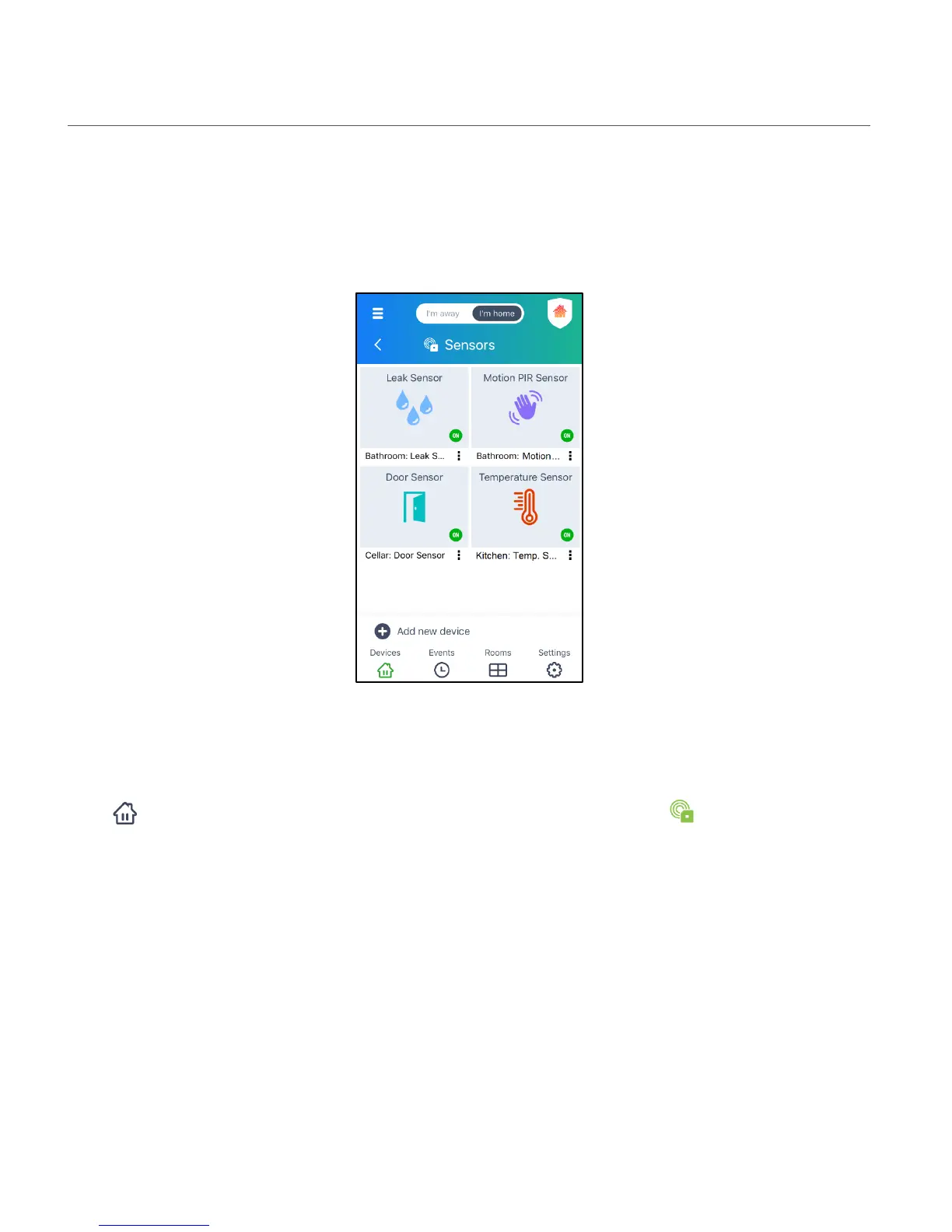
SENSORS SCREEN
The ‘Sensors’ Screen is shown when you have more than one Vivitar Smart Sensor registered to
the Vivitar Smart Home Security app. A list of your registered Sensors appears on this screen.
1. Tap the Devices button on the bottom navigation bar, then tap Sensors.
Alternatively: Tap the Main Menu button > tap Devices > then tap Sensors.
2. One of the following screens will appear:
a) ‘Sensors’ list screen: If your Smart Sensor is offline, or if you have more than one Smart
Sensor connected, then the ‘Sensors’ screen opens.
b) Dashboard Screen: If you have only one Vivitar Smart Sensor connected, the Dashboard
screen automatically opens.
3. The ‘Sensors’ screen displays a thumbnail view of each Sensor.


 To Next Page