HOME AND AWAY MODES
HOME & AWAY MODES
Switch the Home & Away modes when you leave your home and when you come back to
automatically adjust all the devices’ security settings in your home.
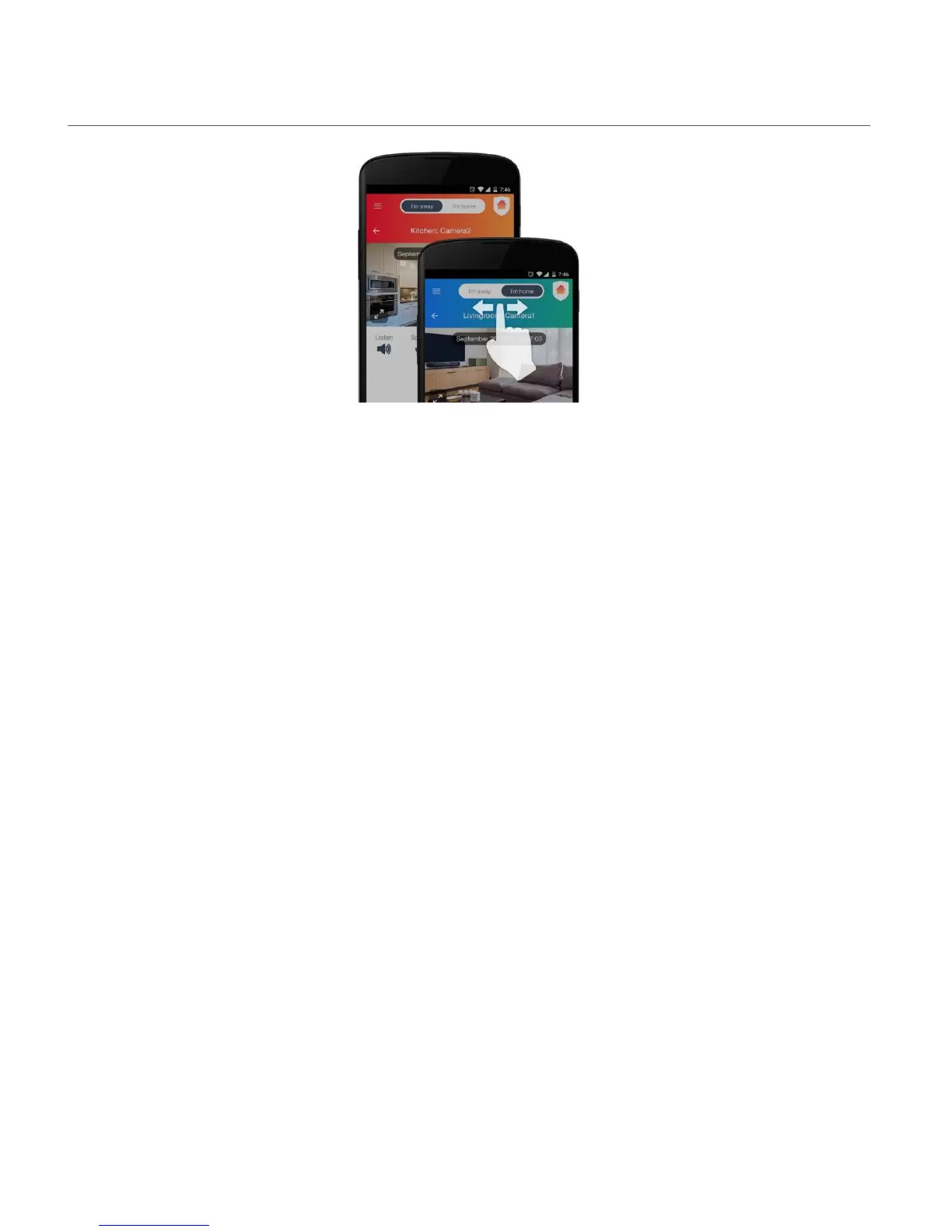
Slide your finger on the Home/Away mode button to select the mode ‘I’m away’ or ‘I’m home’.
NOTE:
• ‘I’m Away’: The background color for Away Mode on the top panel section is red.
• ‘I’m Home’: The background color for Home Mode on the top panel section is blue.
Sensors - Home & Away Settings
Sensors are either ON or OFF and they do not have ‘Home and Away’ settings.
IP Cameras - Home & Away Settings
Set your IP Camera security settings to detect motion and sound while you are home or away
from home. When motion or sound is detected, a video is automatically recorded. You can see
these videos in the Events screen listed according to date and time taken. A notification is sent
to your phone when motion or sound is detected.
Cloud video recording subscription:
A Cloud video recording subscription is required to view Cloud events. Go to Settings/Cloud
subscription to subscribe to one of the available Cloud subscription options or to change Cloud
subscription options.


 To Next Page