42
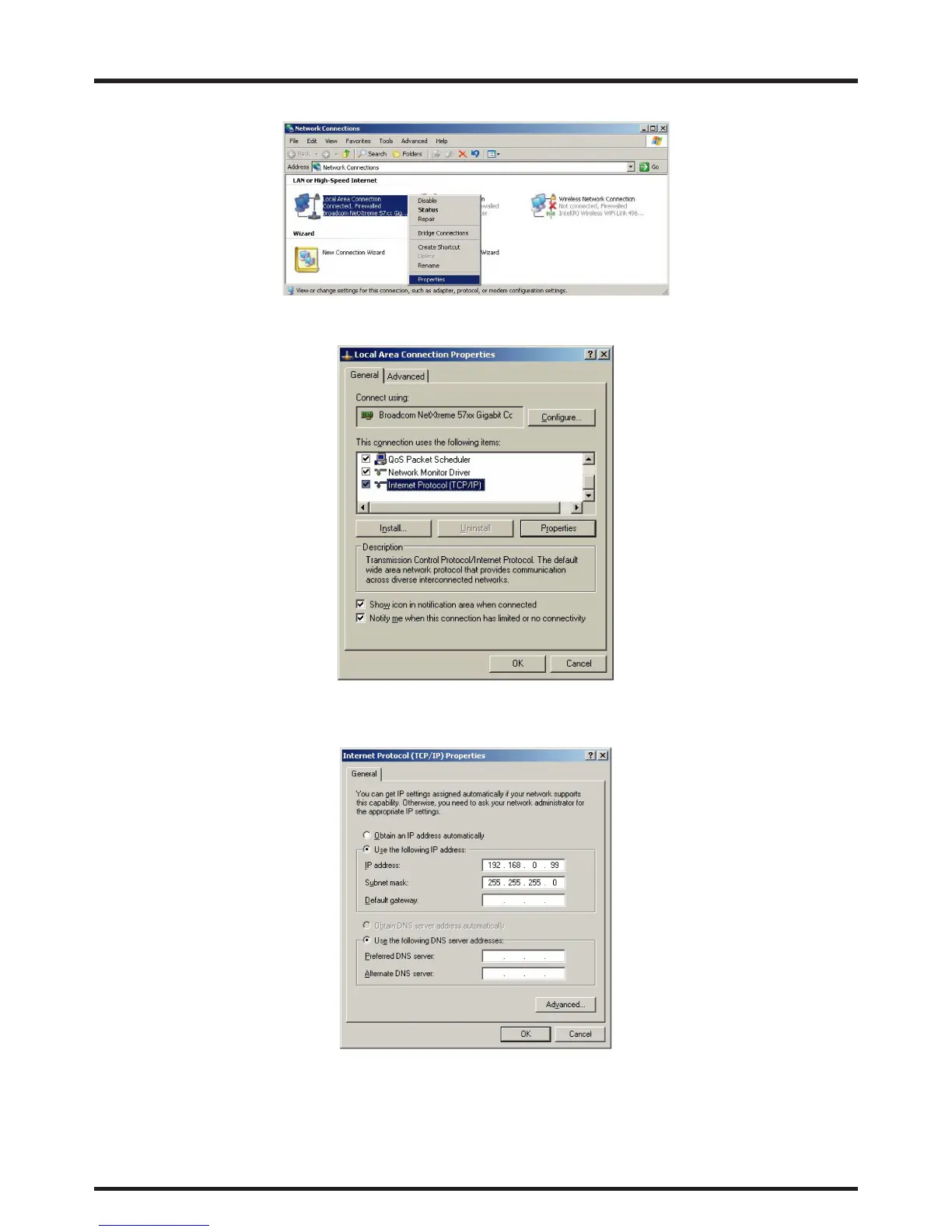
3. Right-click on Local Area Connection, and select Properties.
4. In the Properties window, select the General tab, and select Internet Protocol (TCP/IP).
5. Click Properties.
6. Click Use the following IP address.
7. Fill in the IP address and subnet mask. Make sure the IP address of the projector and PC are in the same
network group. For example, 192.168.0.X. Whereas X must contain a different value. Then click OK.


 To Next Page
 Loading...








