74
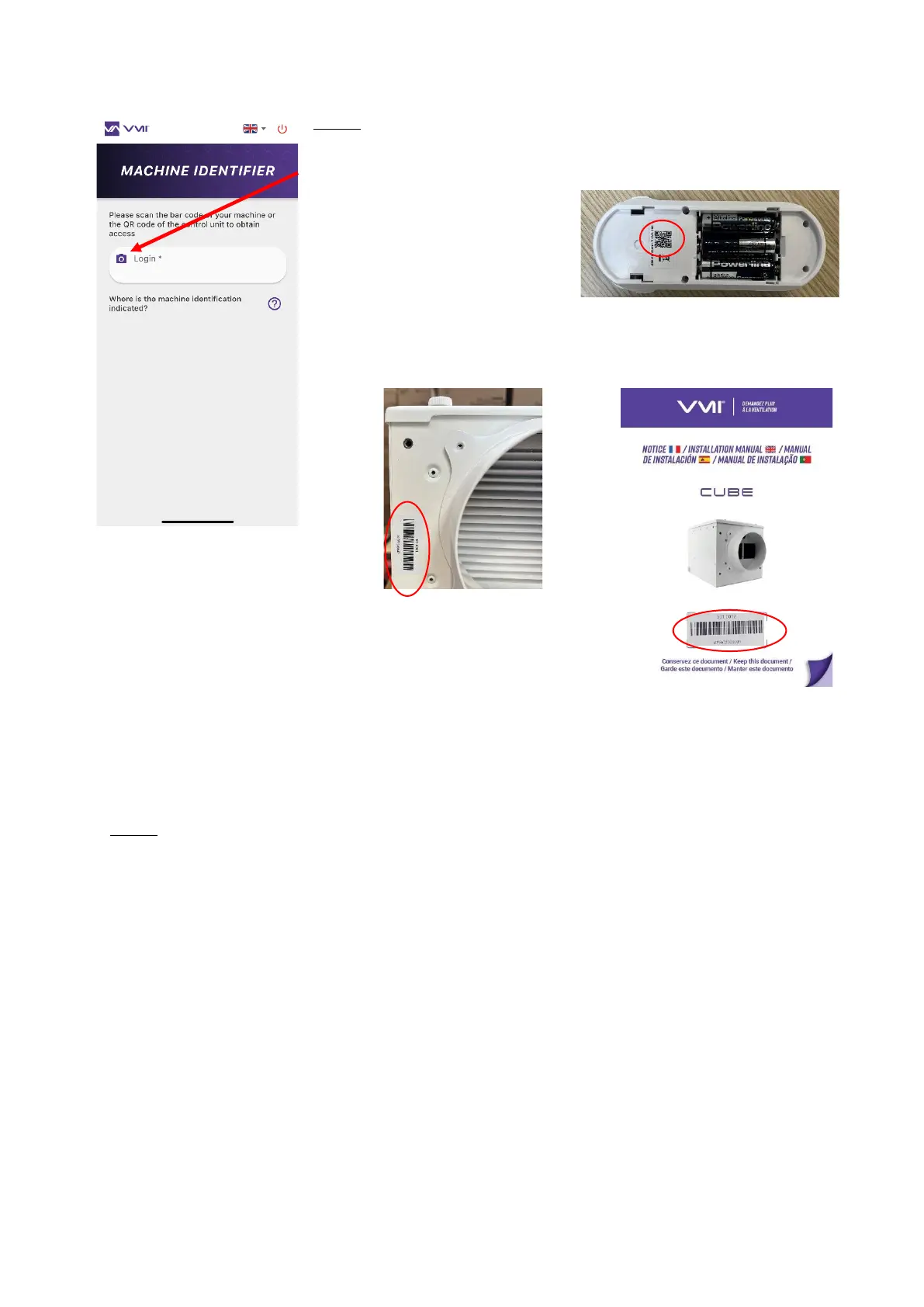
Step 3: Machine identifier
• Click on the “camera” icon to scan your VMI
®
unit identifier.
You
can scan:
o either the QR code located
inside the control unit battery
recess
o or the VMI
®
unit bar code located on the side of the housing or in
the hard copy manual included in the VMI
®
CUBE box.
• If you are unable to scan the bar code using your camera,
you can also enter the machine identifier manually (figure
under the bar code).
• Press the CONFIRM button.
Step 4: Modify preheating settings
• Select the CONFIGURATION button and then SIMPLIFIED CONFIGURATION.
• You can decide to either turn preheating ON/OFF or change the preheating temperature.


 To Next Page