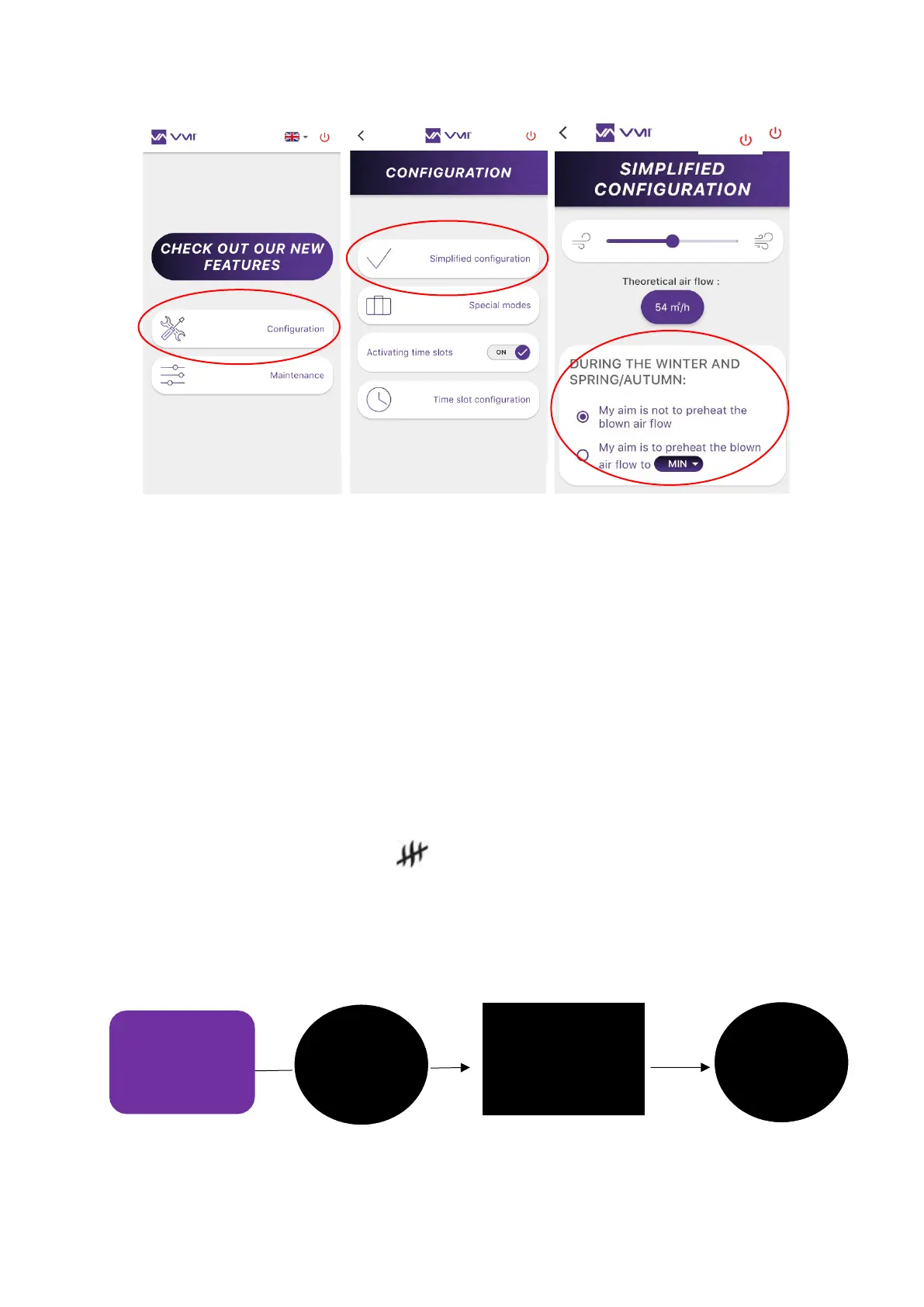
75
2. Changing preheating settings using the control unit
• Access the SETTINGS menu by pressing the button on the control unit twice (press and
release twice) and then by pressing the button again and holding for 3 seconds (press
and hold).
• Select the temperature pictogram.
• Use the dial to select the required temperature subject to available values.
• Press the button to confirm.
• To disable preheating, select the pictogram.
• The temperature will stop flashing to confirm that it has been accepted by the VMI
®
. If
the latter is not the temperature selected, it means that the control unit has ignored the
change. The operation will need to be repeated.


 To Next Page