83
2. Confirming a filter change via the VMI+ application
Open the VMI+ application and pair your VMI
®
CUBE unit with the application. Refer to the
previous paragraph Modify preheating settings with VMI+ and repeat step 1 Log in to the
application, step 2 Pairing and step 3 Machine identifier when logging in for the first time.
Step 4: Confirmation
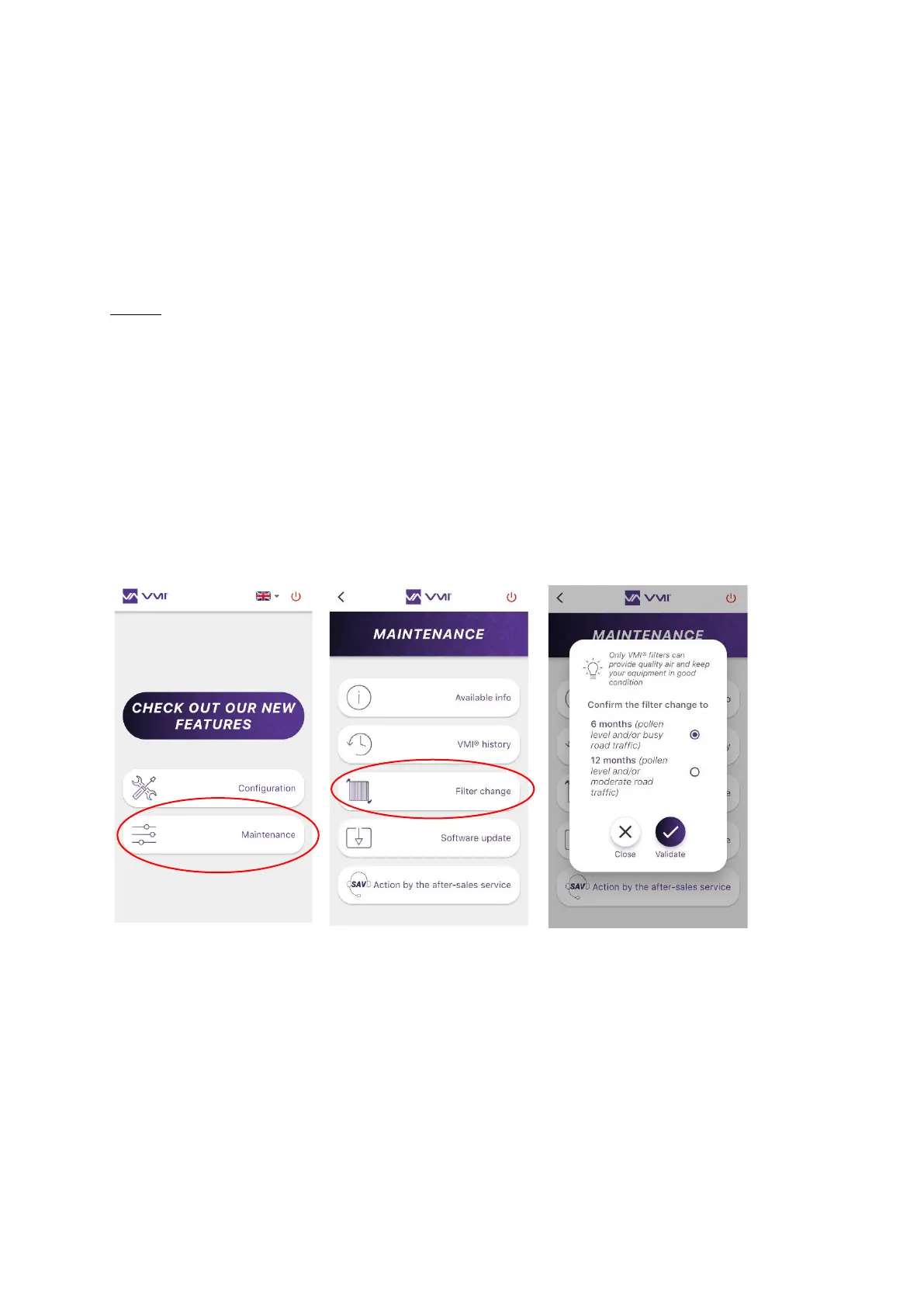
• Select the MAINTENANCE button,
• and then FILTER CHANGE.
• Determine the filter renewal period and confirm the new filter by pressing VALIDATE.
• Reactivate preheating if necessary.


 To Next Page