76
D. Modifying the maximum supply air temperature
This function can be accessed via the VMI+ application. Use this function to define the
maximum temperature before the reduced air flow cuts in.
To access this function, open the VMI+ application, and pair your VMI
®
CUBE unit with the
application. Refer to the previous paragraph Modify preheating settings with VMI+ and repeat
step 1 Log in to the application, step 2 Pairing and step 3 Machine identifier when logging in for
the first time.
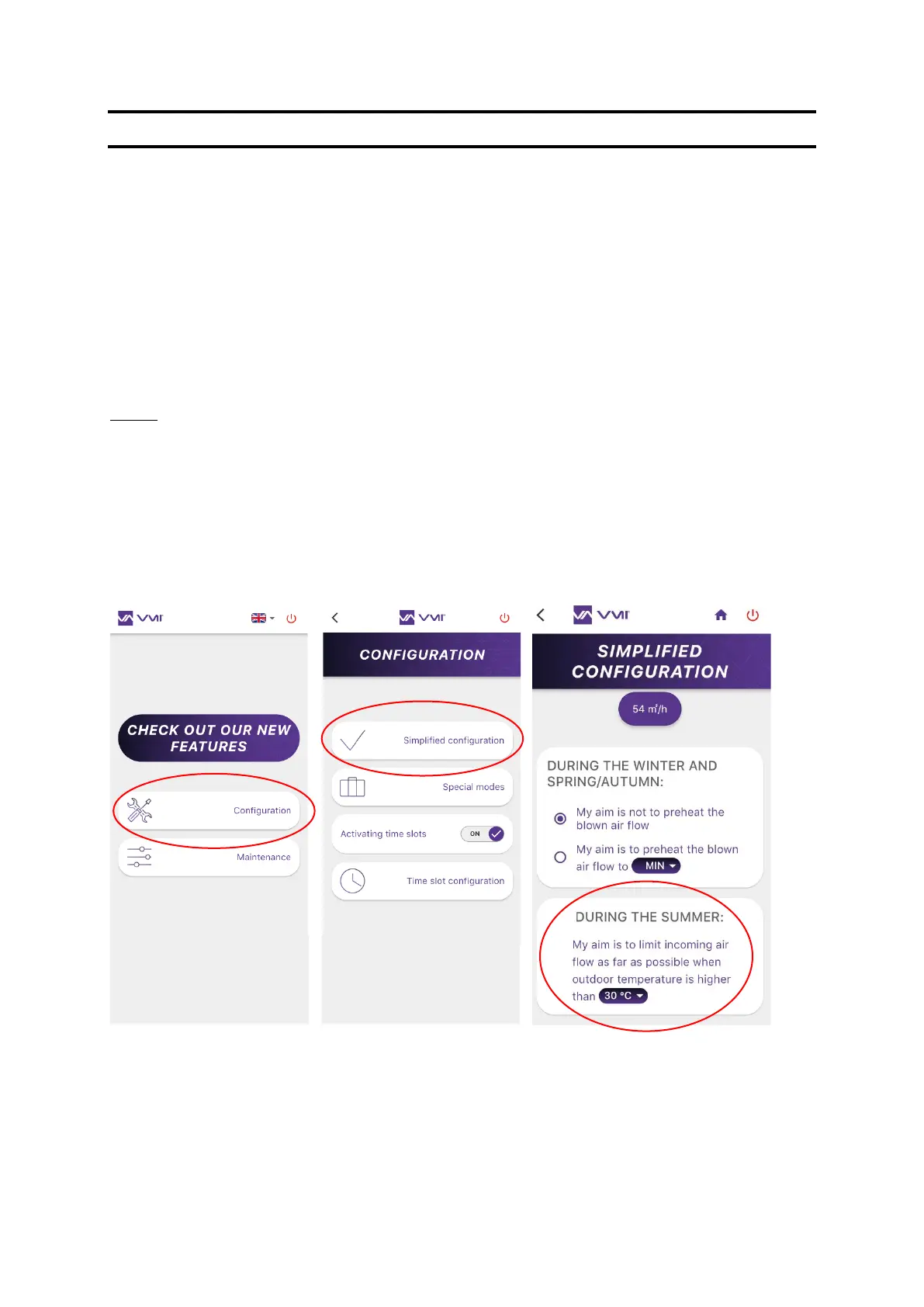
Step 4: Modify the max. supply air temperature
• Select the CONFIGURATION button and then SIMPLIFIED CONFIGURATION.
• You can select the maximum supply air temperature. This temperature must be between
22 and 40°C.


 To Next Page