86
E. Updating the VMI
®
software
Regularly update the VMI
®
unit using the VMI+ application to benefit from new VMI
®
functions.
Open the VMI+ application and pair your VMI
®
CUBE unit with the application. Refer to the
previous paragraph Modify preheating settings with VMI+ and repeat step 1 Log in to the
application, step 2 Pairing and step 3 Machine identifier when logging in for the first time.
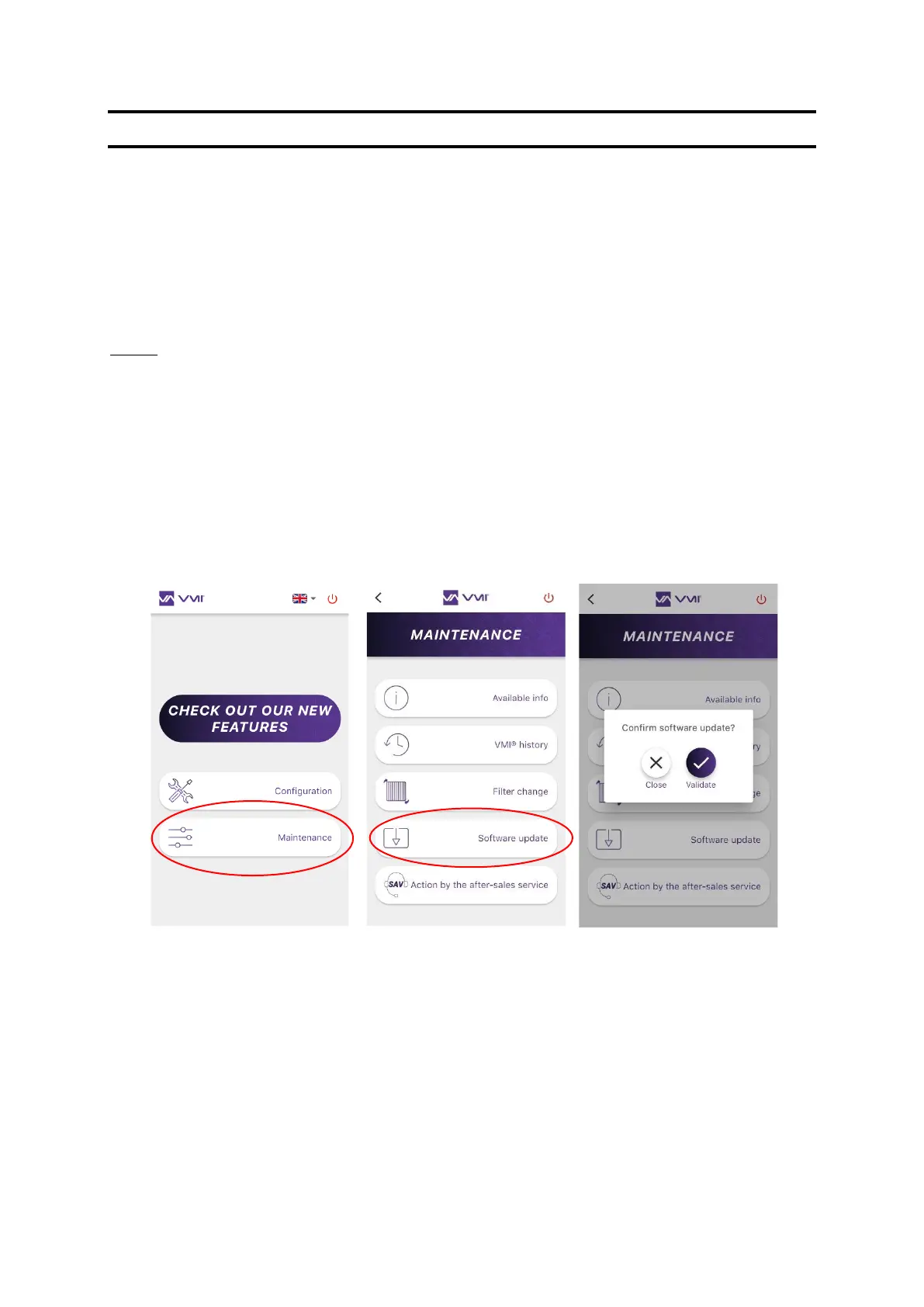
Step 4: Access updates
• Select the MAINTENANCE button,
• then SOFTWARE UPDATE.
• CONFIRM the start of the update.
Updates can take a few minutes. Do not handle the smartphone and stay close to the VMI
®
unit
throughout the process. The VMI
®
unit will restart once the update is completed.


 To Next Page